

What is a Skill
A Skill is a structured module that defines how the agent should perform a specific task. It typically includes:- A SKILL.md file (instructions and behavior definition for the agent)
- Optional resources such as:
- Scripts
- References
- Assets
Skill Types
Skills in CodeBanana are organized into three categories: Public Skills- Available in the Skill Market
- Created and shared by the community
- Can be browsed, added to projects, and shared
- Created and managed by individual users
- Only visible to you unless published
- Can be reused across your own projects
- Skills that are currently applied within a specific project
- Only take effect in that project’s agent context
Using Skills
You can apply Skills to your project in different ways: Add from Skill Market- Search for relevant skills in market
- Click Add to Project to apply in a project
1
Open skill market
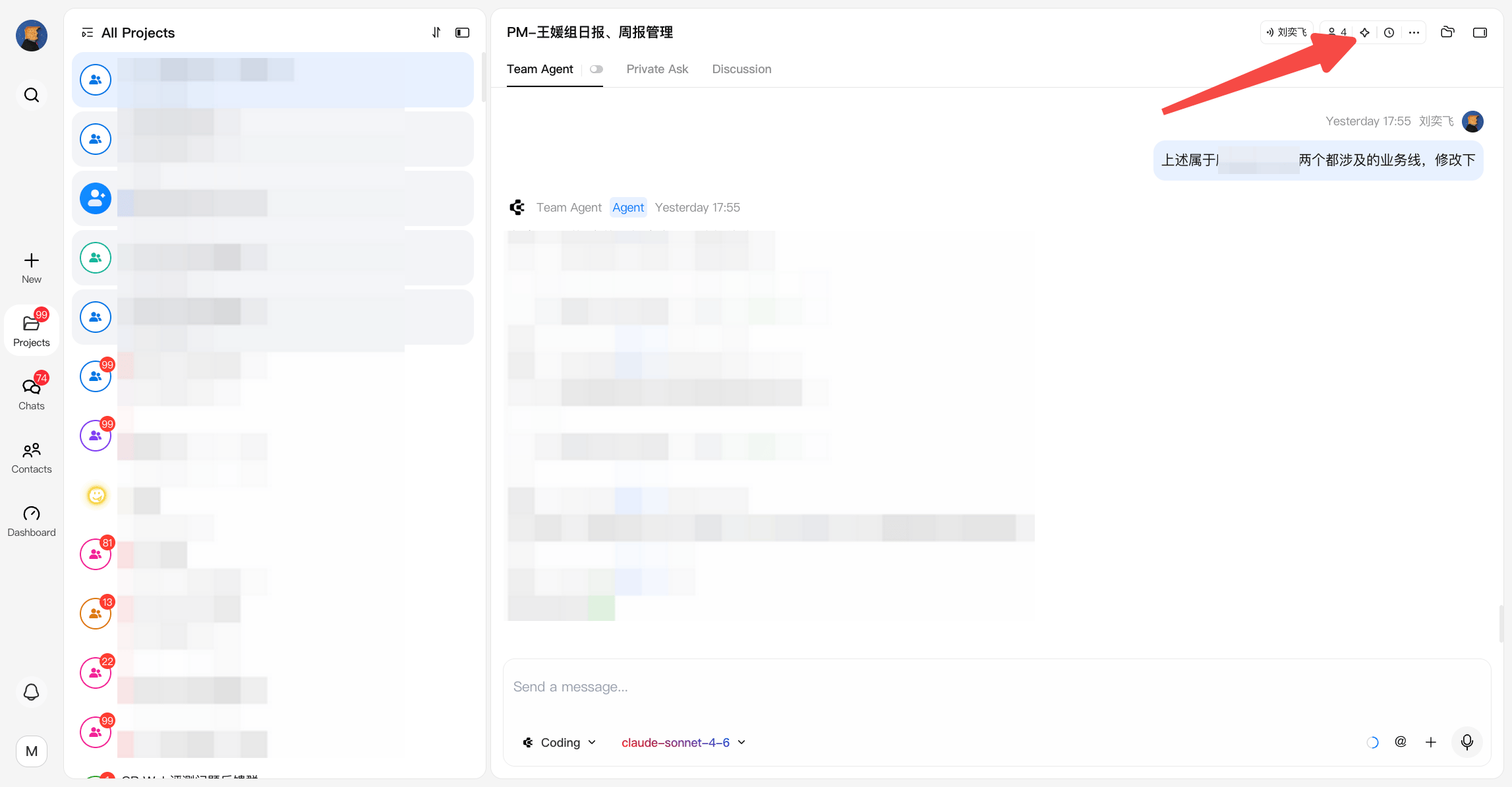
2
Install a skill
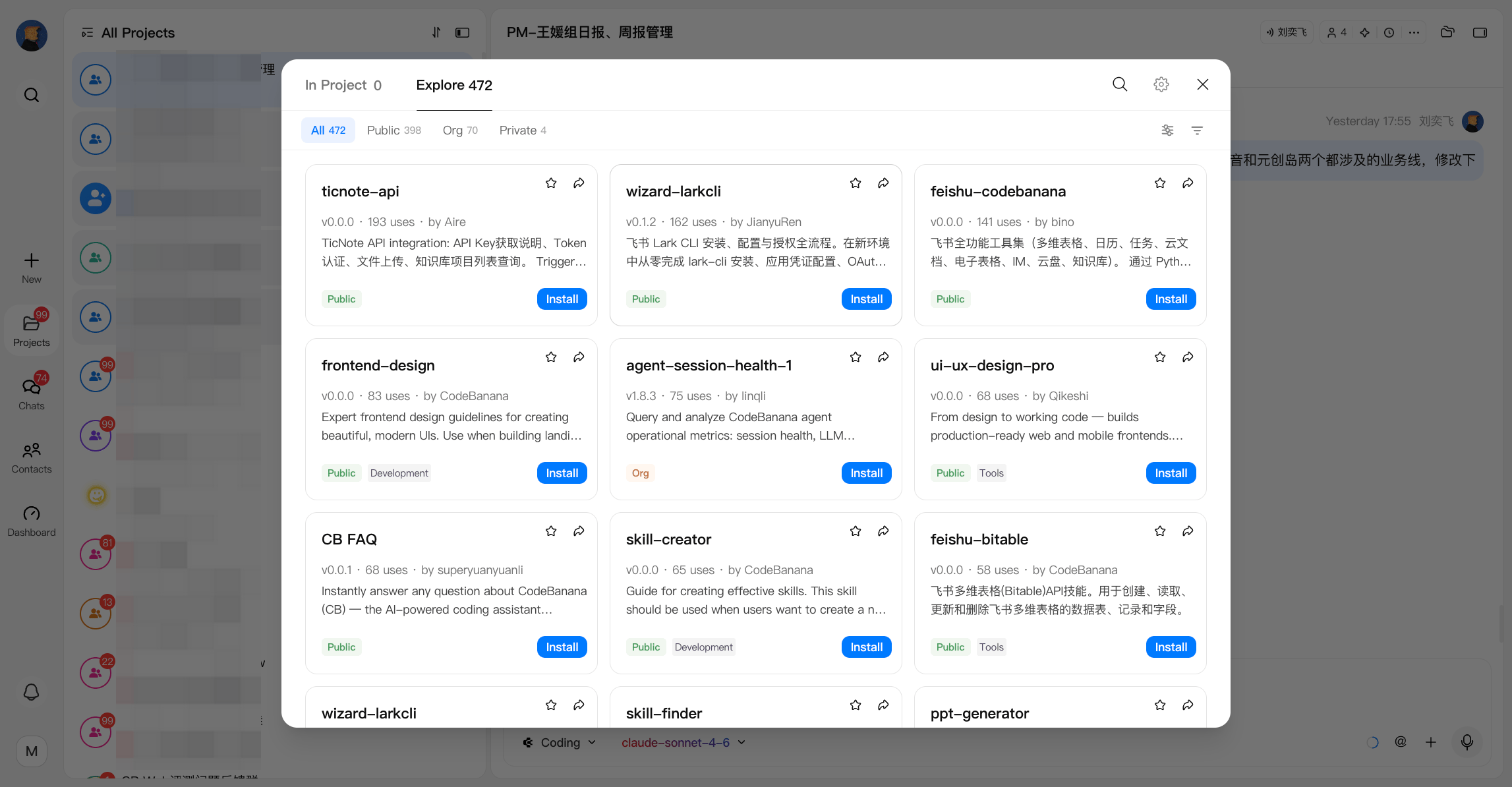
- Package your workflow into a Skill by chatting with your agent
- Upload it to your private skill library
- Reuse it across multiple projects by opening a project and adding to this project
- Upload a skill to your Private library
- Uploaded skills can be reused across different projects
- This is useful when you want to turn an existing workflow or result into a reusable skill
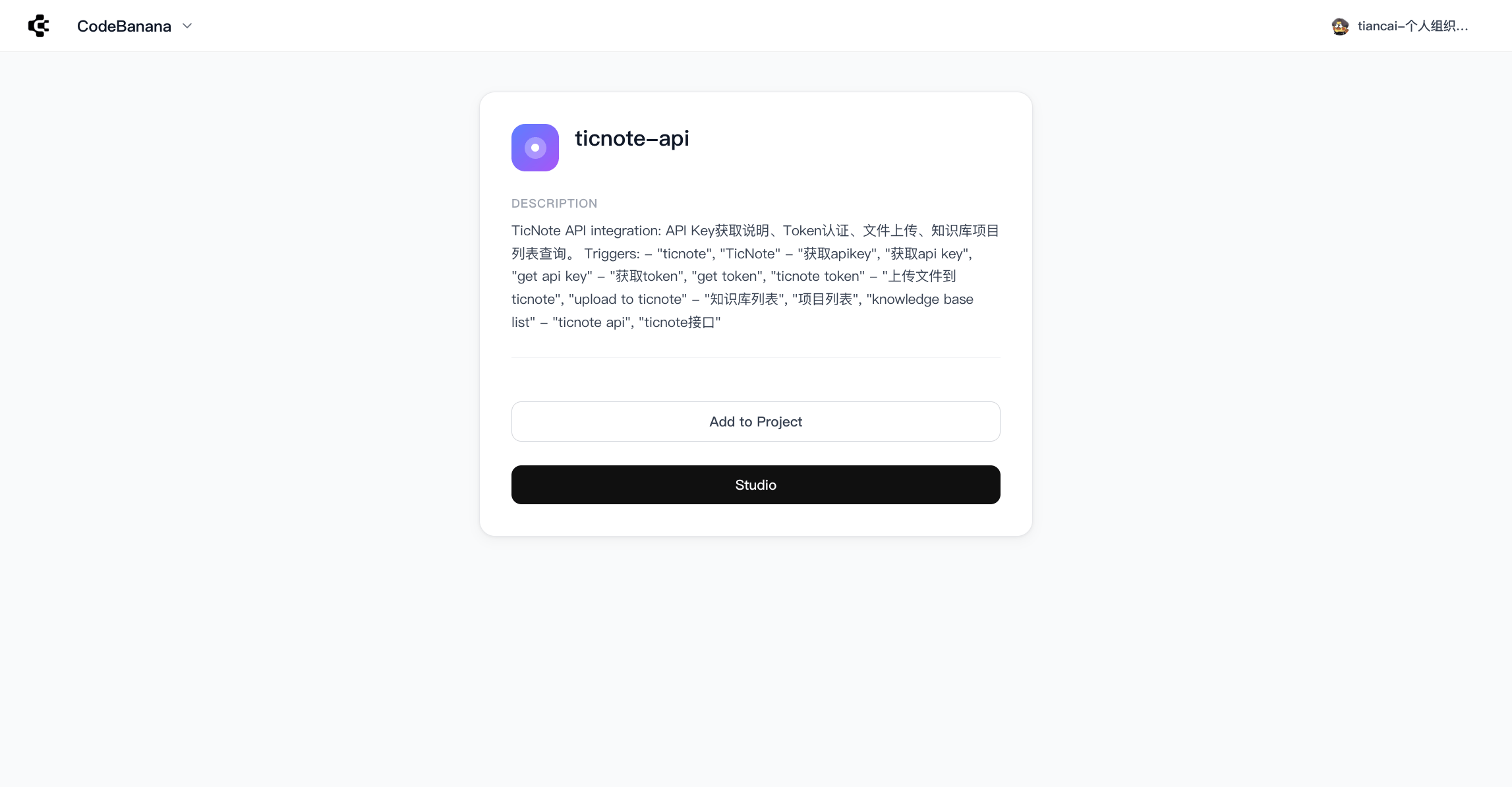
- Generate a shareable link
- Others can import and use the skill in their projects
- Convert private skills into published ones
- Choose the visibility scope when publishing:
- Visible to everyone
- Visible within your organization only
1
Open skill management panel
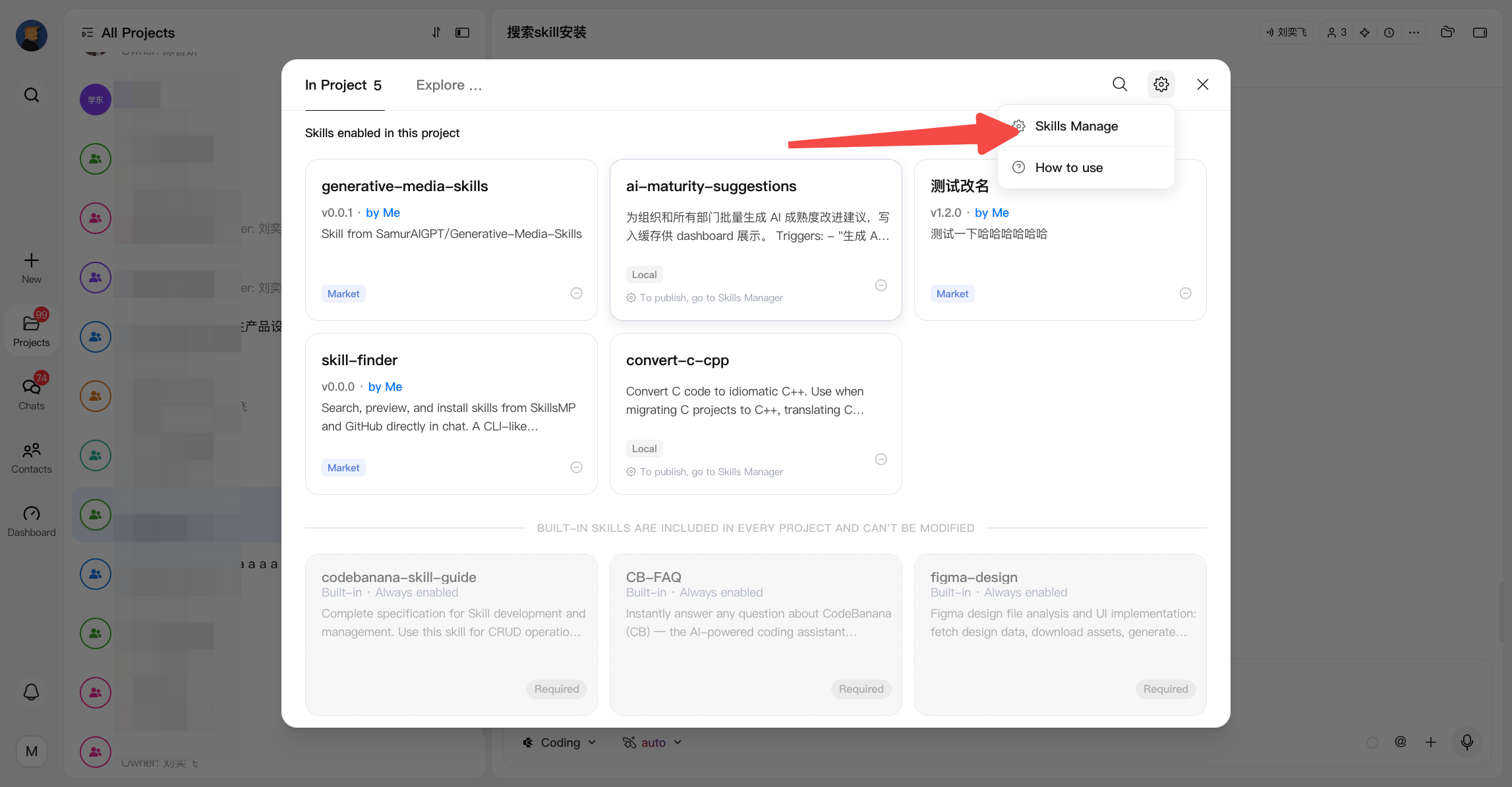
2
Click publish your skill
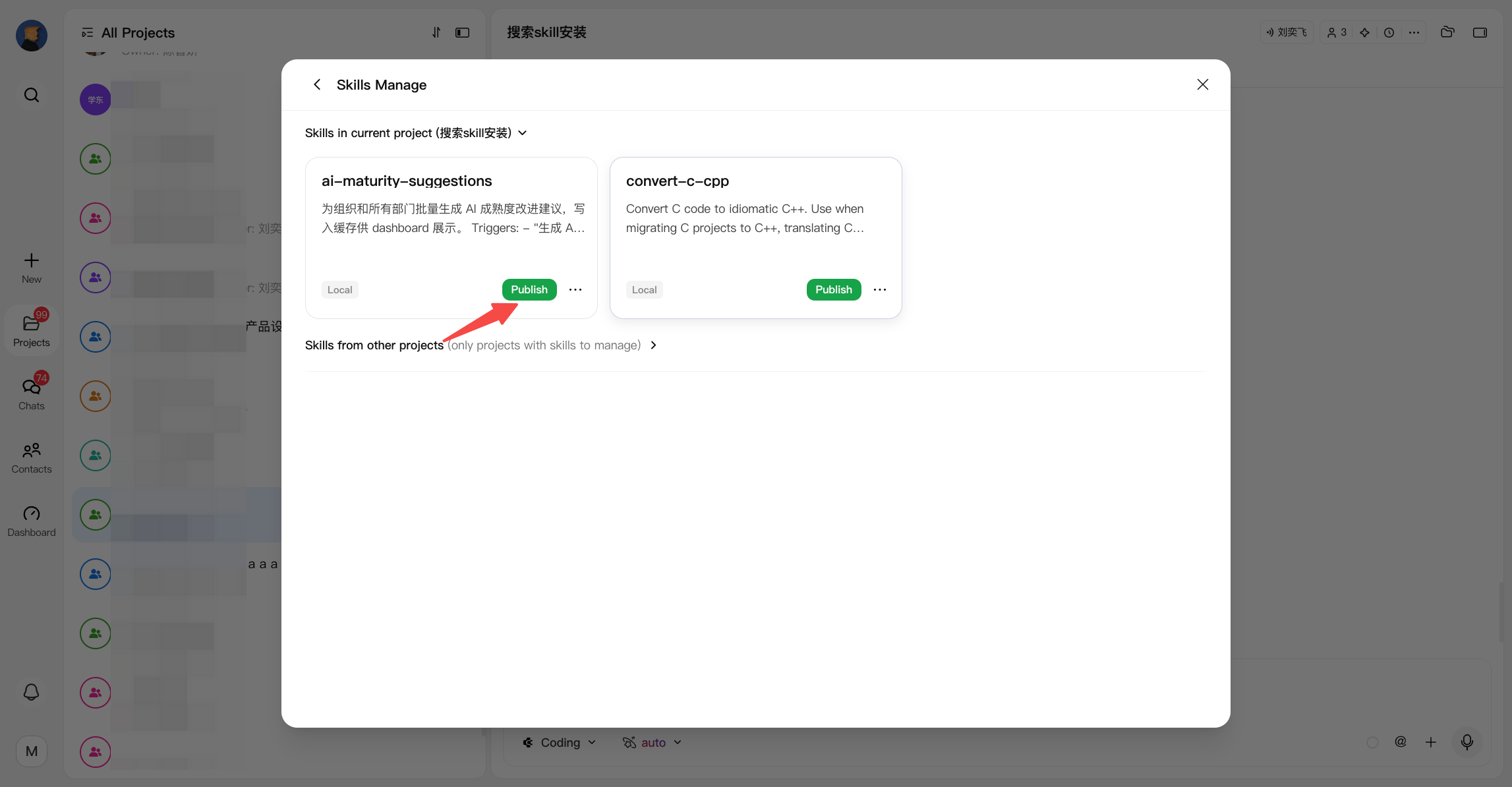
3
Editing skill details
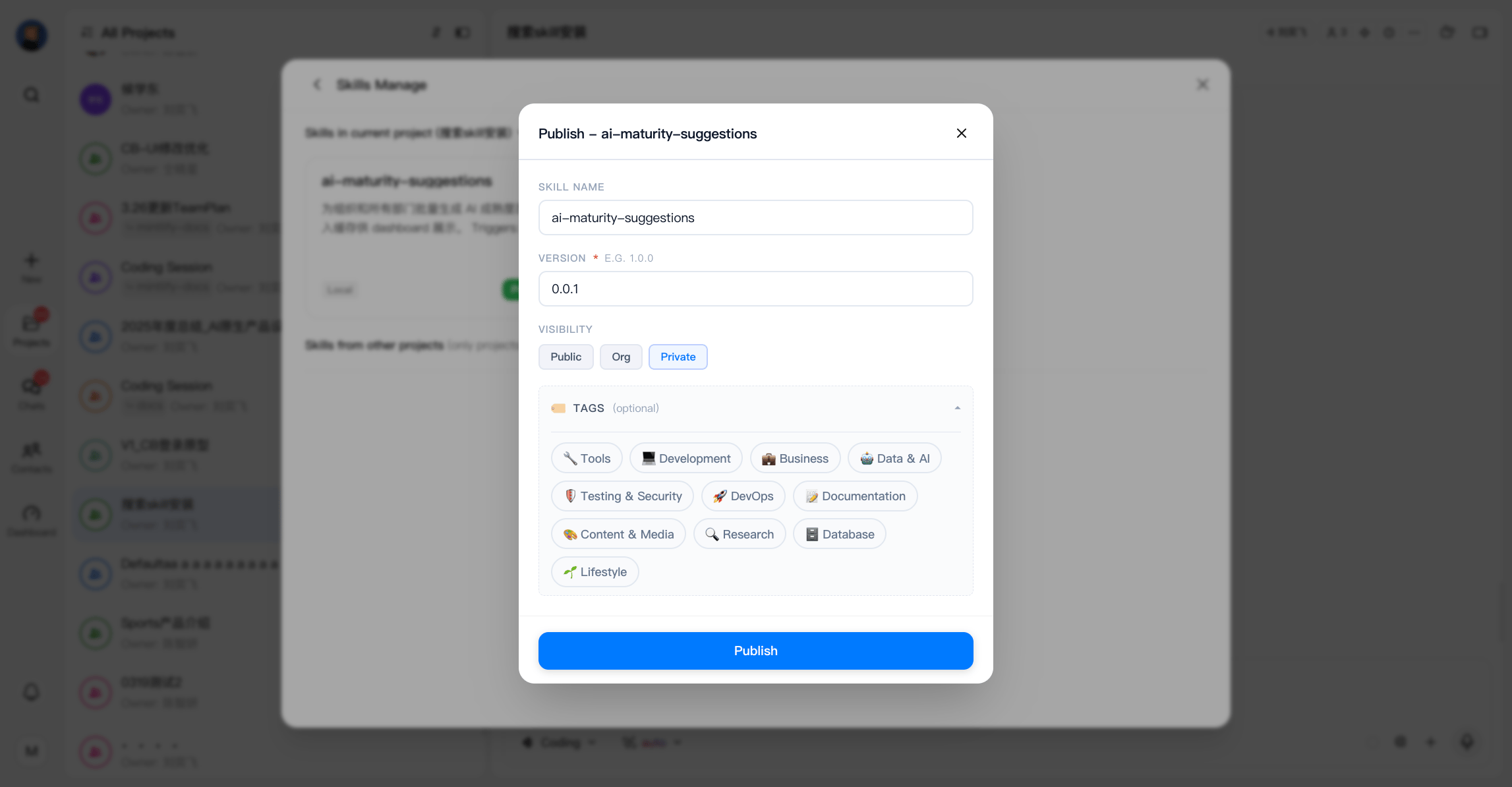
- Skills support updates after creation
- You can publish a new version when the skill content changes
- A new version number can be added during the update process
Where to Manage Skills
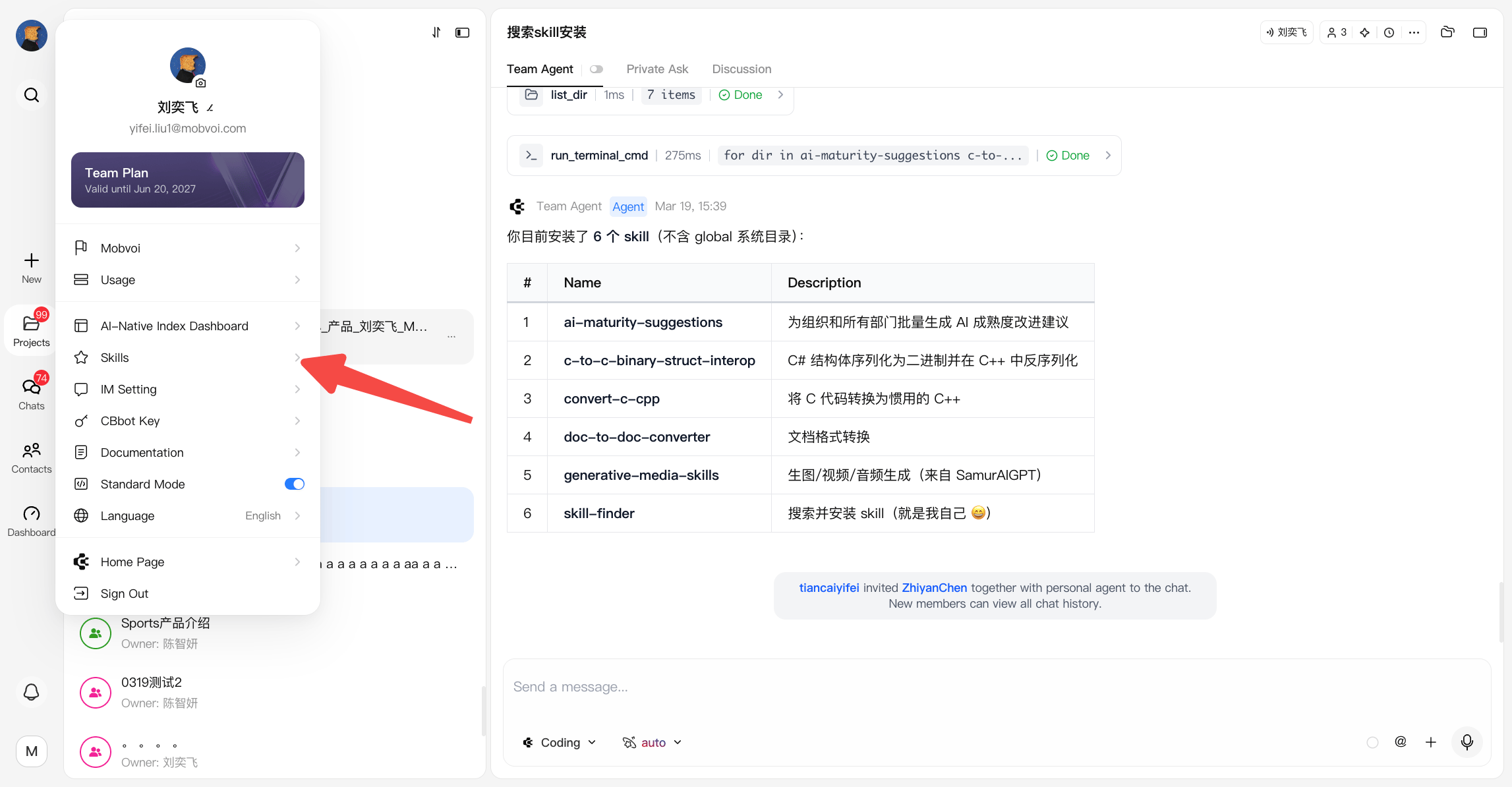
Skills can be accessed from two entry points:- Personal Center → Skills
- Browse the Skill Market
- Manage private and public skills
- View author information in the skill list
- Project → Agent Config → Skills
- View and manage skills currently active in the project
- Add or remove skills
Common Use Cases
Find and apply a Skill to a project- Go to Skill Market
- Search for a relevant skill
- Click Add to Project and select the target project
- Go to Agent Config → Skills → Skill Market → Private → Upload
- Upload your skill to your private library
- The uploaded skill can later be added to other projects
- Go to Agent Config → Skills → Skill Market → Private → Upload
- Upload your skill to your private library
- In another project:
- Go to Skills → Skill Market → Private → Add to Project
- Go to Skill Market → Private
- Select the skill and click Publish
- Choose whether the skill should be:
- Visible to everyone
- Visible only within your organization
- Open an existing skill
- Update its content or resources
- Go to skill library and click this project tab
- Click update
- Publish a new version with an updated version number
Why Skills Matter
Skills enable teams to:- Standardize workflows
- Reduce repeated instructions
- Share best practices across projects
- Turn experience into reusable assets