

Choosing your plan
CodeBanana offers flexible plans for different levels of usage, from free trial access to heavier personal workloads.Free
Free gives you full access to CodeBanana with a one-time trial quota.- $5 free token quota
- Valid during the registration month
- 20 MB cloud storage
- No feature gating
Free plan token quota is issued once only. It expires at the end of the registration month and is not reissued.
Personal
Personal is designed for individual developers who need a dedicated environment and a higher included token quota.- $25 included token quota / month
- 1 GB cloud storage
- Multiple VM tiers:
- 2 vCPU / 4 GB RAM
- 4 vCPU / 8 GB RAM
- 8 vCPU / 16 GB RAM
Personal plan pricing is made up of two parts: the VM fee and the included monthly token quota fee.
Professional
Professional is designed for heavier individual workloads and larger projects.- $130 included token quota / month
- 5 GB cloud storage
- Available VM tiers:
- 4 vCPU / 8 GB RAM
- 8 vCPU / 16 GB RAM
Professional plan pricing also combines the VM fee and the included monthly token quota fee.
Ready to purchase?
View pricing and choose the plan that fits your needs.
Purchasing a plan
Once you have selected the plan that fits your needs, you can upgrade from the pricing page. To purchase a plan:- Click the upgrade button at the top right of your workspace
- Choose a plan
- Select a VM tier
- Select a billing cycle:
- Monthly — pay month to month
- Yearly — save with an annual discount
- Click Upgrade to continue to checkout
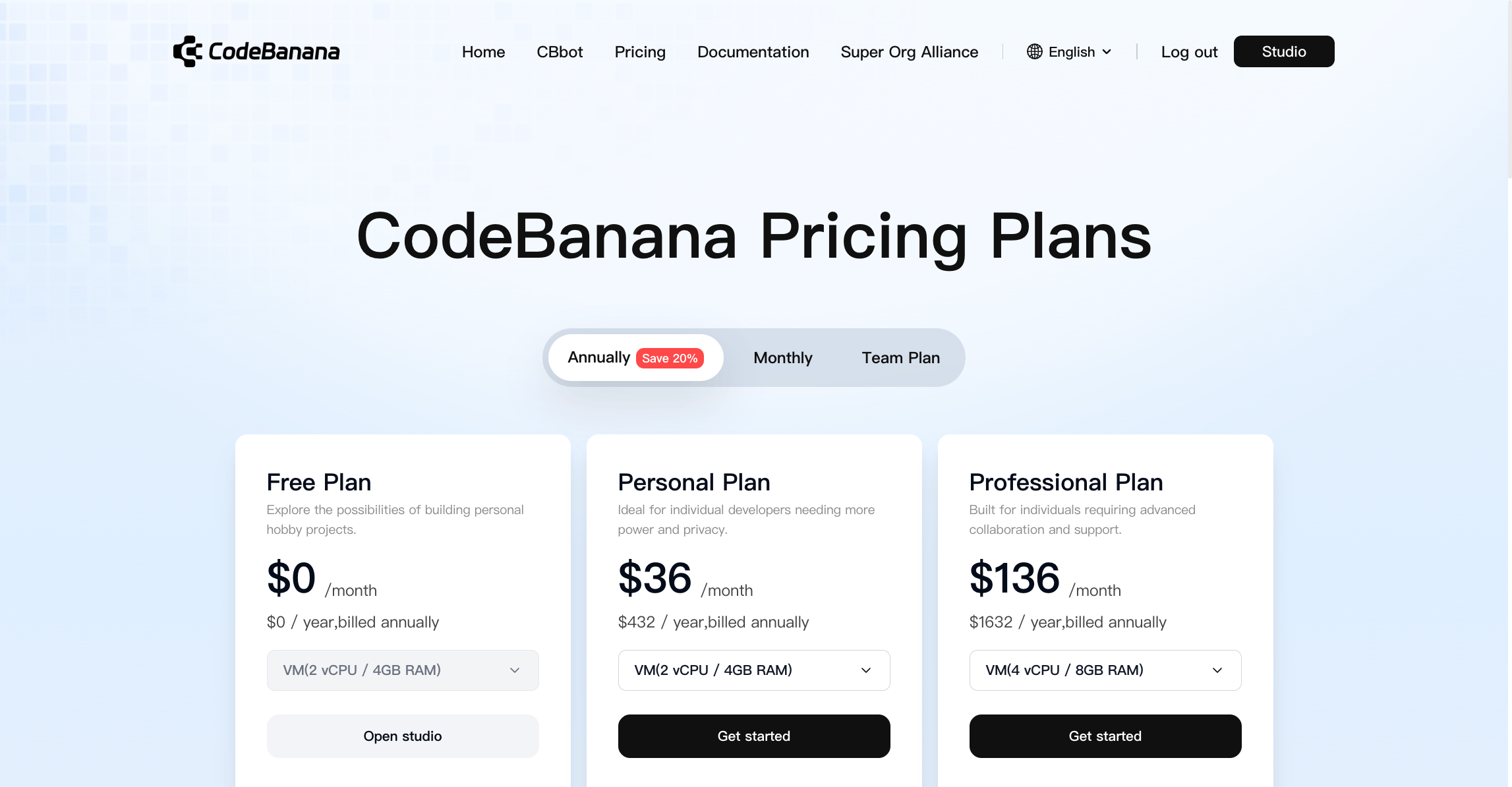
Yearly pricing
Yearly billing applies a discount to the combined annual cost of:- The VM fee
- The included token quota fee
Token Quota and Billing
What are Tokens
Tokens measure the actual amount of model computation used during a task. This includes:- Input — prompts, context, files, and instructions
- Output — agent responses, generated code, and plans
Included Token Quota
Each plan includes a built-in token quota:- Free — $5 one-time token quota
- Personal — $25 / month
- Professional — $130 / month
Token Top-up
If your included token quota is exhausted, you can continue using CodeBanana through On-demand Usage (Top-up). Top-up is available for individual plans and lets you add token balance as needed without changing your current subscription.Team Plan does not use personal top-up. Team usage is handled through the shared team token pool.
How Billing Works
For individual plans, billing follows this structure:- Your subscription price includes:
- A VM fee
- An included token quota fee
- Included token quota resets on your subscription renewal date
- Unused included quota does not roll over into the next cycle
- If your included quota is exhausted, you can continue through Top-up
Usage Alerts
CodeBanana provides usage alerts to help individual users track remaining quota.- A reminder is shown when the remaining token balance in your plan falls below 10%
Reminder text
You’re running low on tokens — $ left in your plan. Top up or upgrade now to keep your work uninterrupted.
- Free plan token quota
- Included token quota in paid individual plans
If you upgrade from Free to a paid individual plan while your remaining balance is already low, CodeBanana will not immediately send the same low-token reminder again.
FAQ
What is included in Free plan now?
What is included in Free plan now?
Free plan includes a one-time $5 token quota, 20 MB cloud storage, and access to all core product features without feature gating.
Does Free plan quota renew every month?
Does Free plan quota renew every month?
No. Free plan quota is issued once during the registration month. It expires at the end of that month and is not reissued.
What happens when my included token quota is exhausted?
What happens when my included token quota is exhausted?
If you are using an individual paid plan, you can continue through On-demand Usage (Top-up) without changing your subscription.
Can I top up tokens on Personal or Professional plans?
Can I top up tokens on Personal or Professional plans?
Yes. Individual paid plans support token top-up after the included quota is used up.
How does yearly pricing work?
How does yearly pricing work?
Yearly pricing is based on the annual combined value of the VM fee and the included token quota fee, with an annual discount applied.
When will I receive a usage warning?
When will I receive a usage warning?
CodeBanana shows a reminder when the remaining token balance in your plan falls below 10%.Reminder text:
You’re running low on tokens — $ left in your plan. Top up or upgrade now to keep your work uninterrupted.
Do unused tokens roll over to the next cycle?
Do unused tokens roll over to the next cycle?
No. Unused included token quota does not roll over into the next billing cycle.