Project and Chat modes
Each project in CodeBanana has a corresponding group chat that supports three distinct chat modes for different collaboration needs.Chat modes
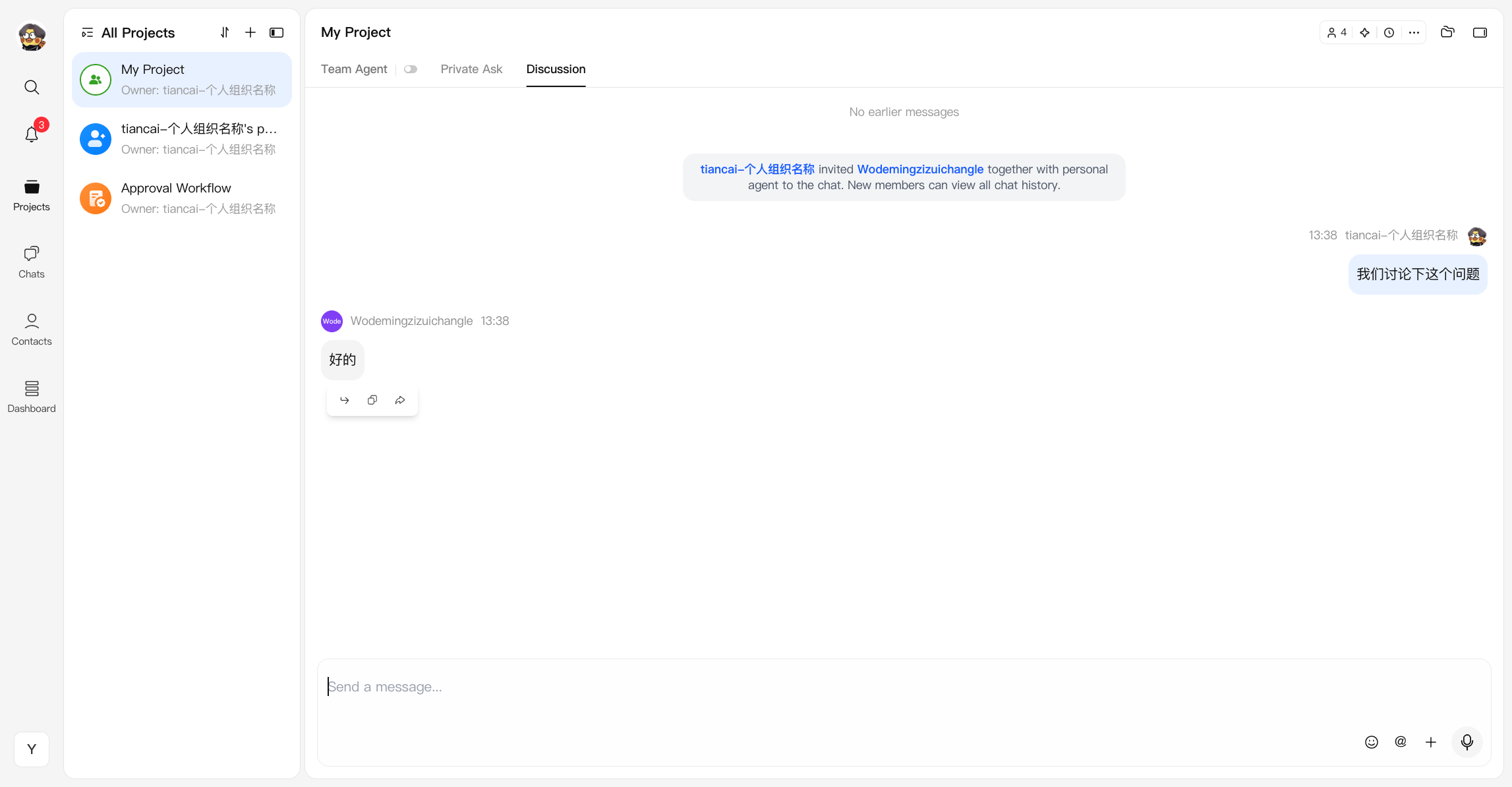
Every project group chat includes three modes:Team Agent
Team Agent mode is designed for shared, controlled collaboration with AI in a team environment. Instead of each individual interacting with a separate assistant, the team works with a single, project-level agent that operates on a shared codebase, shared context, and shared objectives. This mode ensures that AI-driven changes remain visible, coordinated, and aligned across the entire team.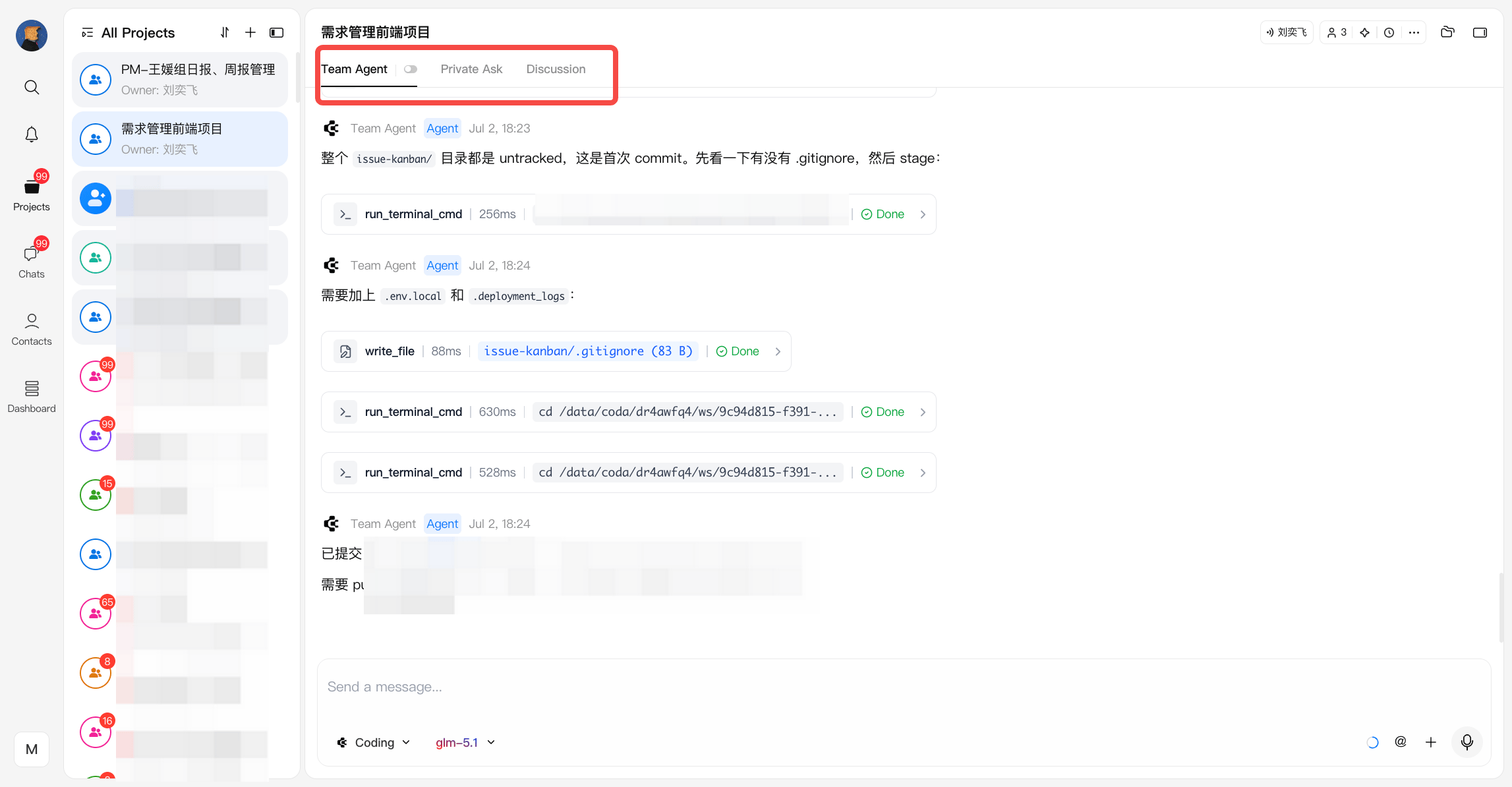
What is Team Agent
Team Agent is a centralized AI collaborator for the project:- Operates on the entire project context (repo, files, discussions, history)
- Acts as a shared execution layer for coding, refactoring, debugging, and task automation
- Ensures all AI-generated changes are transparent and traceable within the team workspace
Collaboration
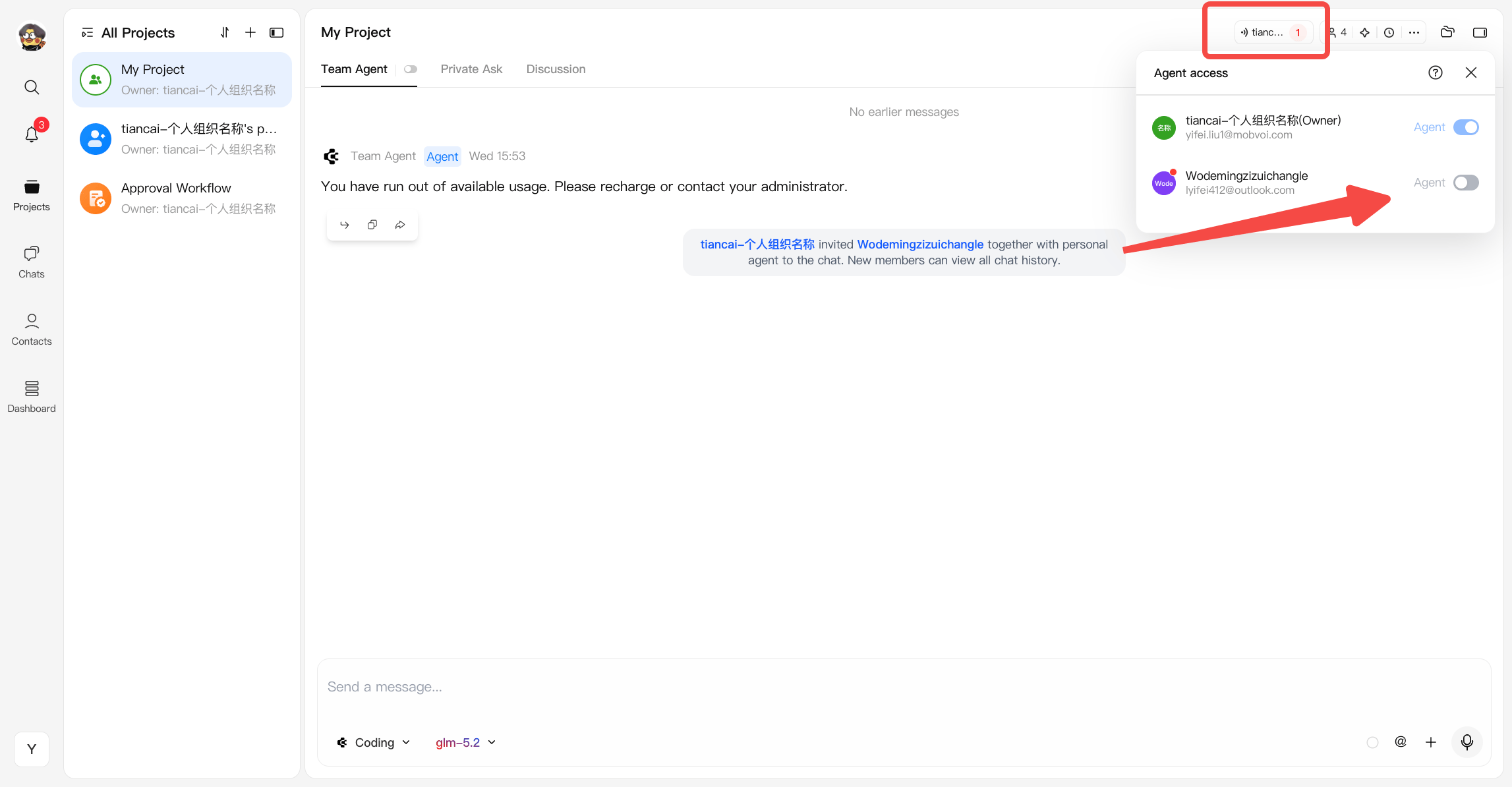
To maintain consistency and avoid conflicts, Team Agent follows a controlled interaction model:- Only one team member can interact with the agent at a time. By default, interaction with the Team Agent is restricted to the project owner and project admins
- When the agent is idle, project admins can take control without requiring manual approval from the owner
- They must request access (presenter) from the owner
- Once approved, only that member is granted interaction rights with the agent
- During this period, all other members do not have access until control is reassigned
- The agent executes tasks based on the current user’s instructions
- All changes are immediately visible to the team
- Usage is attributed to the project owner
Queueing and Stopping
When multiple users send messages to the Team Agent, they are processed through a shared queue. Queueing behavior- All messages are processed in send-time order
- The entire project shares one Team Agent queue
- Multiple messages from the same user are placed at the end of the queue in sequence
- The queue limit is 50 messages
- If the queue is full, the user will see: “Agent is busy, please try again later”
- After one message finishes, the next queued message starts automatically
- If a queued message is withdrawn, its position is released and later messages move forward automatically
- The Team Agent view shows the current queue status, including how many messages are still waiting
- All members in the project can see the current queue count
- The message sender can stop their own message, whether it is currently running or still waiting in the queue
- The project owner can stop any message in the Team Agent queue
- Other members cannot stop messages started by other users
- Any content already generated is kept
- The queue slot is released immediately
- The next queued message starts automatically
- The user can send a new message, which will enter the end of the queue
Agent Modes
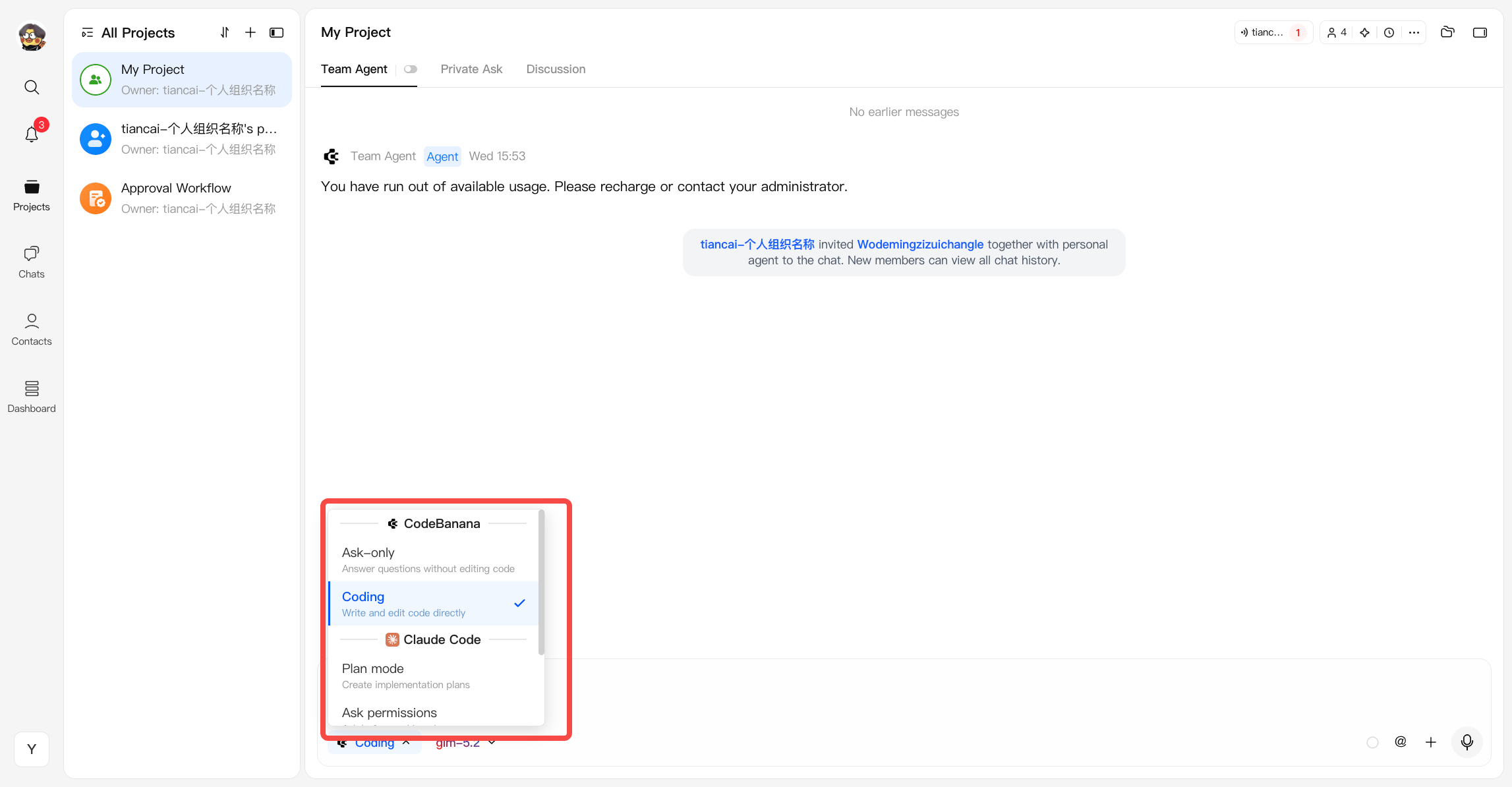
Agent Modes define how the agent interacts with your project, from read-only assistance to direct code execution.- Ask-only Read-only mode. The agent answers questions and provides guidance without modifying any files.
- Coding Execution mode. The agent can directly write and edit code within the project.
- CodeBanana (CB Optimized Model) Enhanced for project-level tasks with pre-installed capabilities such as deployment.
- Claude Code (Claude Native Model) Consistent with the native Claude experience. Requires more explicit prompting and user guidance.
Private Ask
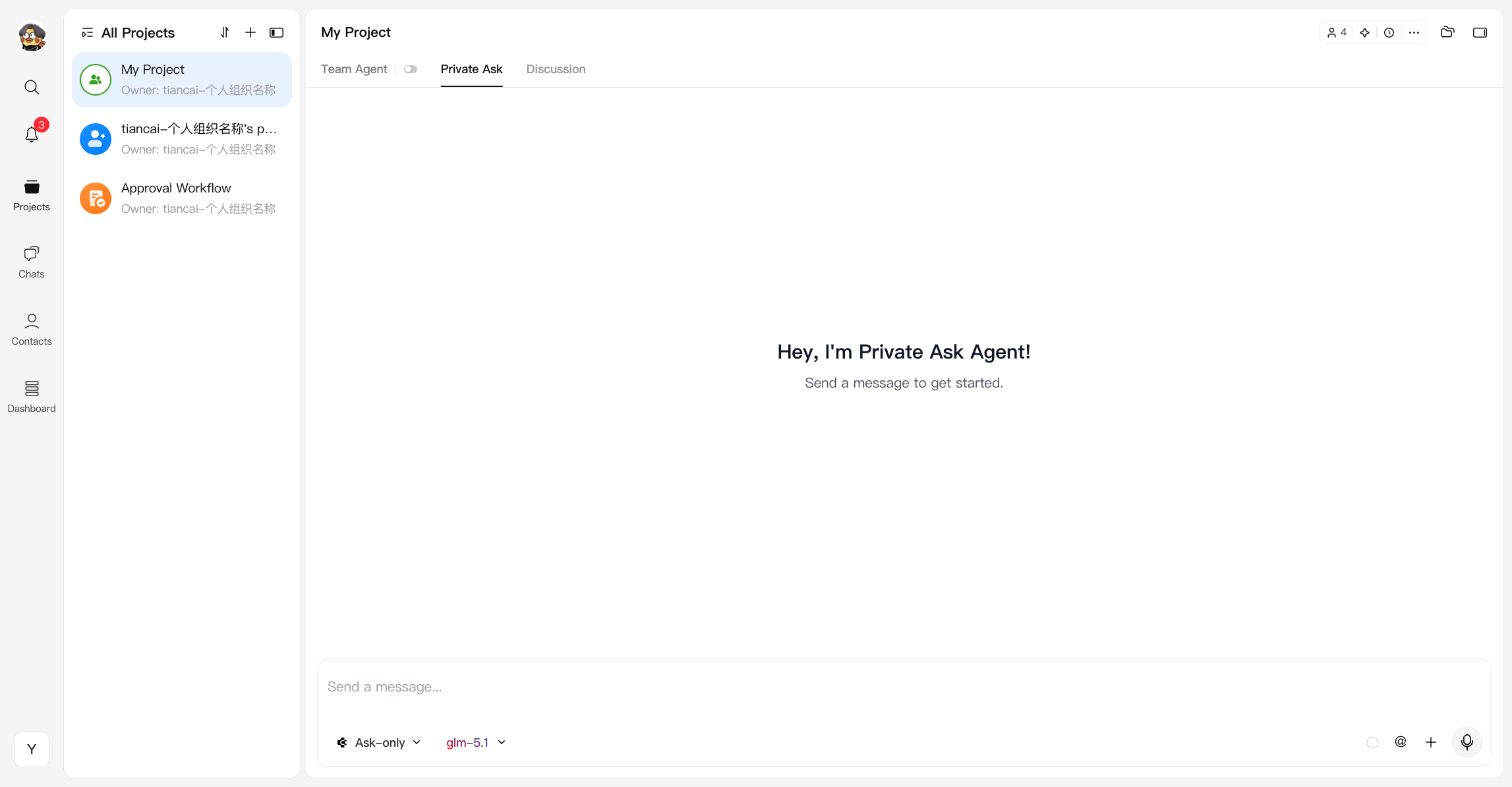
Private Ask mode (previously My Agent / Private Agent) provides personal AI assistance within the project, allowing users to work independently without affecting the shared workflow. What is Private Ask A private, user-level agent that operates outside of the Team Agent. It is designed for:- Asking questions
- Planning tasks
- Exploring ideas
- Primarily operates in ask mode (read-only)
- Can be used in parallel with Team Agent sessions
- Does not modify the shared project
- Usage is attributed according to the project’s billing context
Queueing behavior
Private Ask uses an individual queue instead of the shared Team Agent queue.- Only your own messages are queued together
- Your Private Ask queue is fully isolated from other users
- Messages are still processed in send-time order
- Stopping a message only affects your own Private Ask session
Discussion
Discussion mode is a team-wide communication space designed for open collaboration and coordination. What is Discussion- A shared chat channel where team members can discuss ideas, align on requirements, and coordinate work
- It serves as the human-first layer of collaboration, separate from direct execution workflows
- Discussion is also the place where teams can activate a built-in coordination layer when needed
- All members can participate freely
- Supports real-time discussions, feedback, and decision-making
- Conversations are visible to the entire team and remain part of the project context
- By default, Discussion stays focused on communication rather than direct execution
Discussion Coordinator (DC)
Discussion includes a built-in Discussion Coordinator (DC). DC acts as a coordinator inside group discussion rather than as a direct execution agent. It can:- Understand the current discussion context
- Track participants and conversation progress
- Help summarize and organize discussion content
- Route requests to other agents when users mention them in discussion
How DC Works
DC is silent by default. It does not actively interrupt the discussion, and only responds when it is explicitly activated. DC can be activated in two main ways:- @mention DC
- Reply to a DC message in Discussion
- In the Team Agent chat box, mentioning DC activates it through A2A, which is useful for multi-agent collaboration
- In the Discussion chat box, mentioning DC activates it directly for in-group coordination
- In Discussion, replying to a message sent by DC activates it again
- Only replies to messages with the Discussion label can reactivate DC
- Replying to messages from other agents does not activate DC
DC Boundaries
DC is a coordinator, not an execution agent. It does not directly:- Write code
- Modify files
- Create project content
- Perform write actions in the workspace
- Organizing context
- Clarifying requests
- Passing work to the appropriate agent when needed This makes Discussion a lightweight coordination layer, while keeping actual execution in the correct agent mode.