

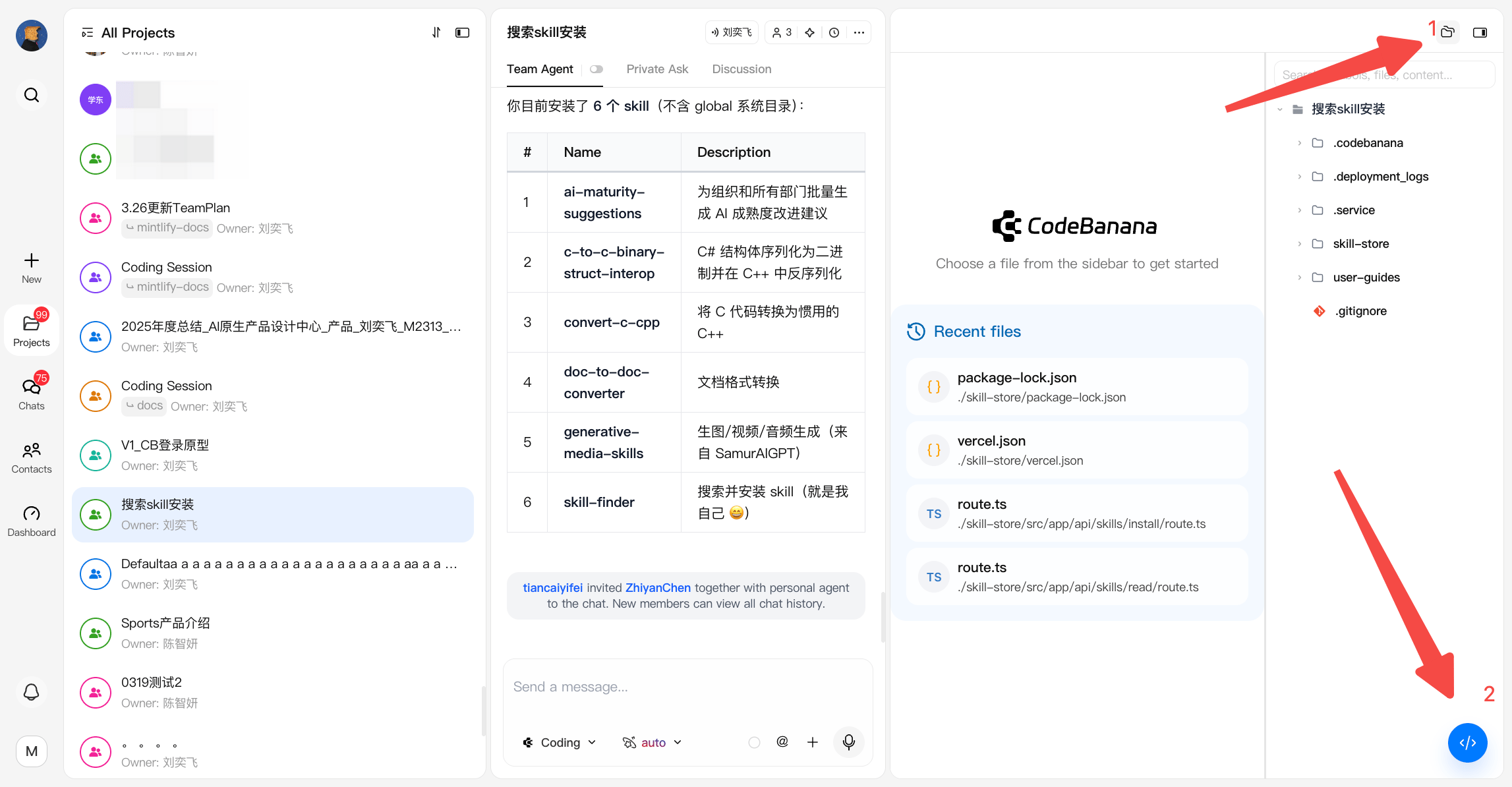
Terminal
The built-in Terminal allows developers to interact directly with the project environment.- Execute commands within the project’s runtime environment
- Useful for:
- Installing dependencies
- Running scripts
- Debugging issues
- Designed to support more advanced or custom development workflows
- You can open dev tools in file management column
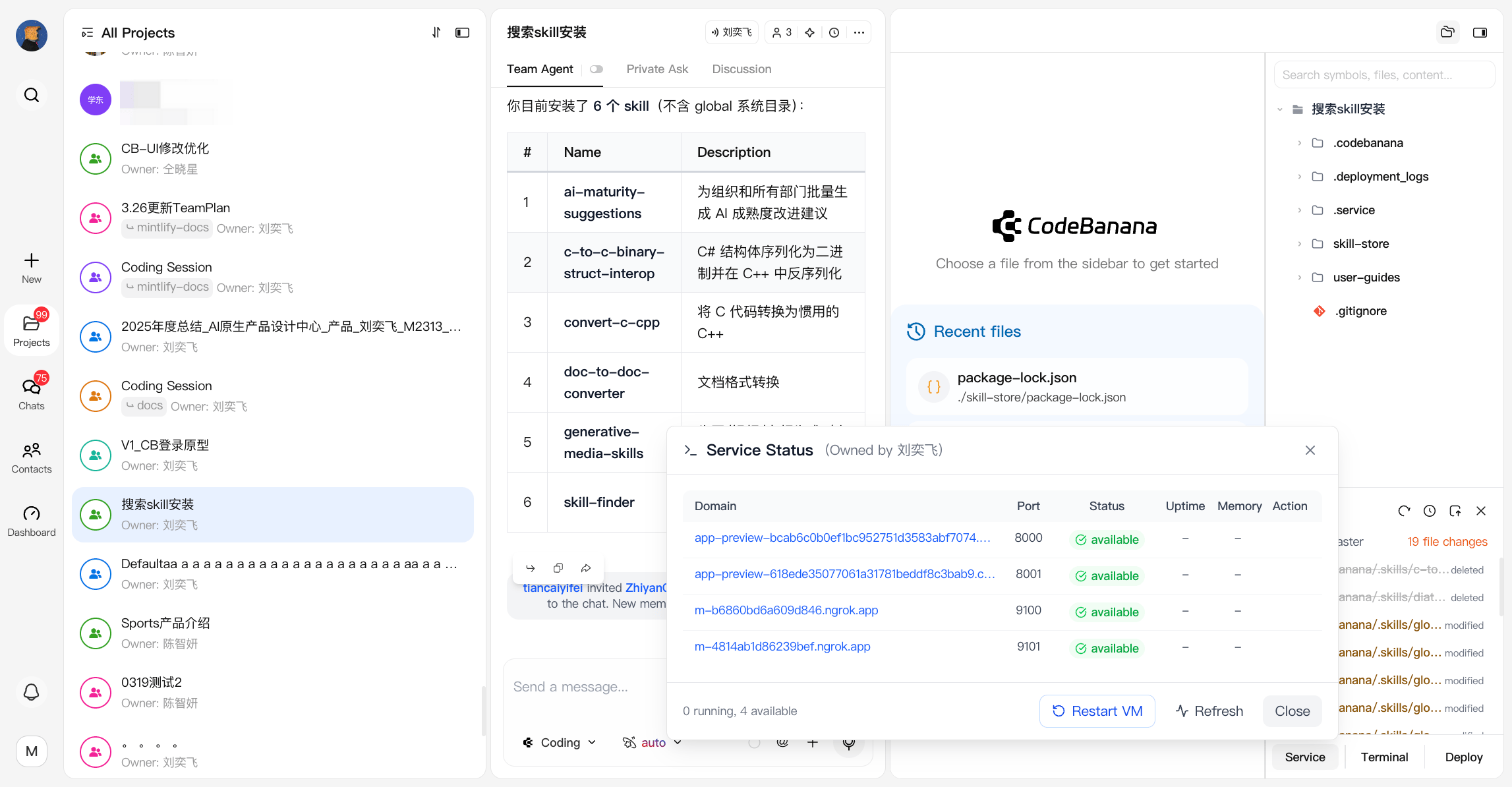
Service
The Service panel manages runtime processes and active ports.- View all active services and ports
- Restart the VM environment if a service fails
- Kill specific processes or ports when needed
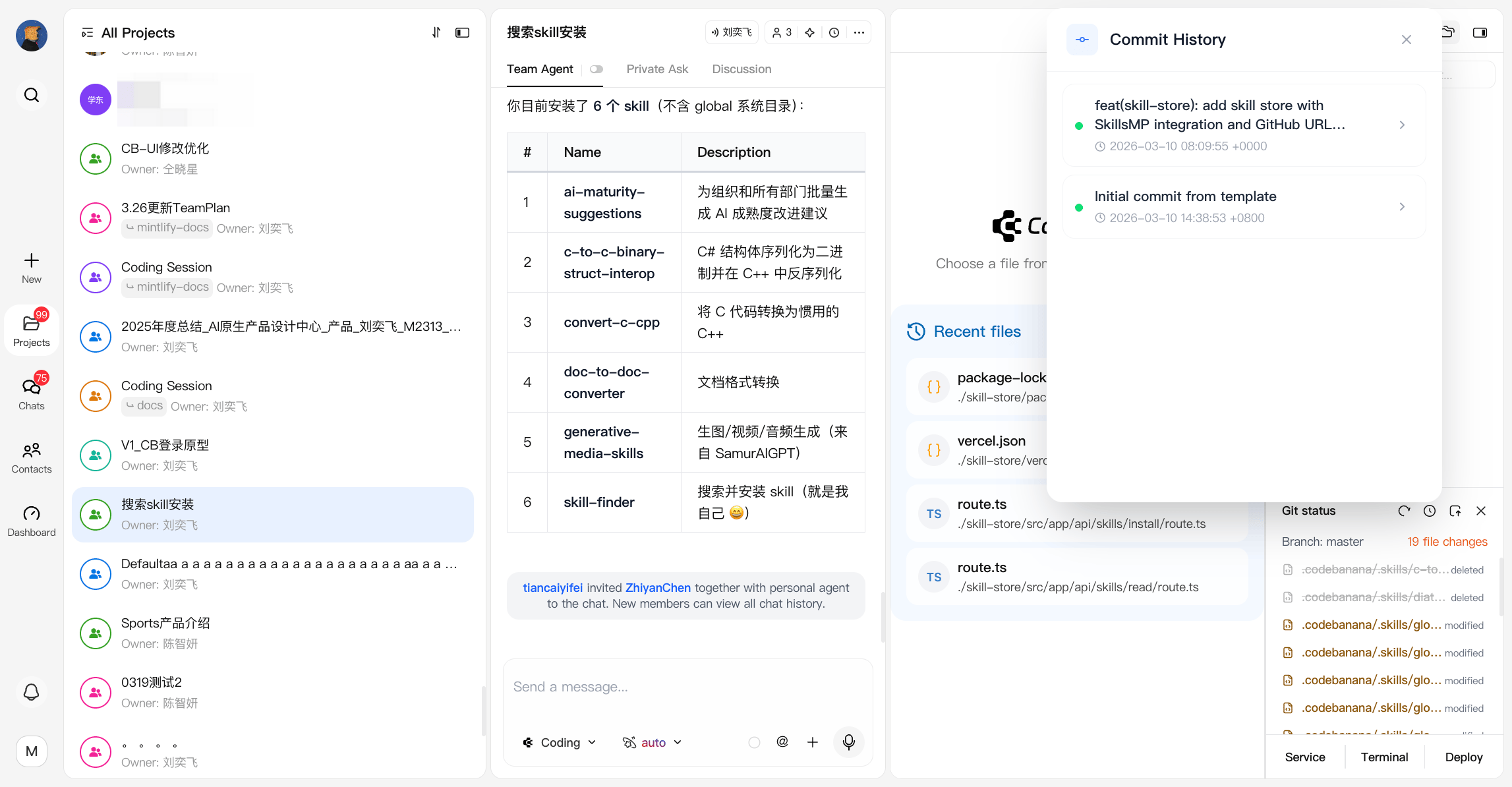
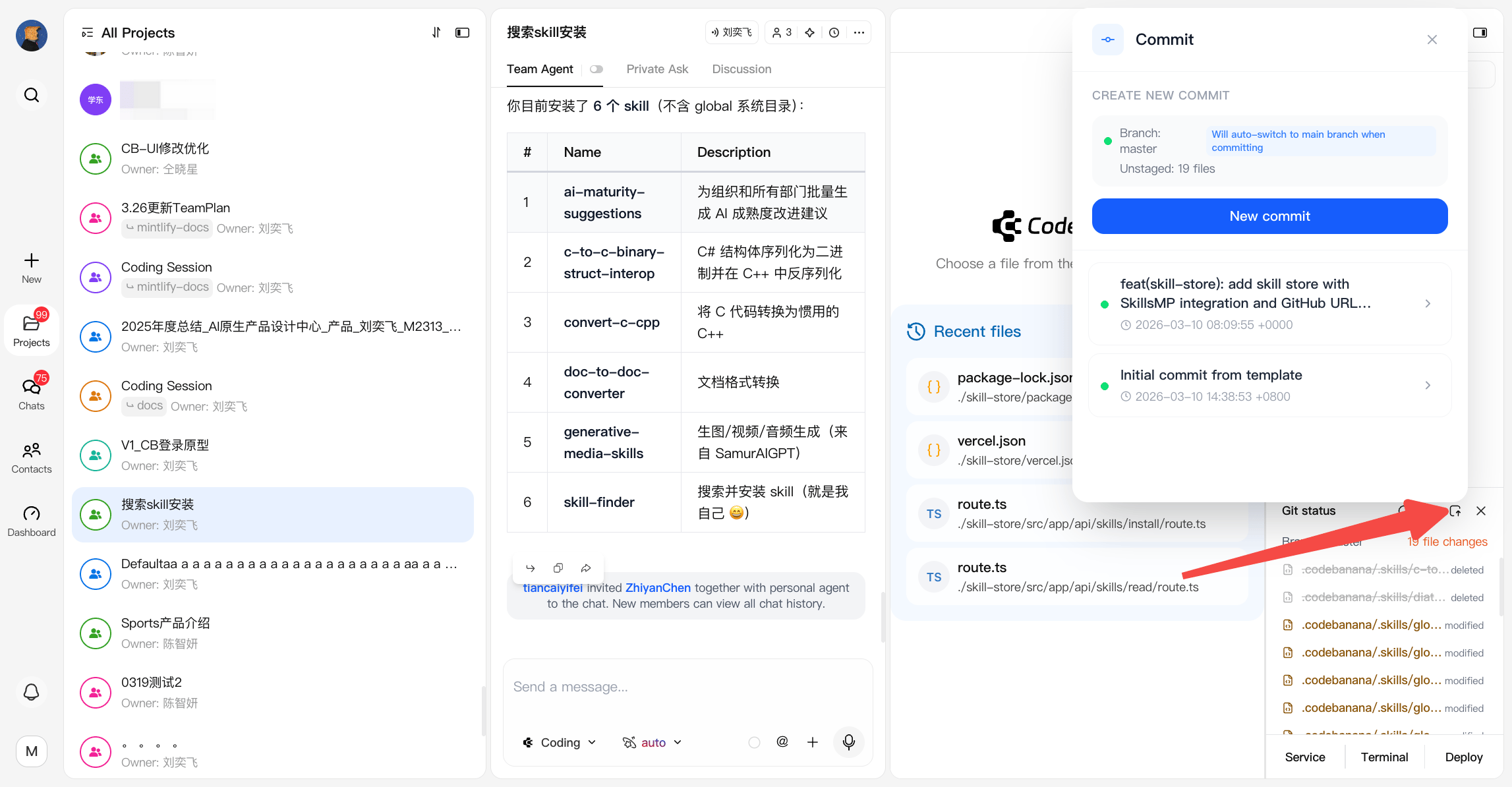
Git Status
Git Status provides version control visibility and basic operations.- View current file changes
- Create commits using the Save action
- Access commit history:
- Review previous versions
- Restore to a specific commit if needed
Deploy
Deploy enables you to publish your project as a persistent, shareable link:- Generates a stable URL that does not expire
- Automatically updates when the project changes
- Best suited for:
- Static websites
- Lightweight applications