

Sign Up and Sign In
Before starting the onboarding process, you’ll need to create a CodeBanana account and sign in.1
Open CodeBanana
Visit the CodeBanana website and click Sign Up in the upper-right corner.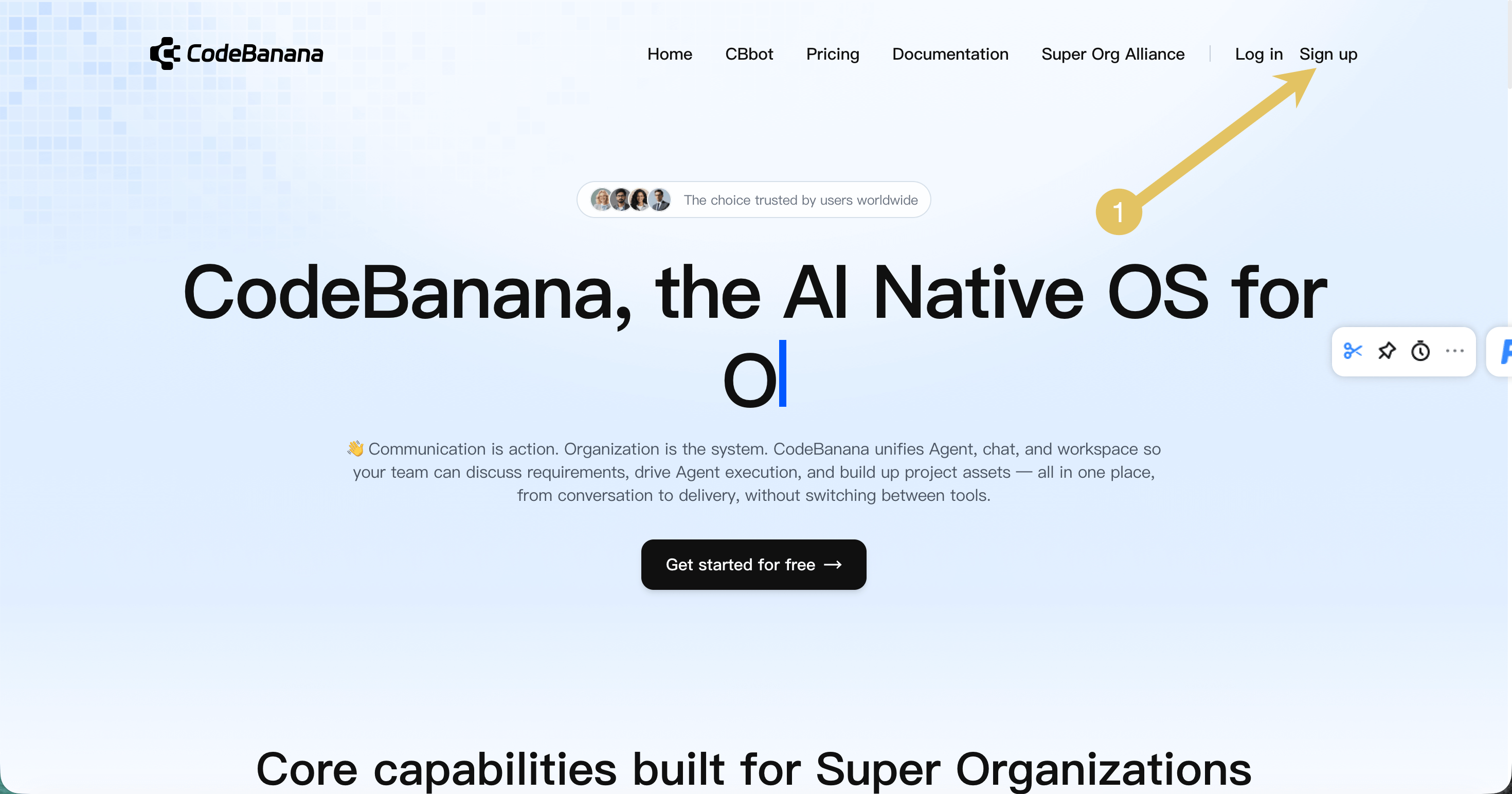
2
Create an account
Fill in the registration form: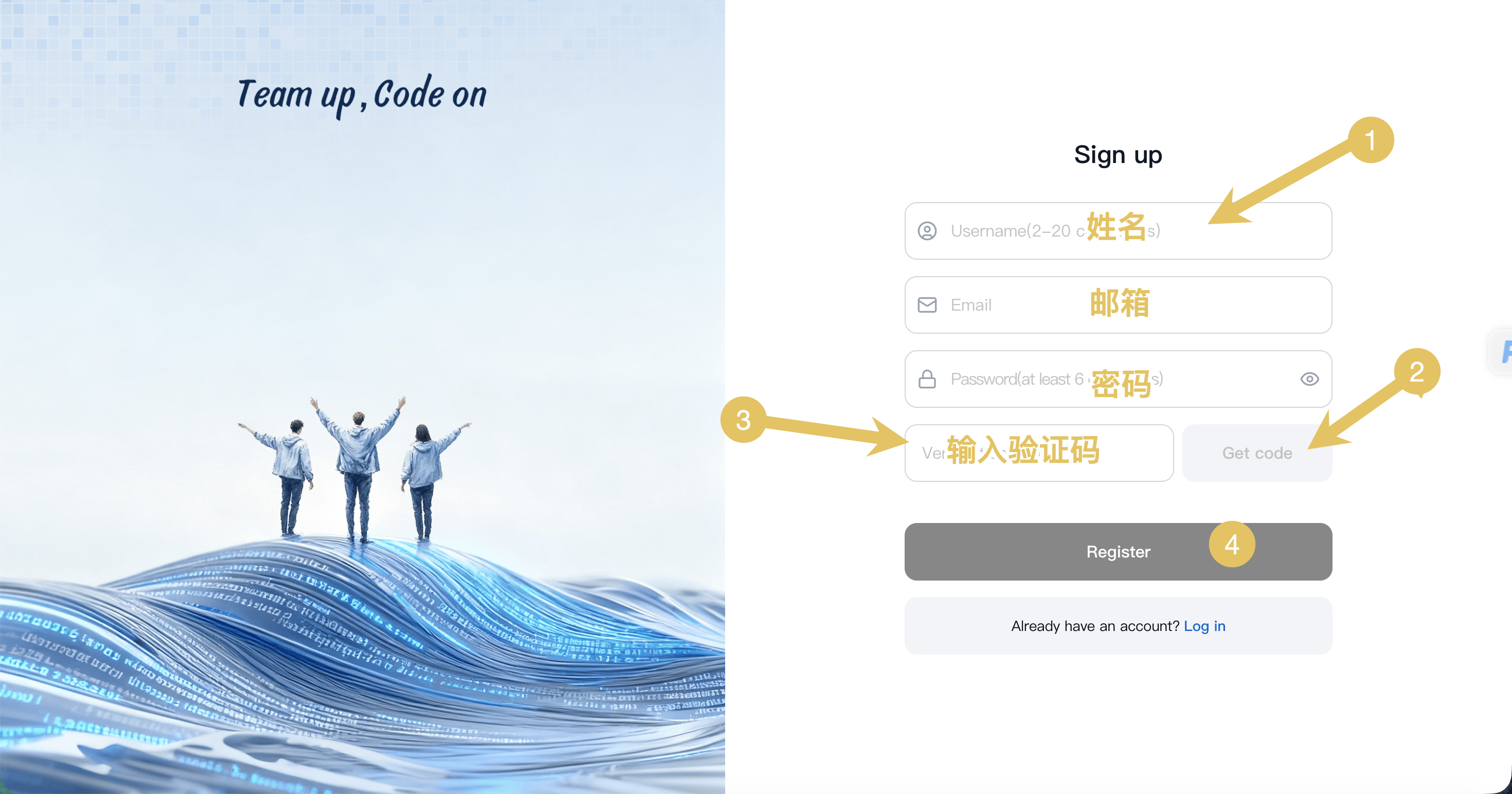
- Username
- Email address
- Password
3
Verify your email
Open the verification email sent by CodeBanana.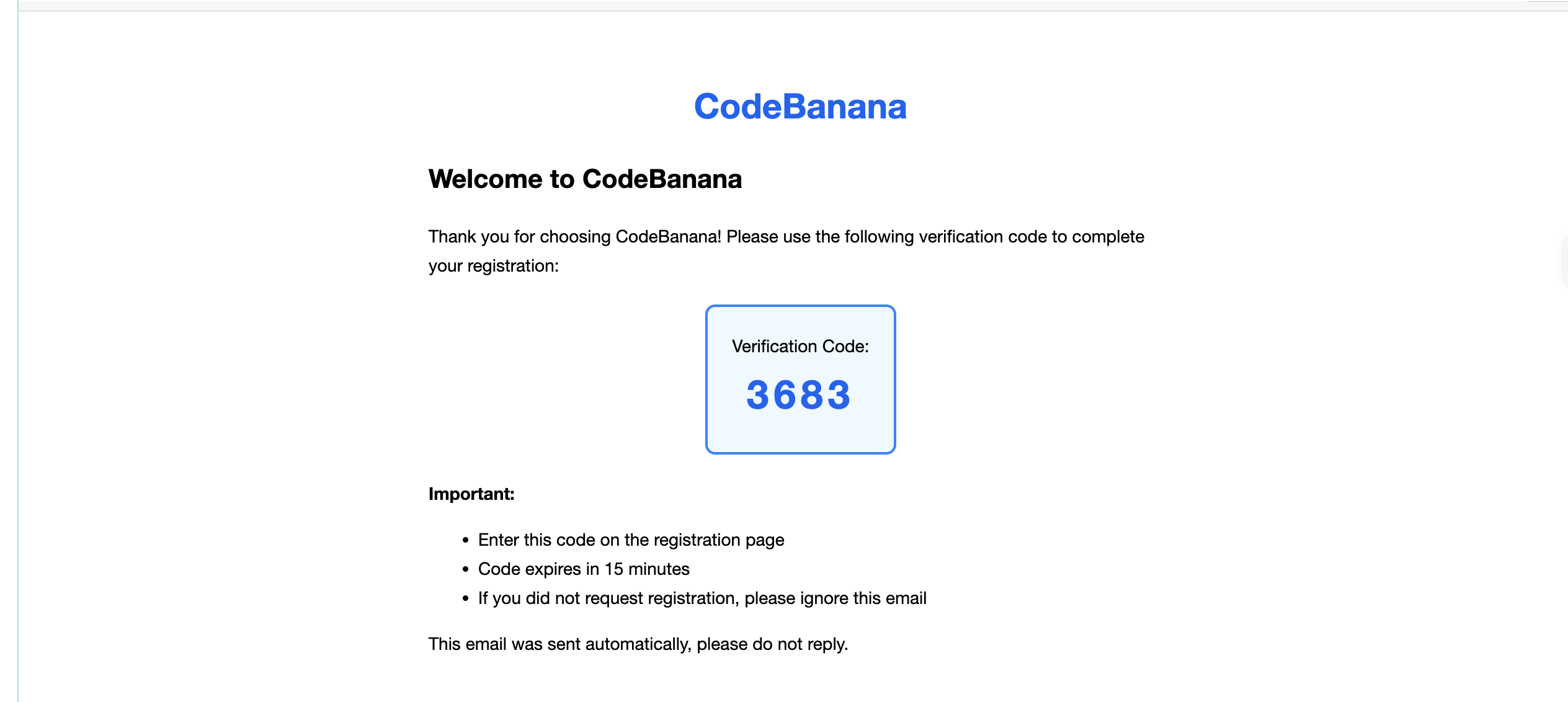
- Copy the 4-digit verification code
- Enter it on the registration page to complete verification
Verification codes expire after 15 minutes. If you don’t receive the email, check your spam folder.
4
Sign in
After registration is complete: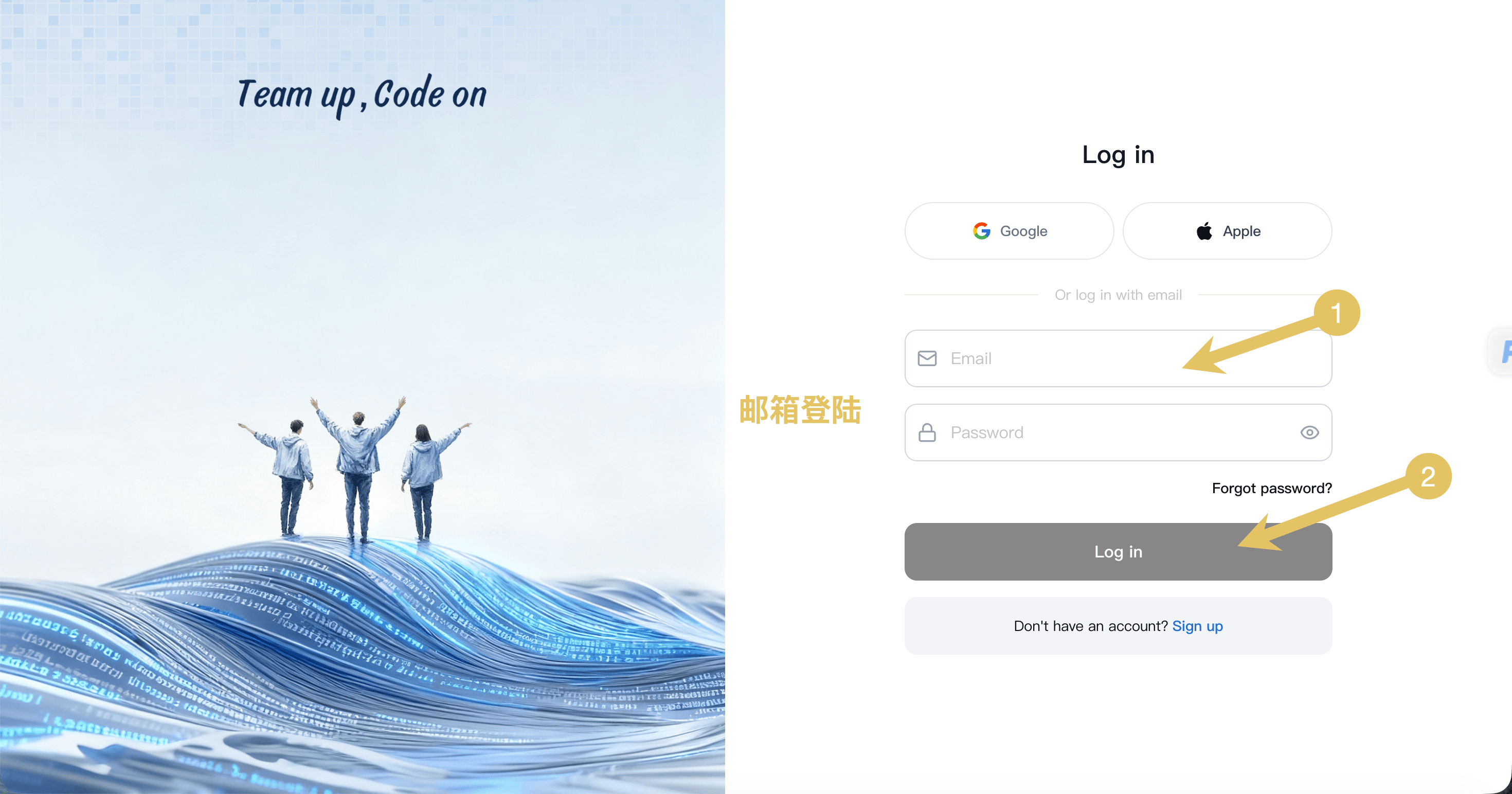
- Choose Log in with Email
- Enter your email address and password
- Click Log In
Personal Onboarding
New users complete a two-step onboarding flow to personalize their workspace. These selections are directly aligned with project template categories.1
Choose usage type
Choose how you plan to use CodeBanana: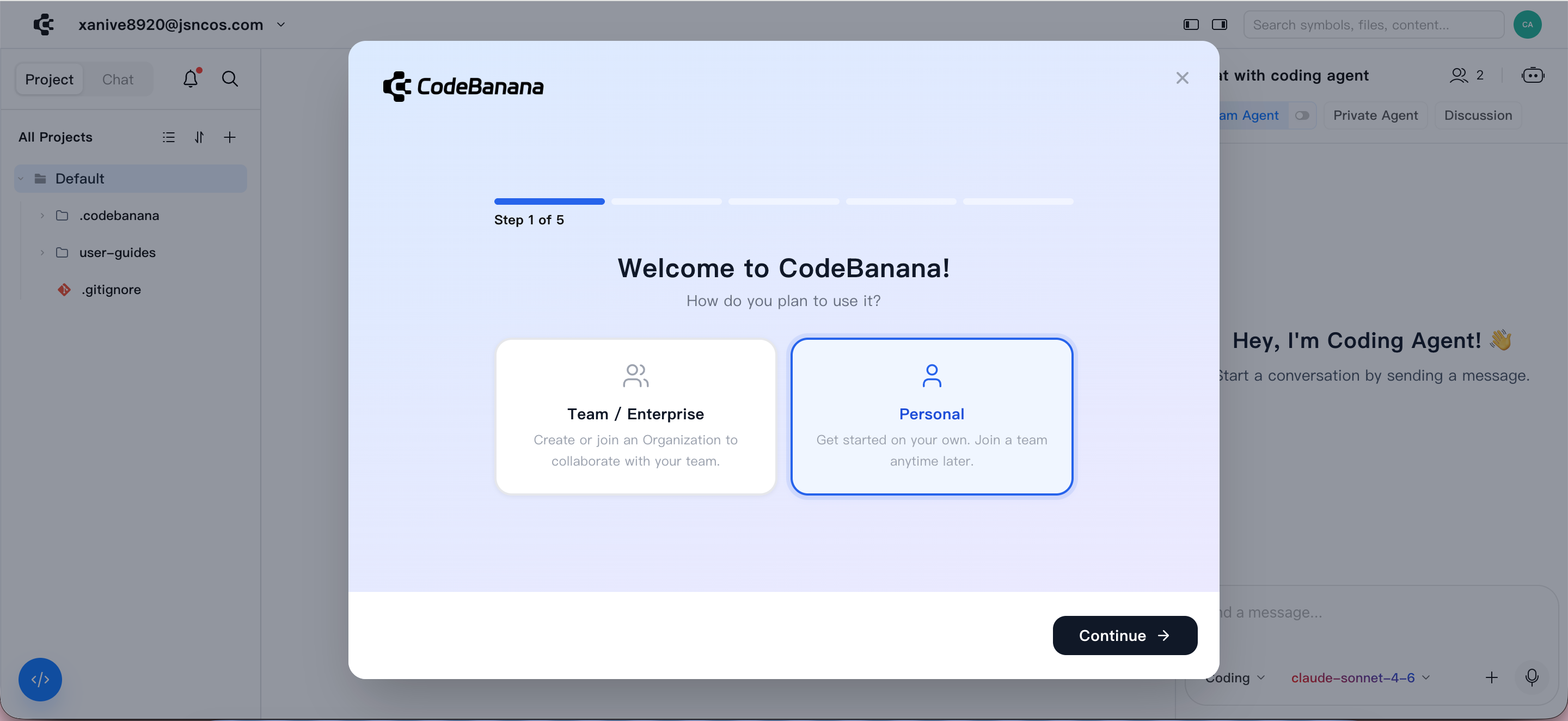
- Personal — individual workflows and tasks
- Team / Enterprise — collaborative and organizational usage
2
Choose use case
Select your primary purpose, which maps directly to project template categories, ensuring a consistent experience when creating new projects.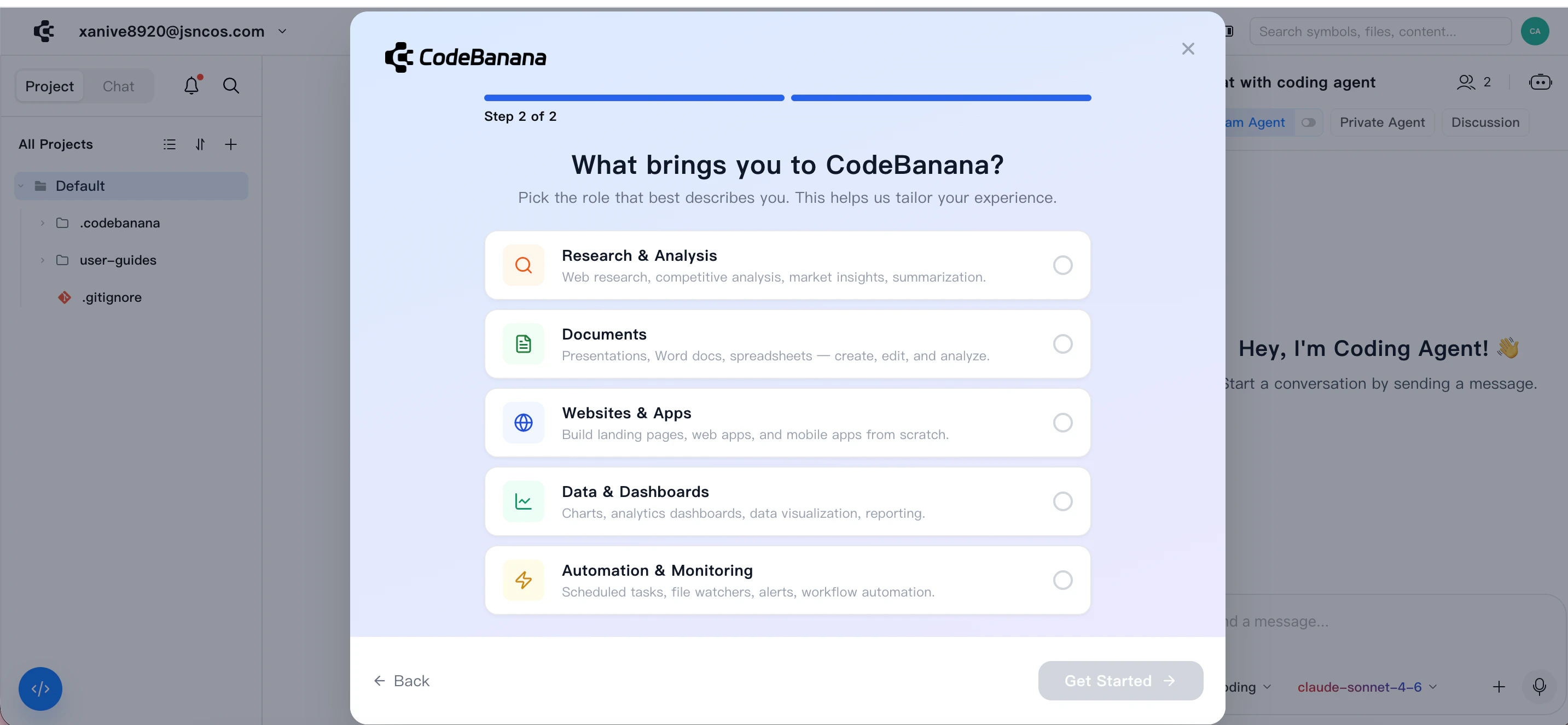
Organization Onboarding
For team and enterprise users, onboarding includes organization setup or joining an existing organization.Admin actions
1
Create new org
Choose how you plan to use CodeBanana: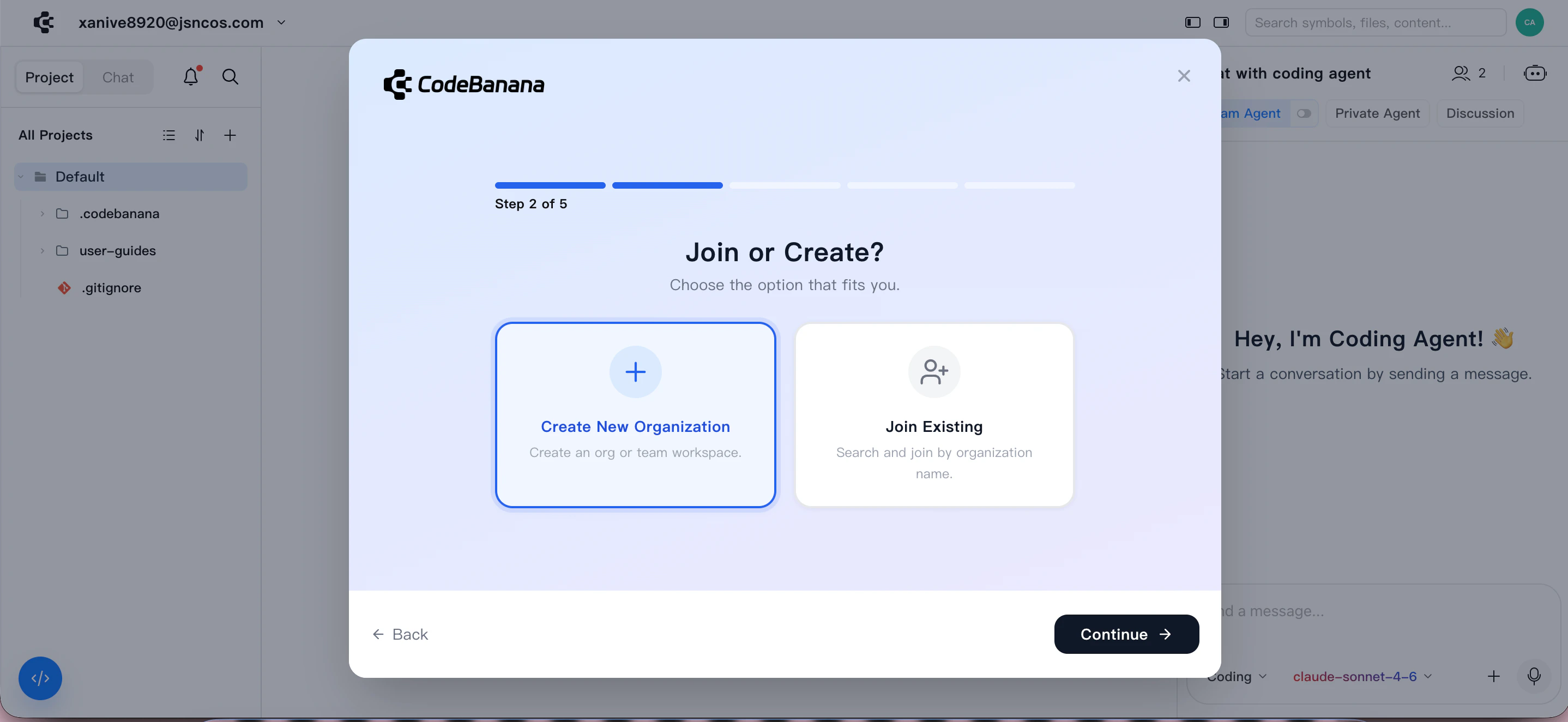
- Create New Organization
- Join a Team
2
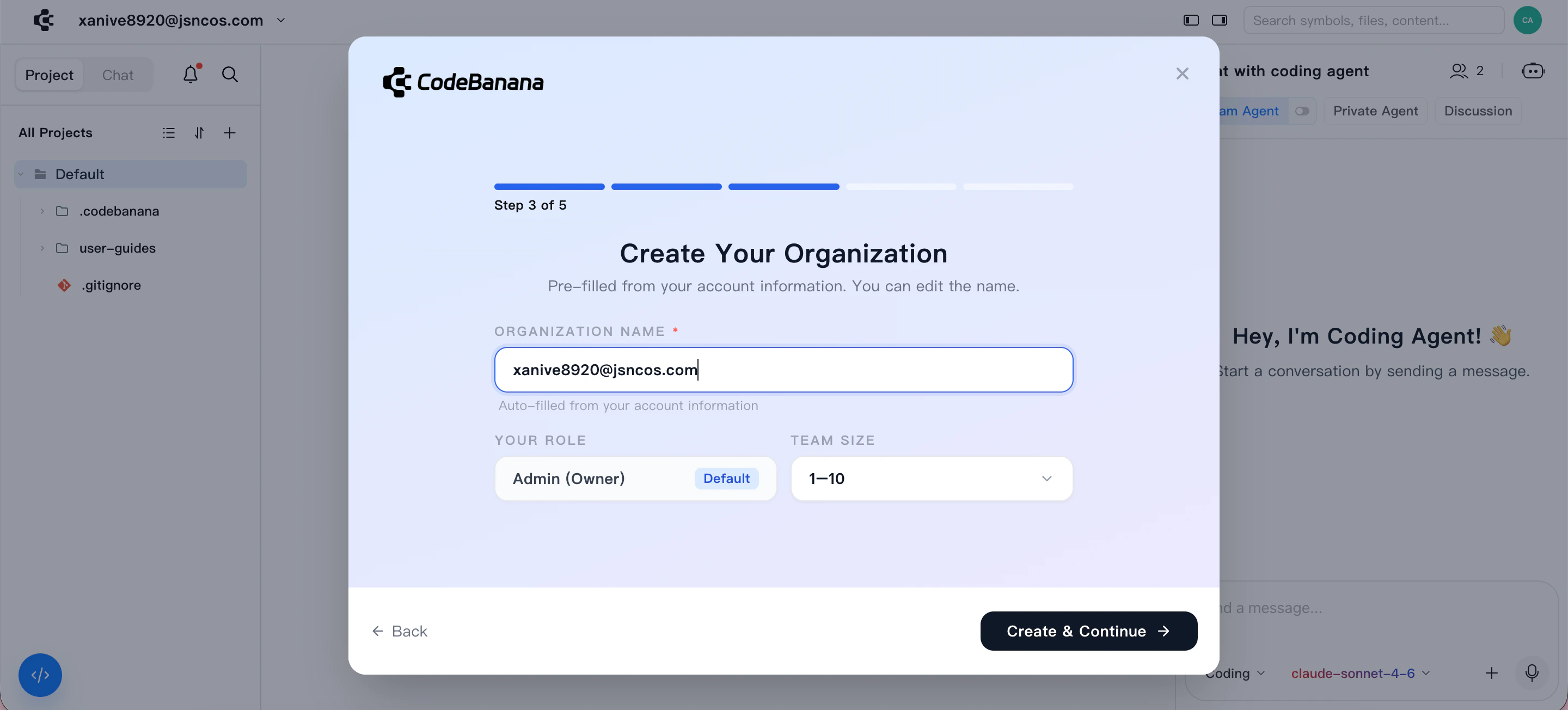
Edit Team information
- Enter organization name
- Default is generated from admin email
- Can be modified
- Configure:
- Roles (Owner / Admin)
- Team size
3
Import Organization Structure
Upload organization data through excel templates we provide: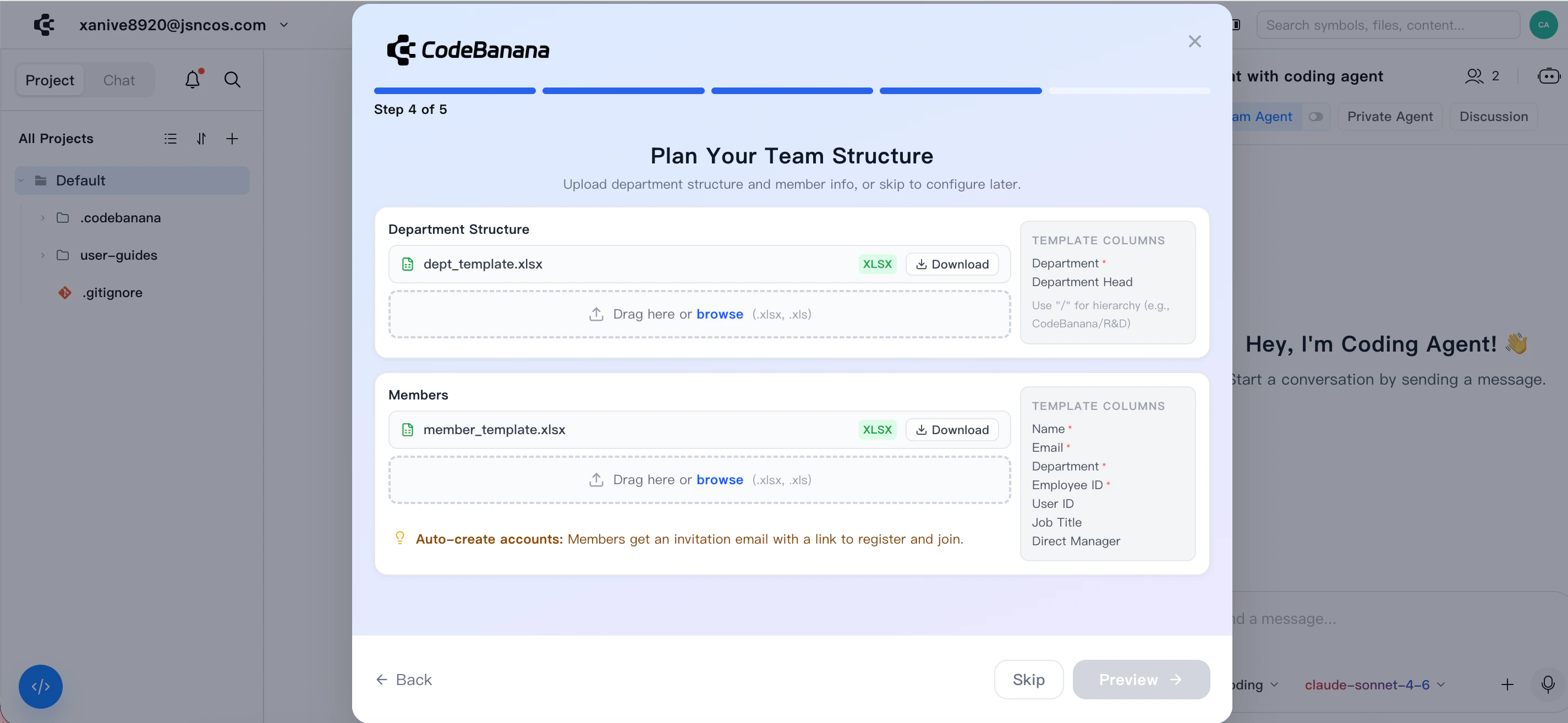
- Department structure
- Member list
4
Confirmed
Before importing, you can use Structure Preview to verify: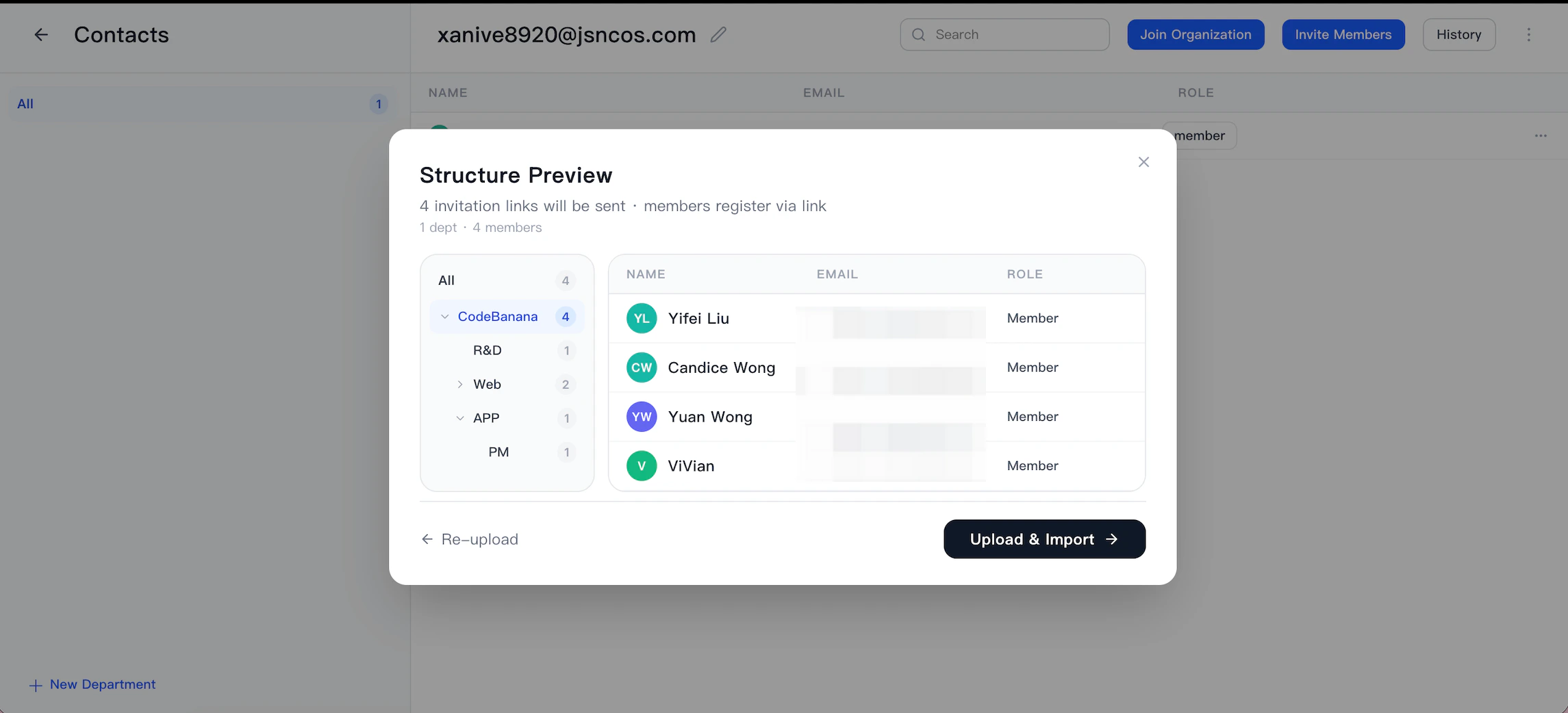
- Department hierarchy
- Member assignments
- Invitation emails are automatically sent
- Members can register and join directly
Member actions
1
Join an organization
Choose to join an existing organization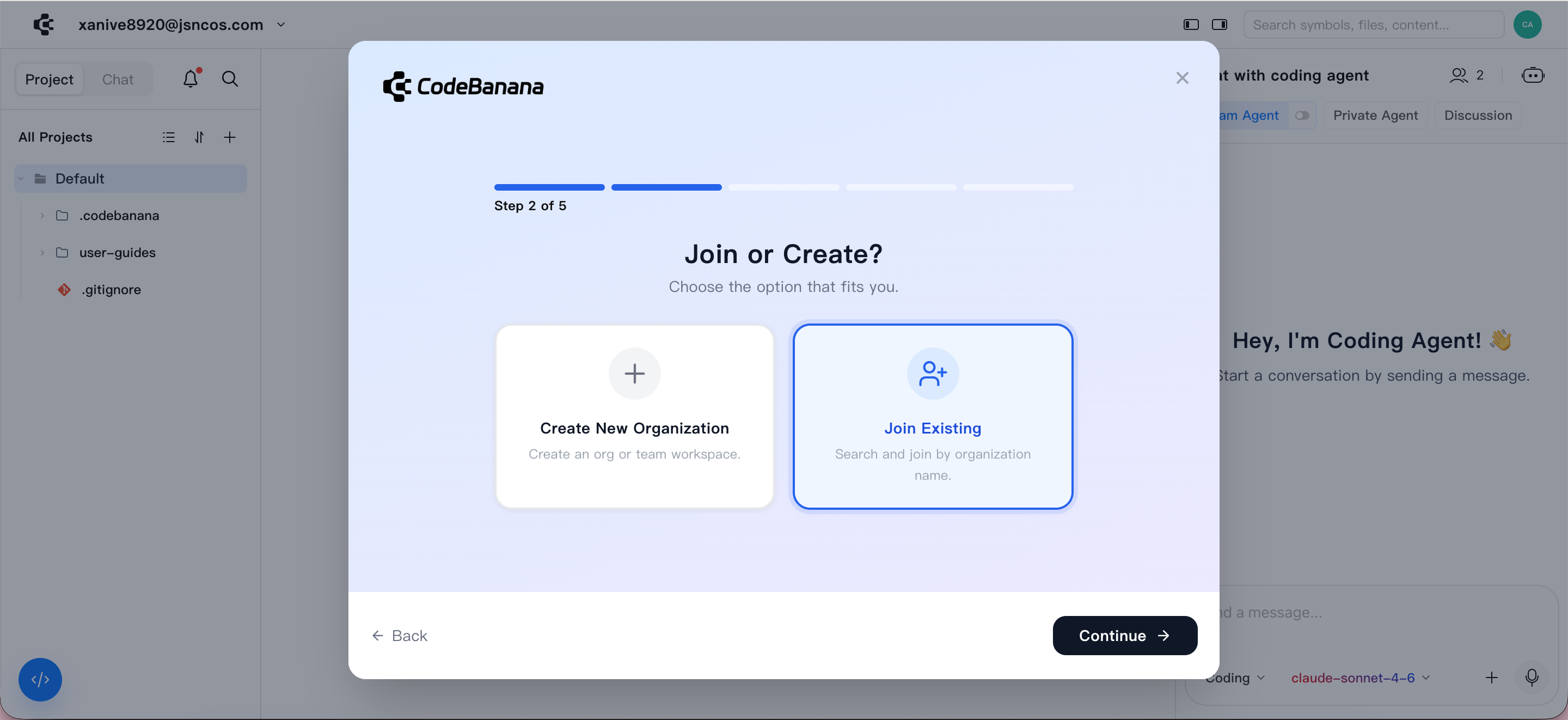
2
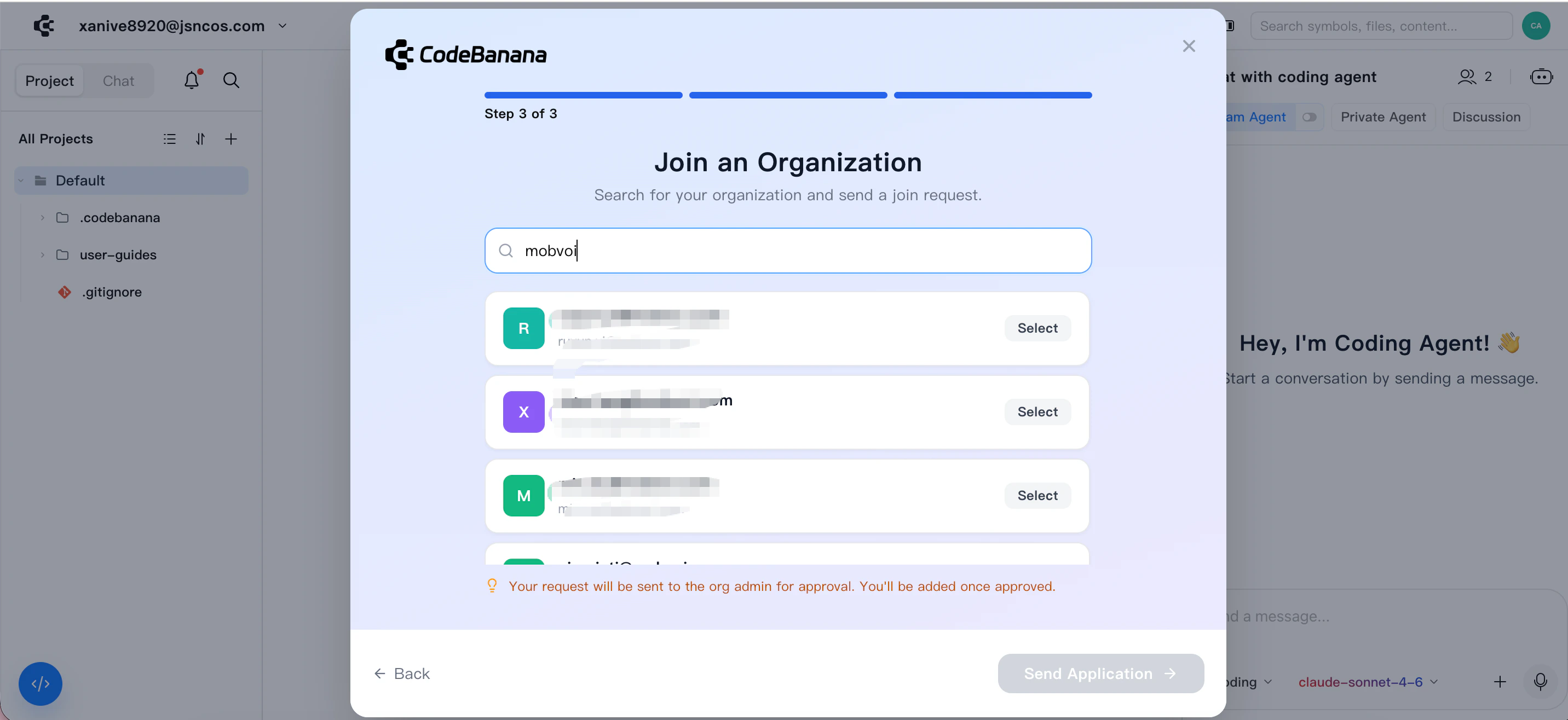
Search an organization
- Search organization by name and choose from search results
- Submit a join request
3
Wait for permission
After approval by the organization owner:
- You are automatically added as a member
- Your workspace switches to the selected organization
Onboarding Enhancements
CodeBanana provides several built-in onboarding enhancements to help new users get started more smoothly.CB-FAQ Skill
Every project comes with a built-in CB-FAQ Skill. This Skill stays in sync with product updates, allowing users to ask the agent direct questions about how to use CodeBanana and get product-related guidance inside the project.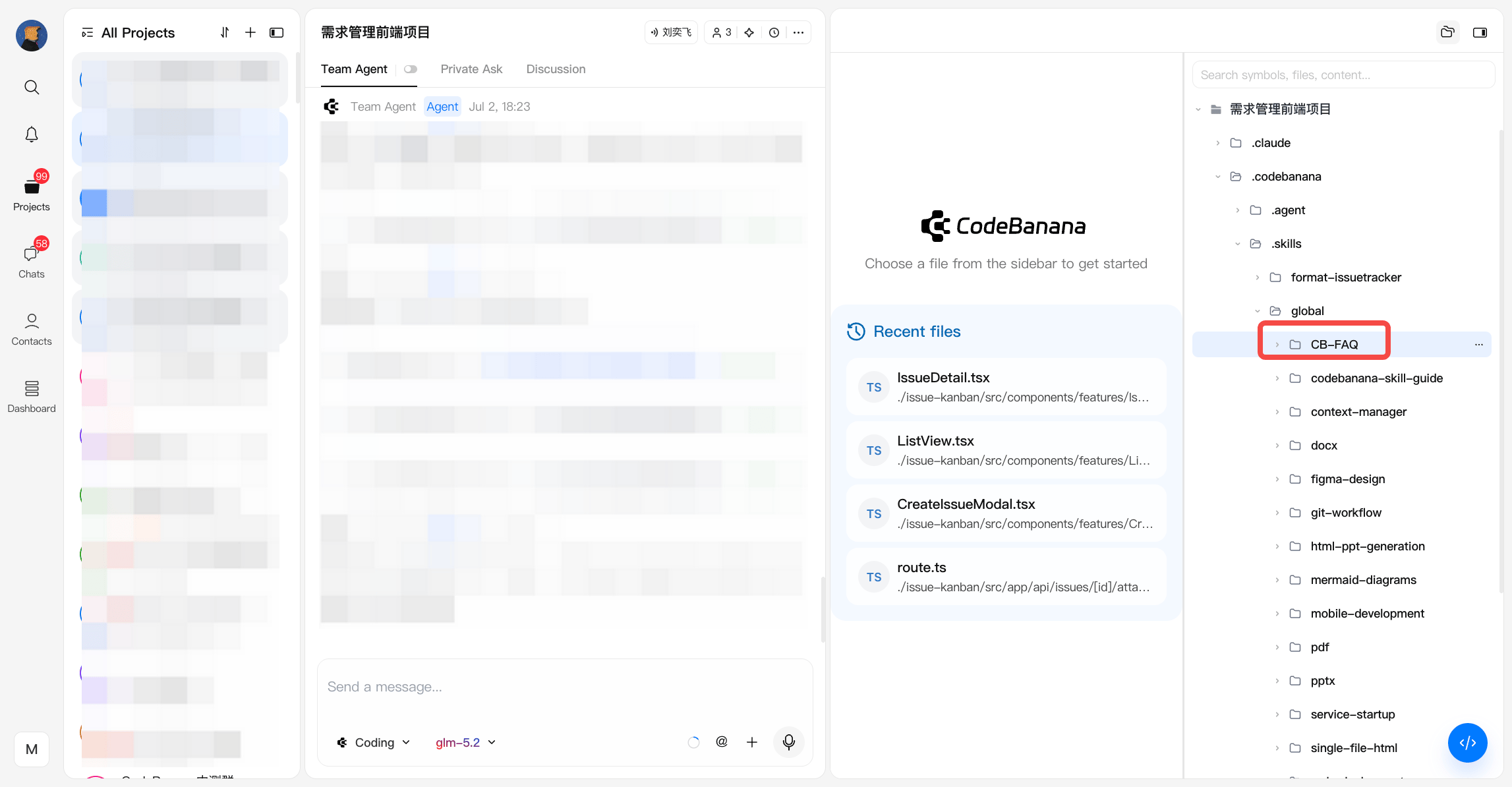
Org Admin Workspace
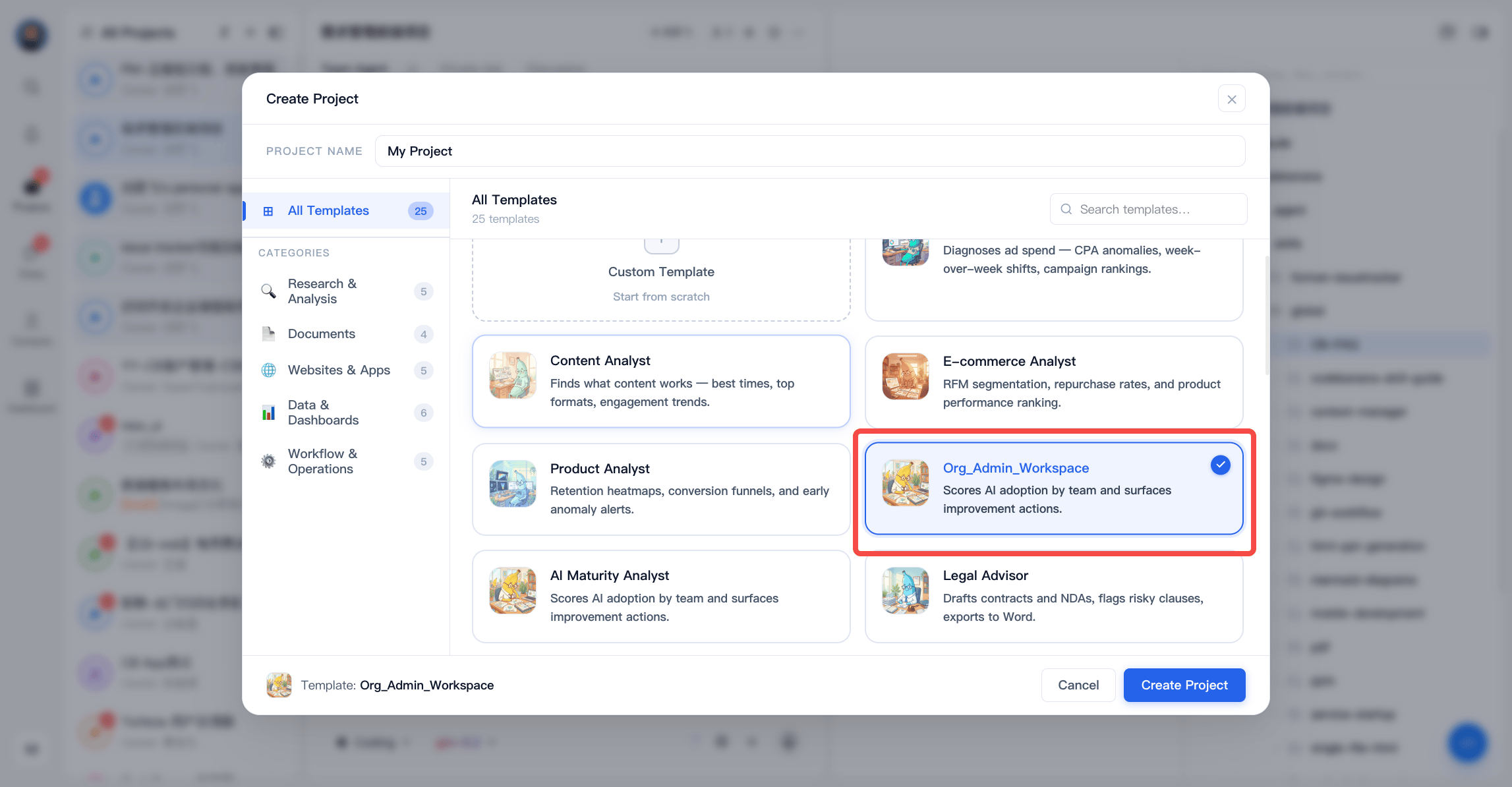
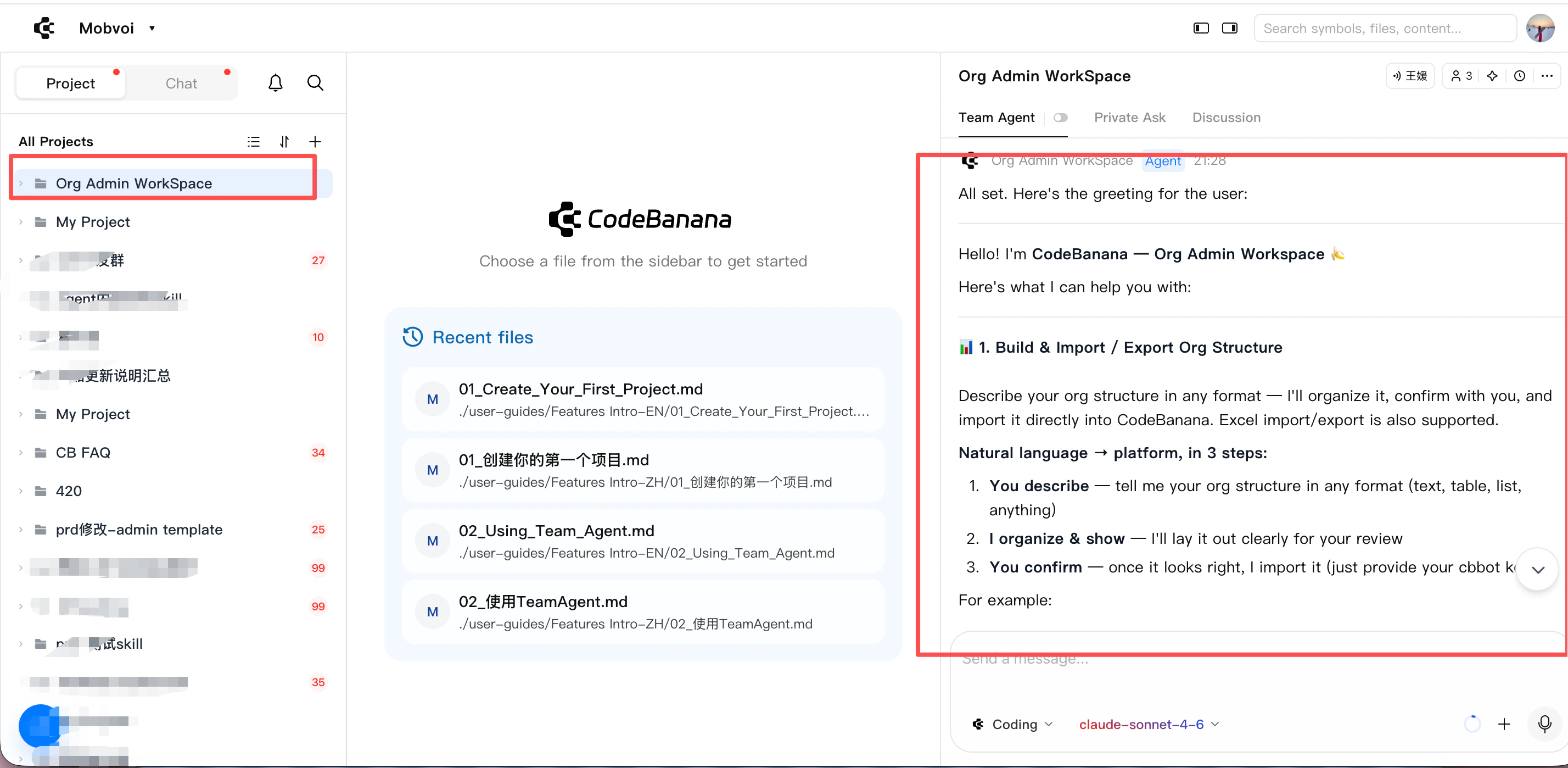
CodeBanana provides a dedicated Org Admin Workspace for organization owners and admins. This workspace is designed as an intelligent operating console for organization management, usage analysis, and AI maturity insights. Entry path:- New users may receive this workspace by default during onboarding
- Existing users can create it from New Project → Template → Data & Analyst
- All queries and actions are validated against organization roles and structure
- Only organization Owners and Admins can access these management capabilities
- Organization structure setup and import/export
Describe the organization in natural language, let the system structure it, preview the result, and confirm import. Excel import and export are also supported. - Department management
Browse the organization tree, and create, rename, or delete departments. All write actions require confirmation. - Member management
View members by department, assign or update departments, edit member information, and remove members. - Invitation management
Invite new members, and view or cancel pending invitations. - AI operations metrics
Query usage data such as token consumption, active users, and department rankings in natural language. - Daily AI maturity recommendations
Enable automatic daily analysis to generate improvement suggestions and update the dashboard. - Manual AI maturity recommendations
Generate AI maturity suggestions on demand for any selected time range.