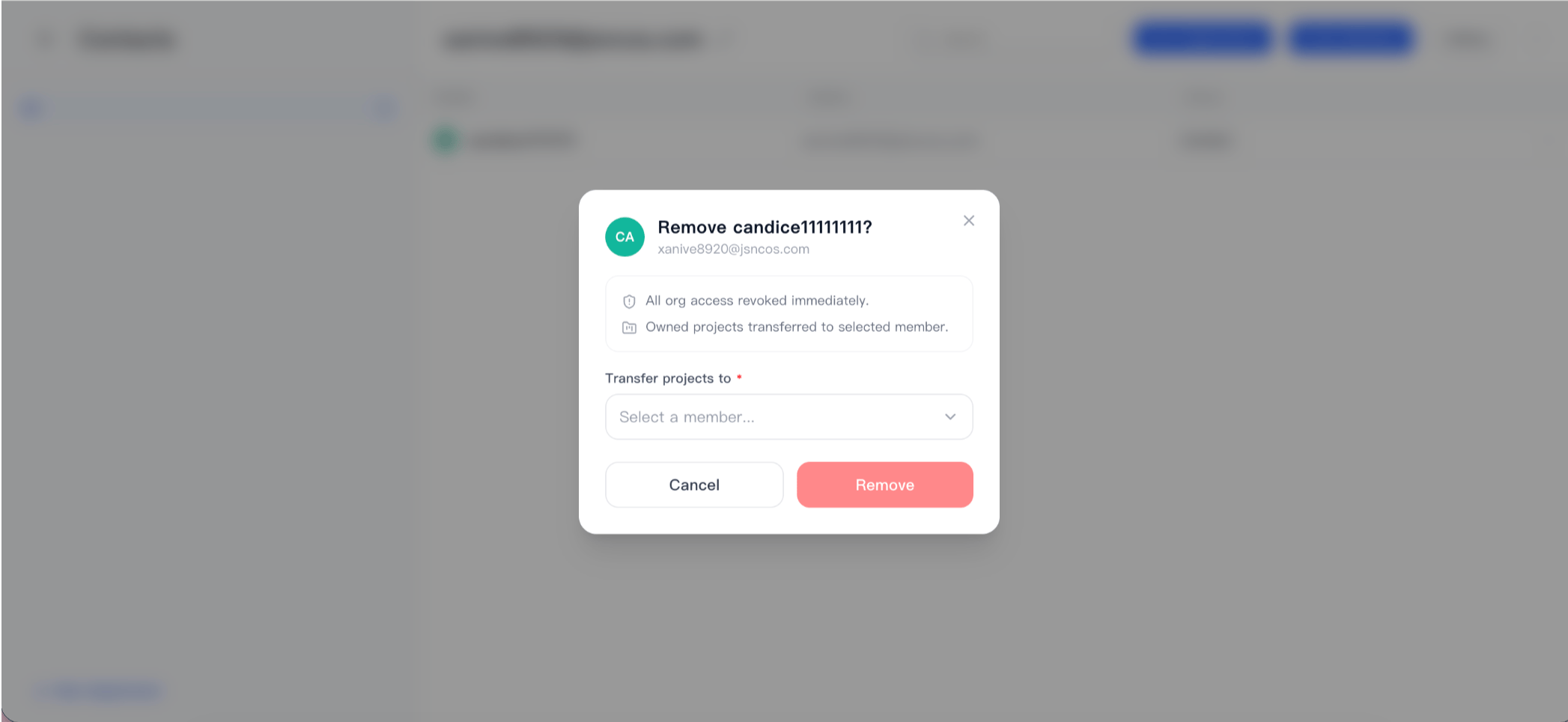
Standard Mode On
When Standard Mode is enabled, click the organization selector in the lower-left corner. From there, you can:- Switch between organizations
- Apply to join a new organization
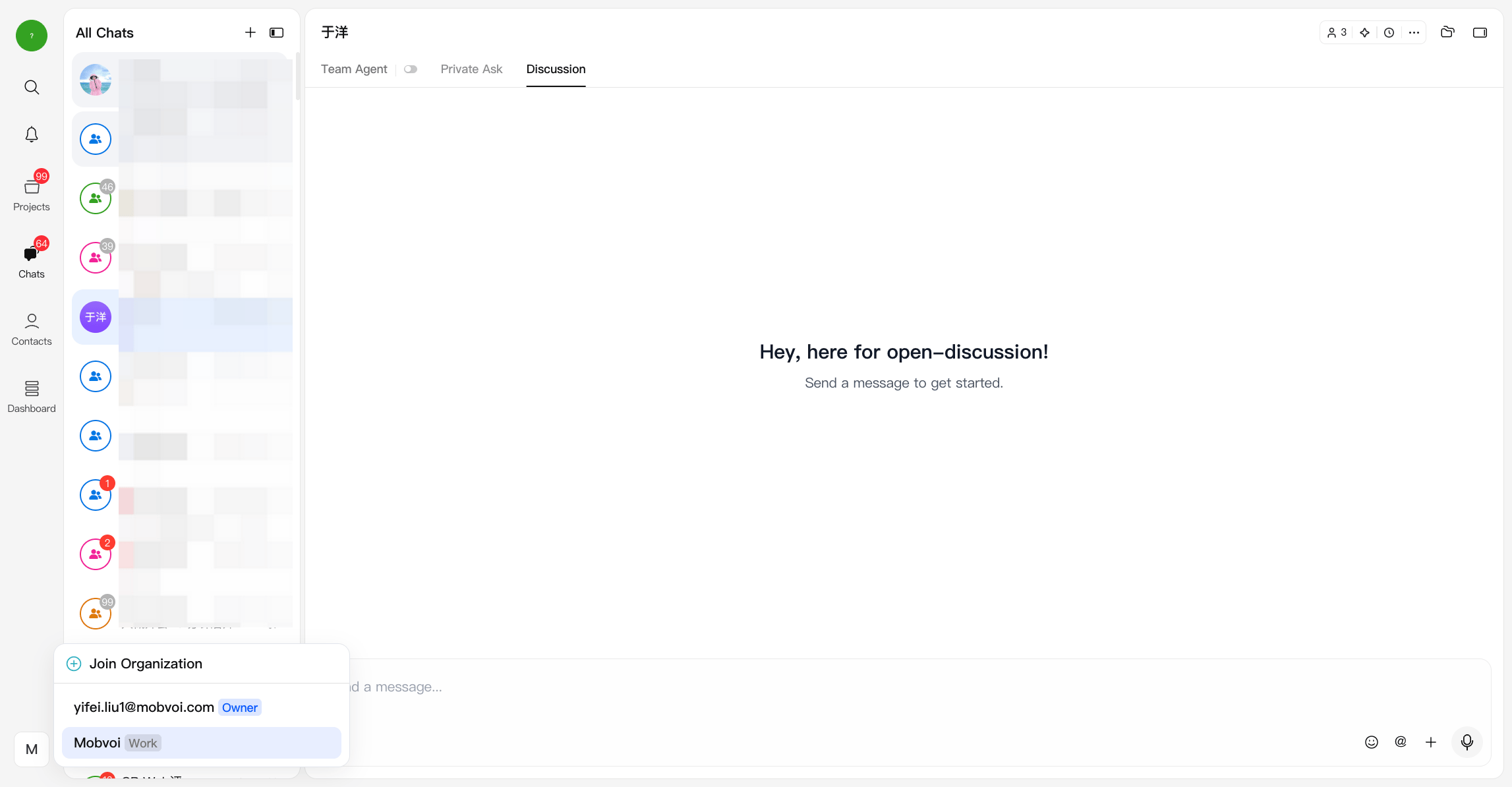
Standard Mode Off (Classic Layout)
When Standard Mode is disabled, click the organization selector in the upper-left corner. From there, you can:- Switch between organizations
- Apply to join a new organization
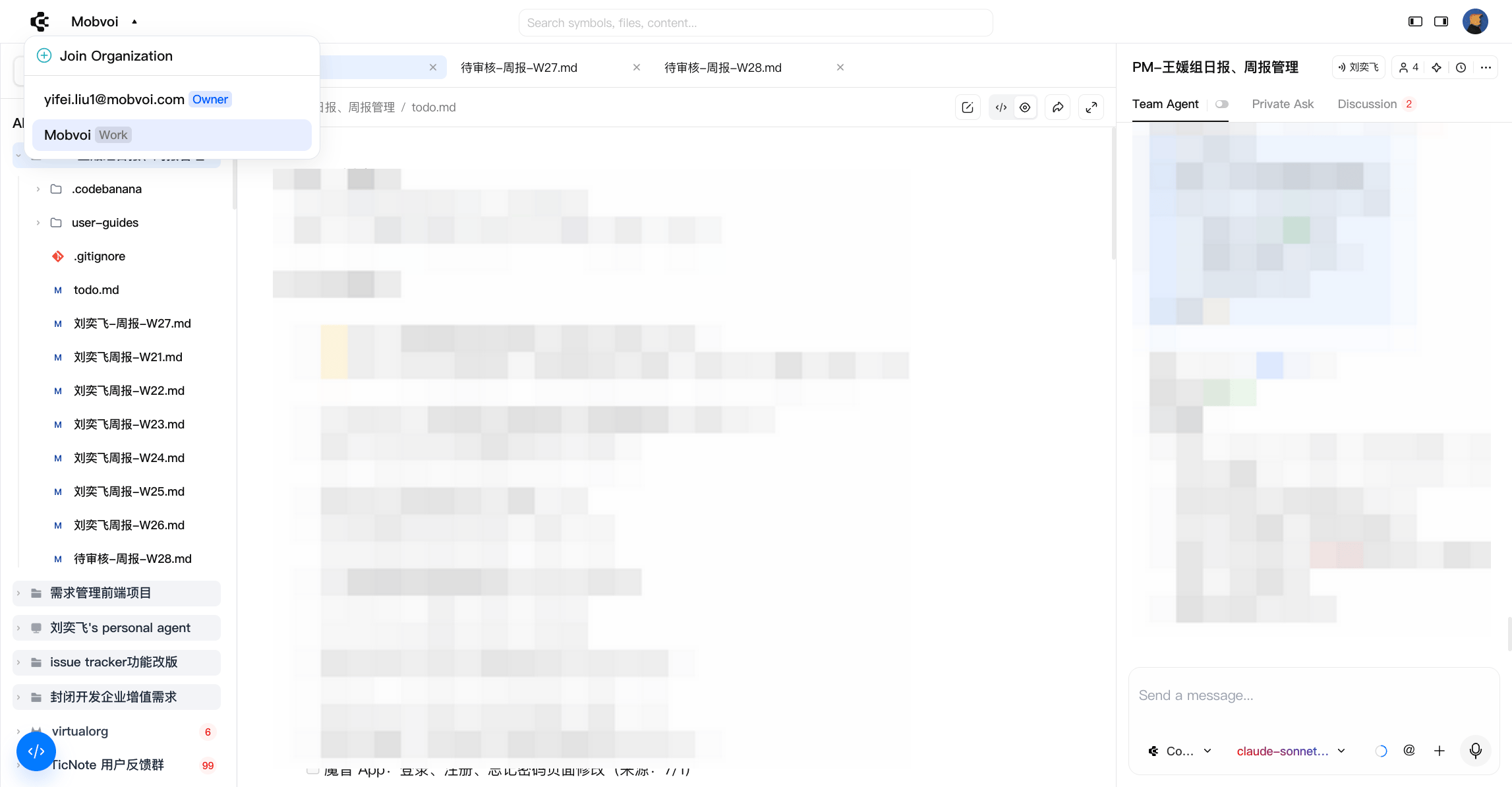
Joining an Organization
To join an existing organization:- Open the organization selector.
- Click Join Organization.
- Search for the organization by name.
- Submit your join request.
- After approval by the organization Owner or Admin, you can switch to that organization from the organization selector.
Create Organization
- A default organization is automatically created when you register (via email or third-party login)
- The organization name is initially based on your email and can be renamed by the owner
- Each user can have only one owned organization
Organization Types
CodeBanana distinguishes between two types of organizations: Own Organization- The organization you created and fully control
- You are the Owner
- Each user can have only one
- Organizations you join as a collaborator
- You can be part of multiple work organizations
Key behavior
- You can only be in one organization at a time
- Switching organizations means switching your entire workspace:
- Projects
- Files
- Contacts
Members and Roles
Organizations manage collaboration through roles:- Owner
- Full control over the organization
- Manages members, permissions, and billing
- Member
- Can access AI resources and participate in projects
Join mechanism
- Users must actively apply to join an organization
- Search by organization name and submit a request
- Access is granted after admin approval
Leaving an organization
- Users can switch between organizations if they belong to multiple
- Full removal currently requires action from the organization owner
- Self-service leave organization is not yet available (to prevent accidental data loss)
Organization & Projects
Projects are tightly bound to organizations: Strong binding- Every project must belong to a specific organization
- Projects cannot exist outside an organization
- Projects in one organization are not visible to members of another
- Switching organizations refreshes your entire project list
- If an external user is invited to a project:
- They gain access to the project only, not the organization
- Currently, the project may appear across their organization views
- Future updates will place such projects under the user’s personal organization
Organization Management
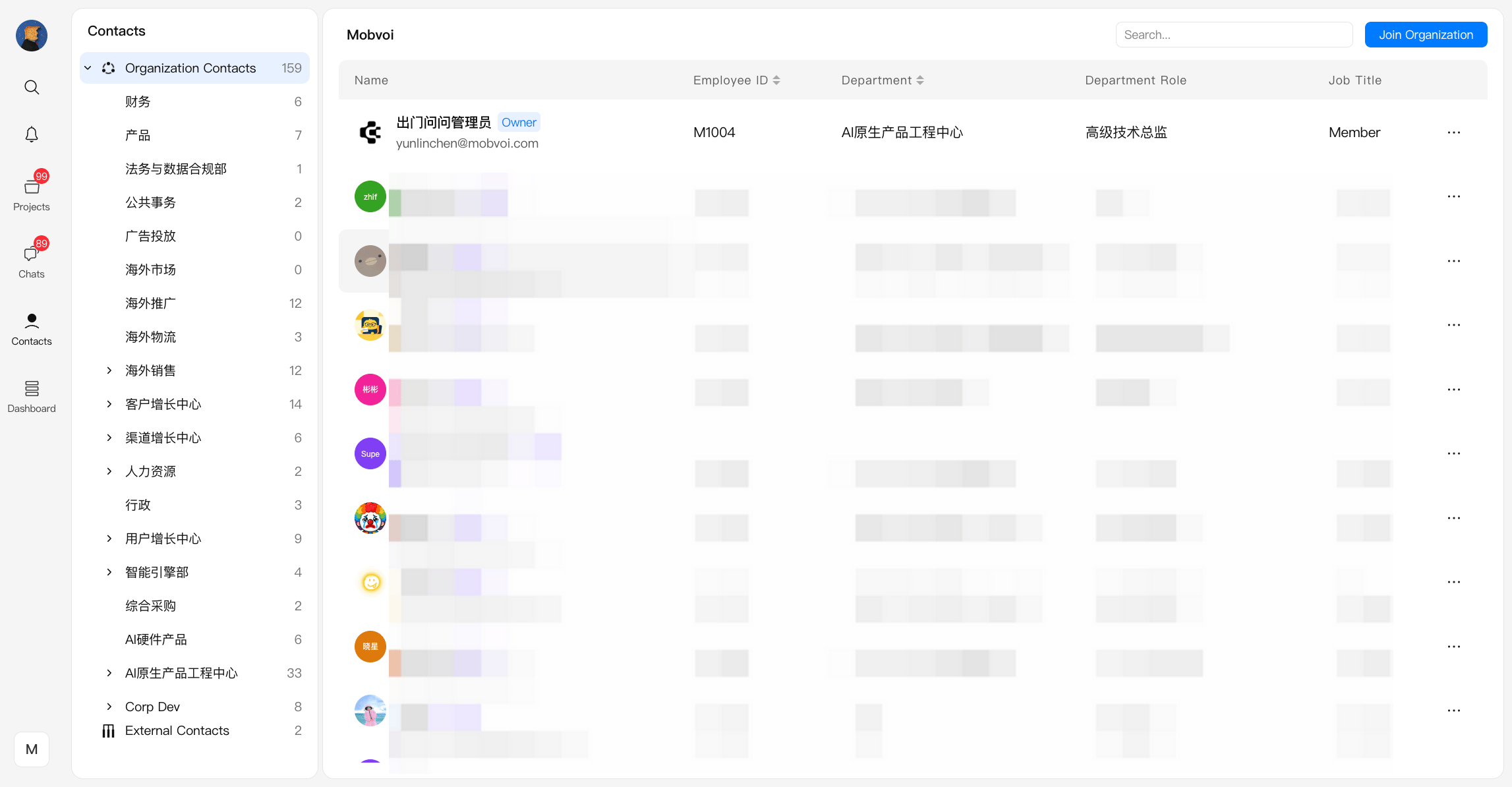
Admin and owner can manage the organization structure and members through Contacts page.Overview
The Contacts module serves as the central place for:- Organization structure management
- Member management and permissions
- Bulk operations for scaling teams
Invitations
Members can be added in two ways:- Invite Members (Manual)
1
Open Contacts page
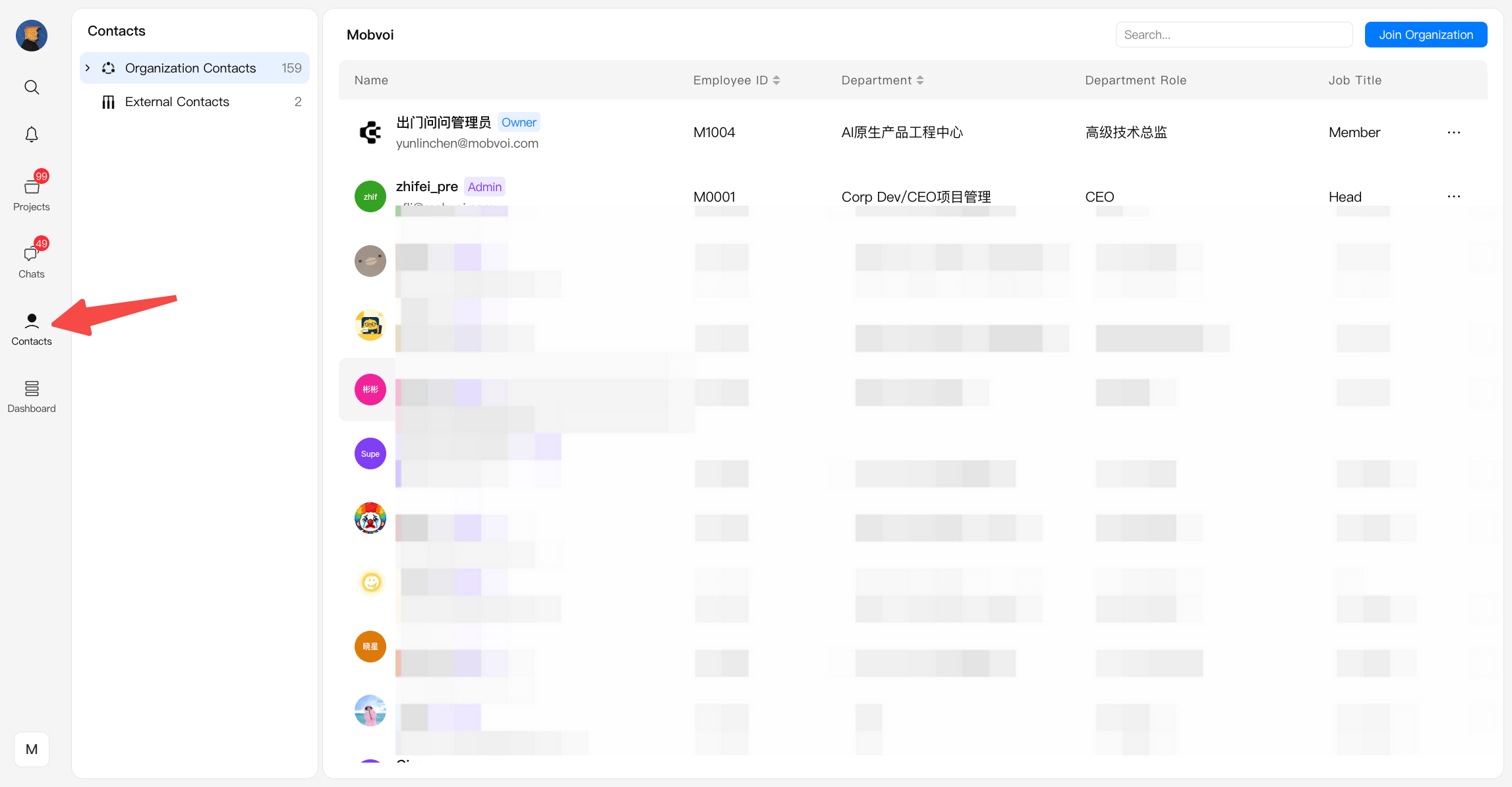
2
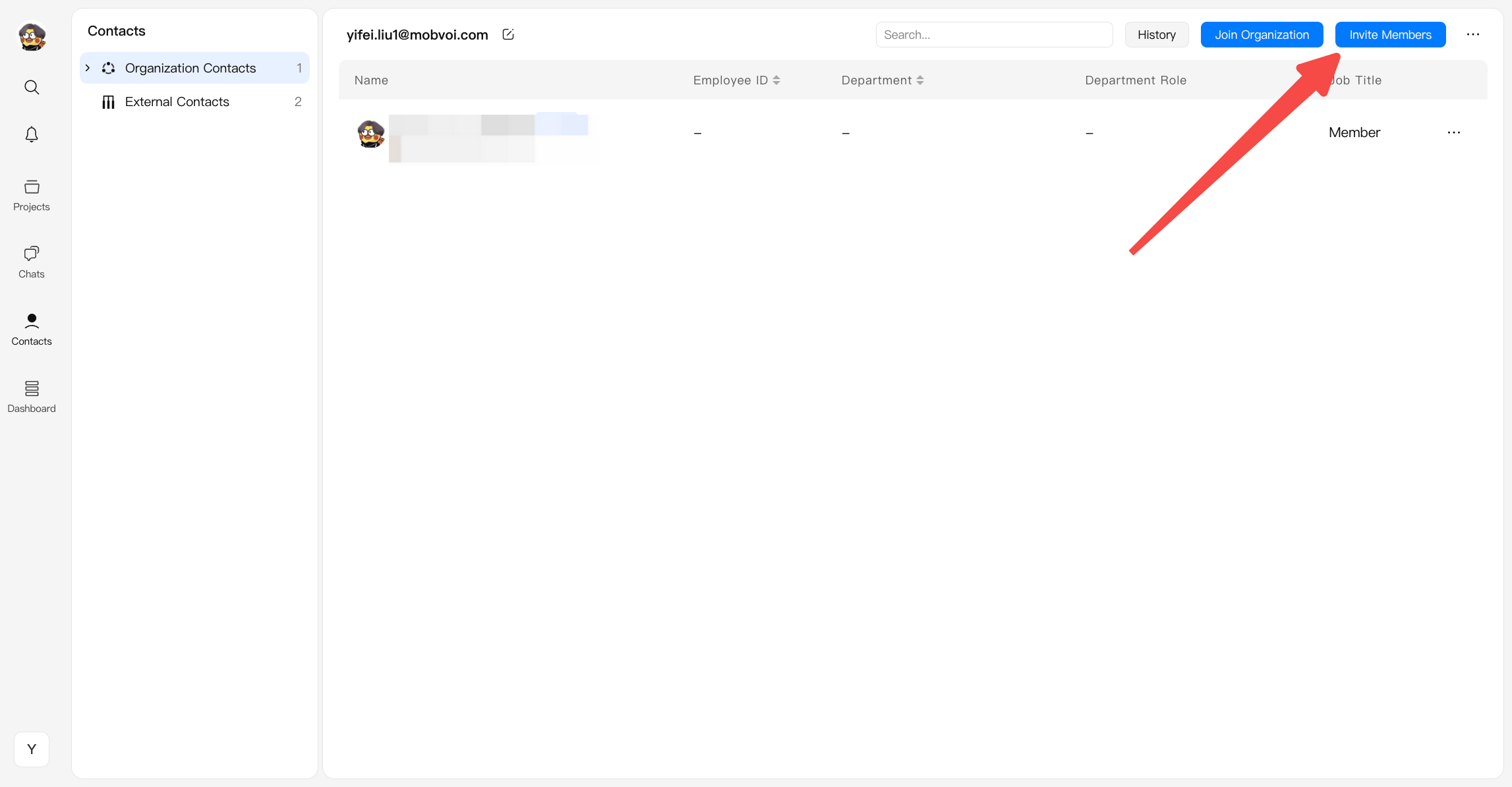
Click invite members
- Invite users individually via the Invite Members button
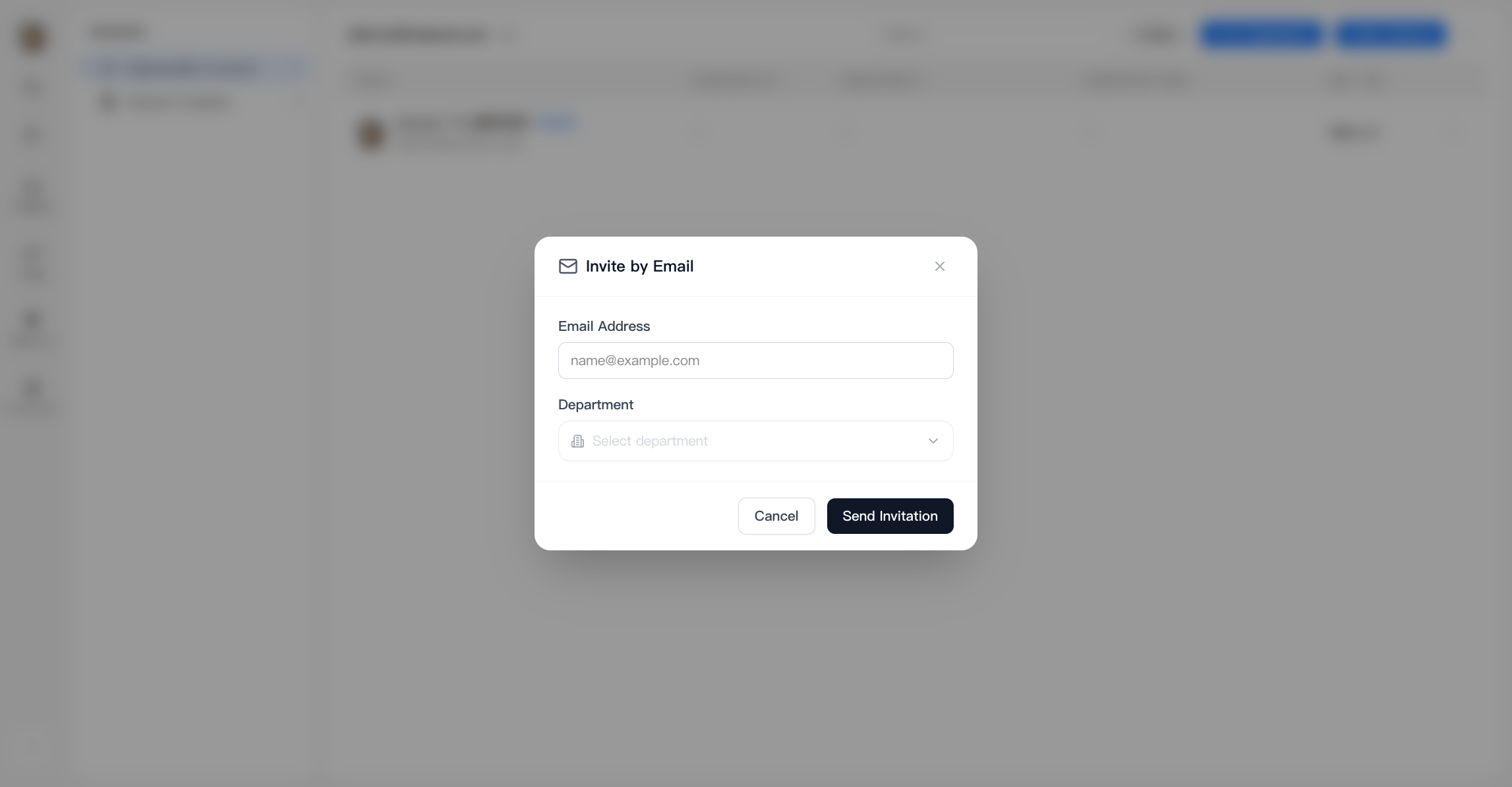
- Enter the email address and select a department
- Batch Import
1
Open Contacts page
2
Click the Top-right icon
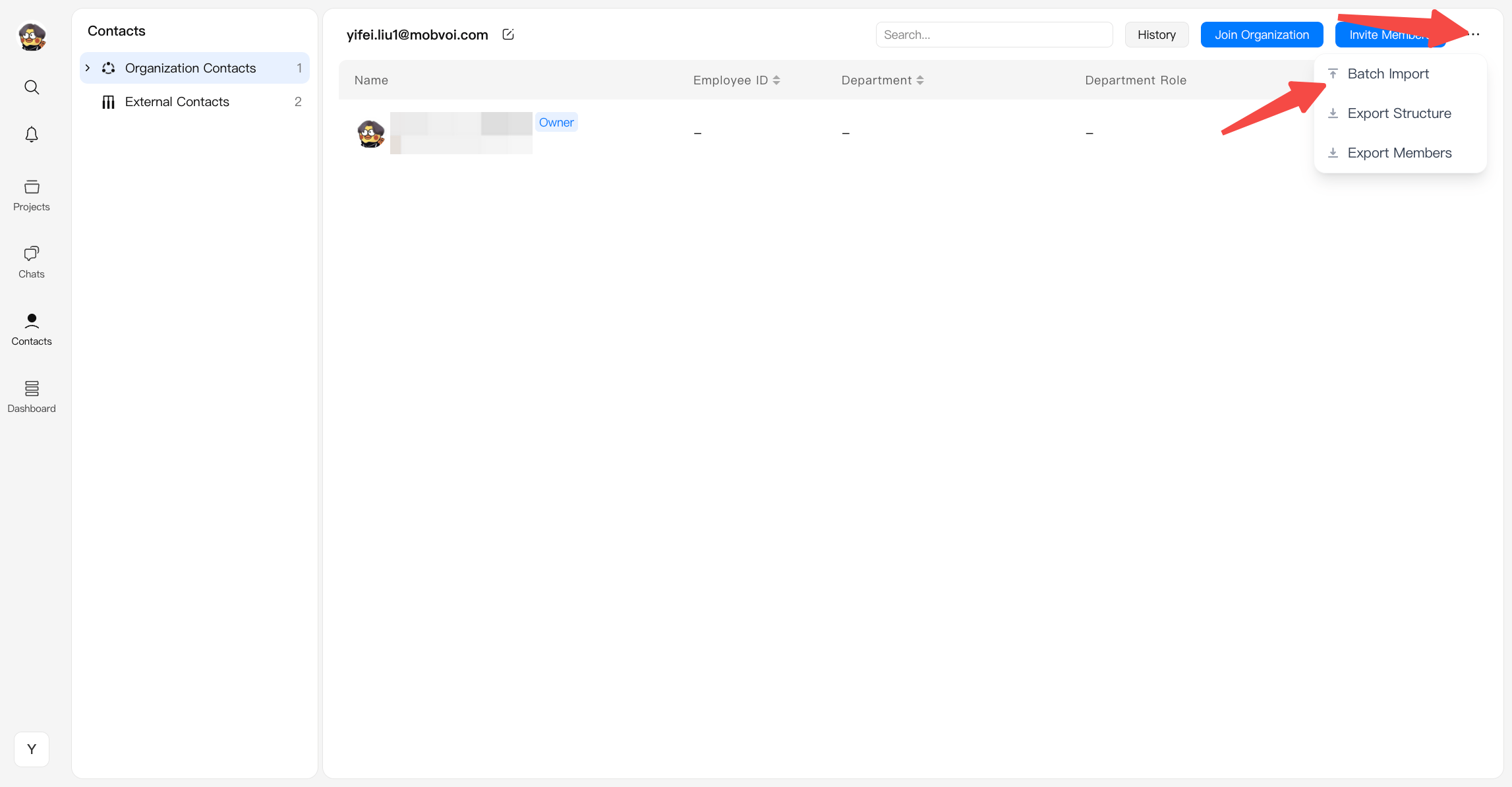
- Click Batch Import
3
Download template & Edit
- Download two templates
- Edit these templates under guidance
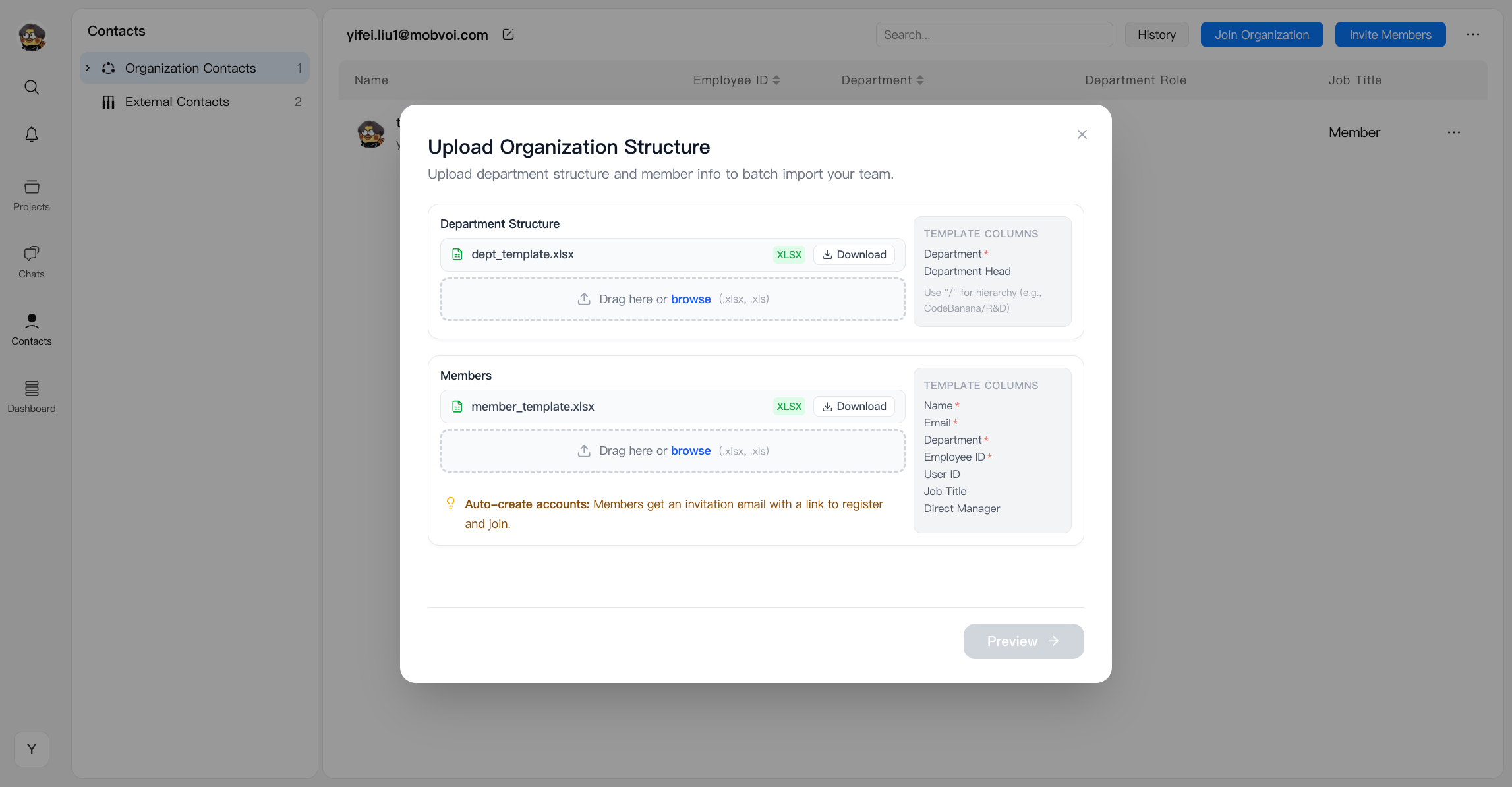
4
Upload template and preview
Application History
Application History shows all organization-related requests and invitations in one place. It helps users track applications they submitted, invitations they sent, and requests they received from others.- Requests Sent
- View the requests you submitted to join other organizations.
- You can check the status of each request, such as pending or approved.
- Applications Sent
- View the invitations you sent to others to join your organization.
- You can track the status of each invitation and cancel invitations that are still pending.
- Requests Received
- View the join requests submitted by other users to your organization.
- You can process incoming requests or review their previous status and handling results.
Export files
Exported files can be edited and re-uploaded:- Export Structure — export department hierarchy
- Export Members — export member list
Department Management
Admins and owner can manage organizational structure:- Create top-departments
- Add sub-departments under existing ones (Add Sub-dept)
- Edit department information
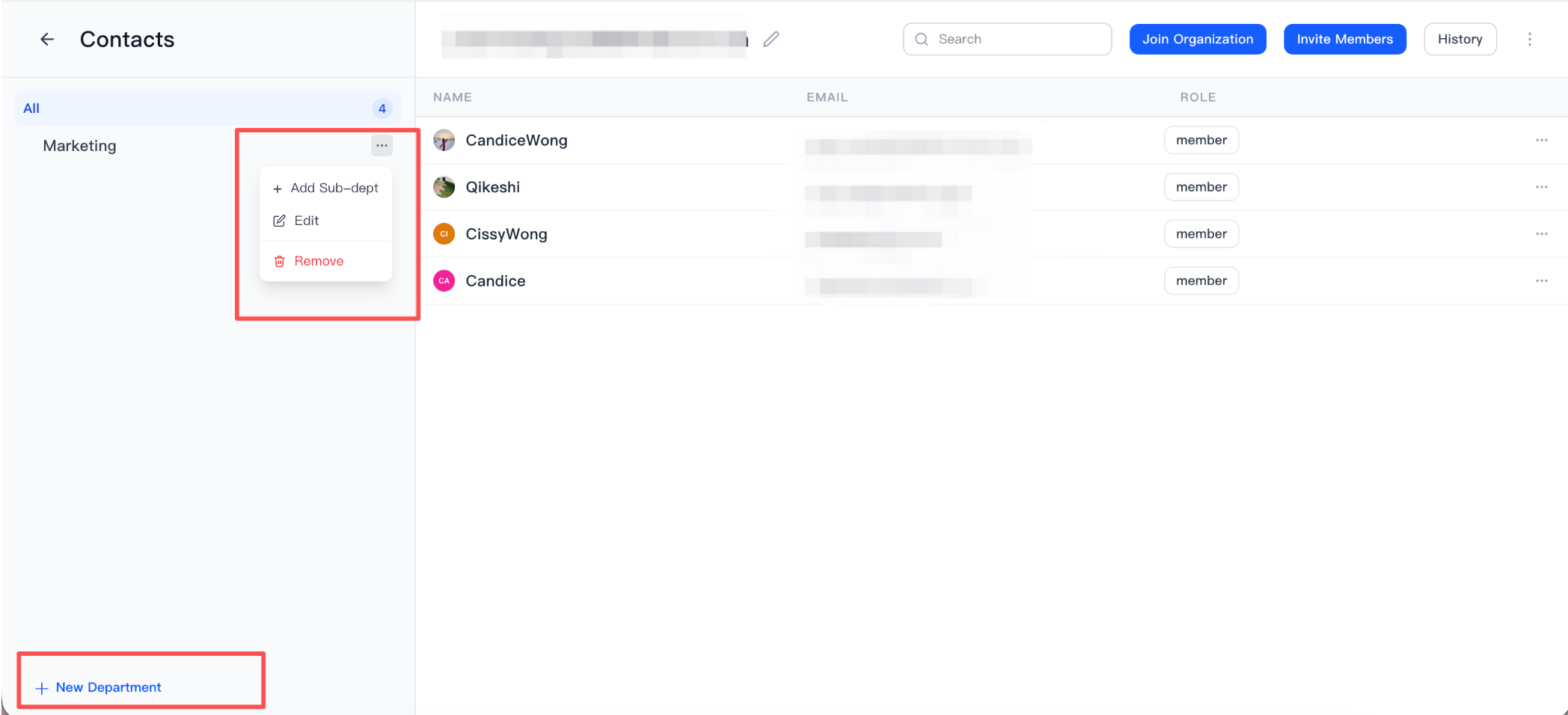
- Delete departments
- Update member name, role, and assigned department
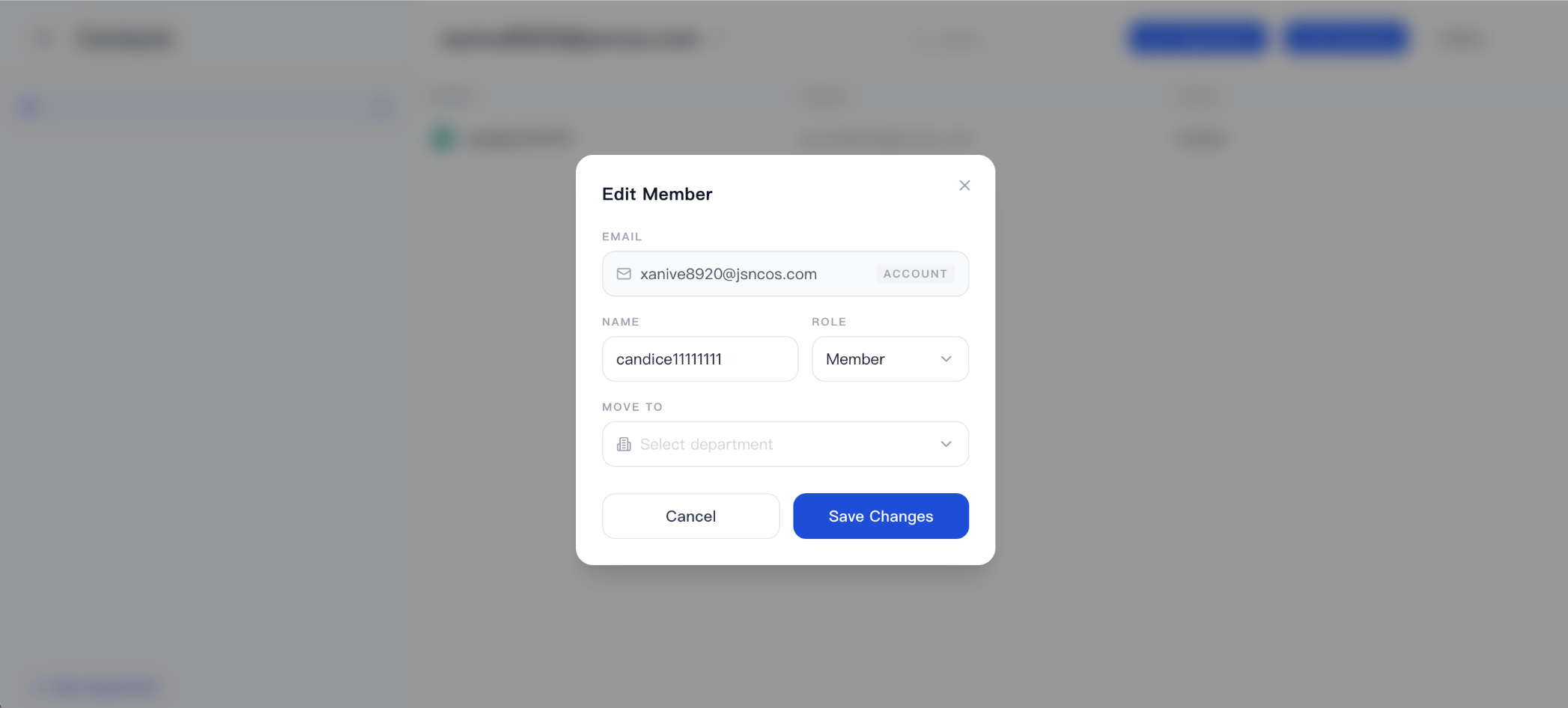
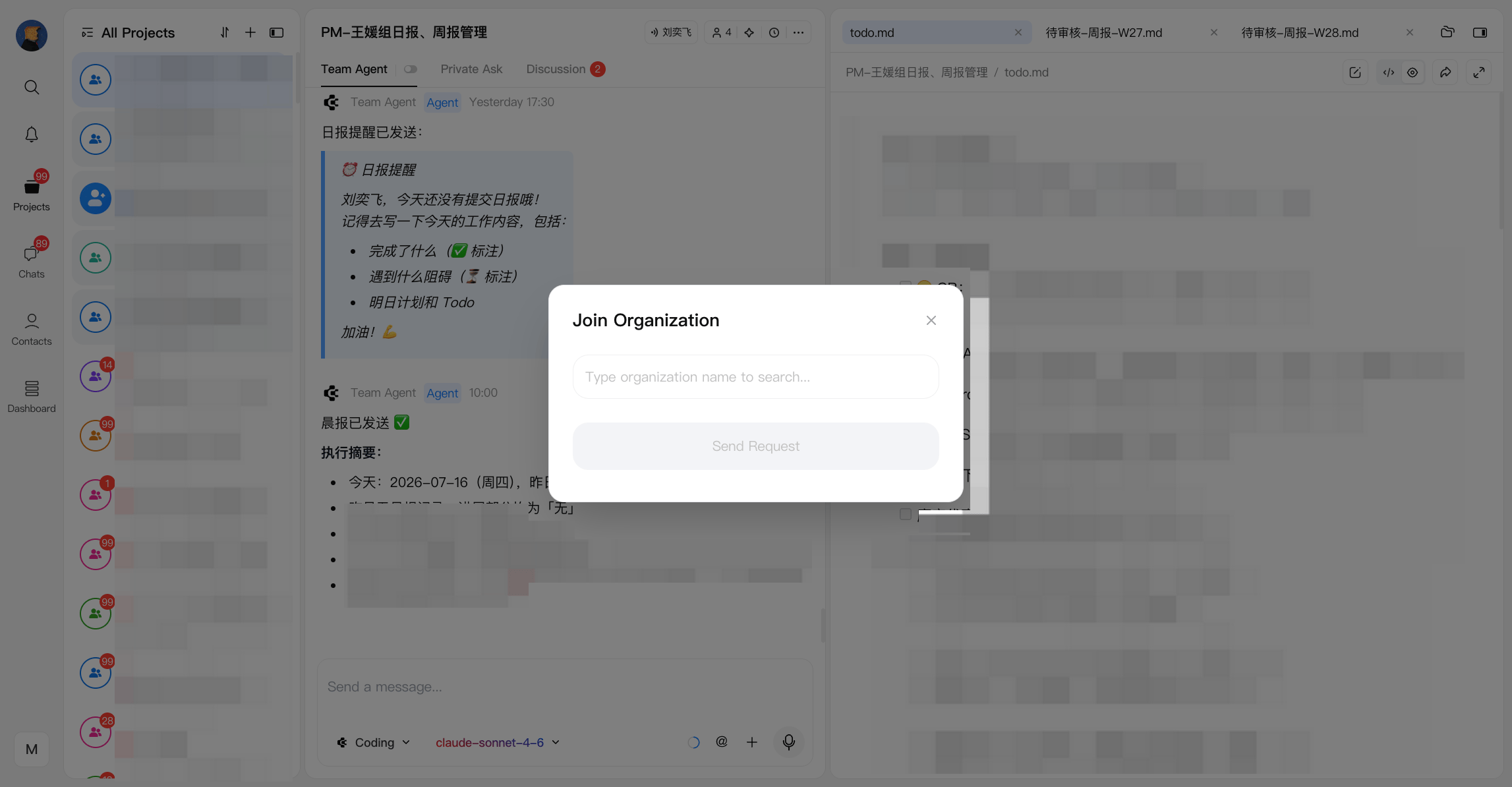
- Remove Member
- Requires transferring all projects owned by the member to another user
- All organization permissions are revoked immediately upon removal