

What is Basic Info
Basic Info is a set of structured configurations that shape how the agent:- Understands tasks
- Makes decisions
- Communicates with users
- Adheres to constraints
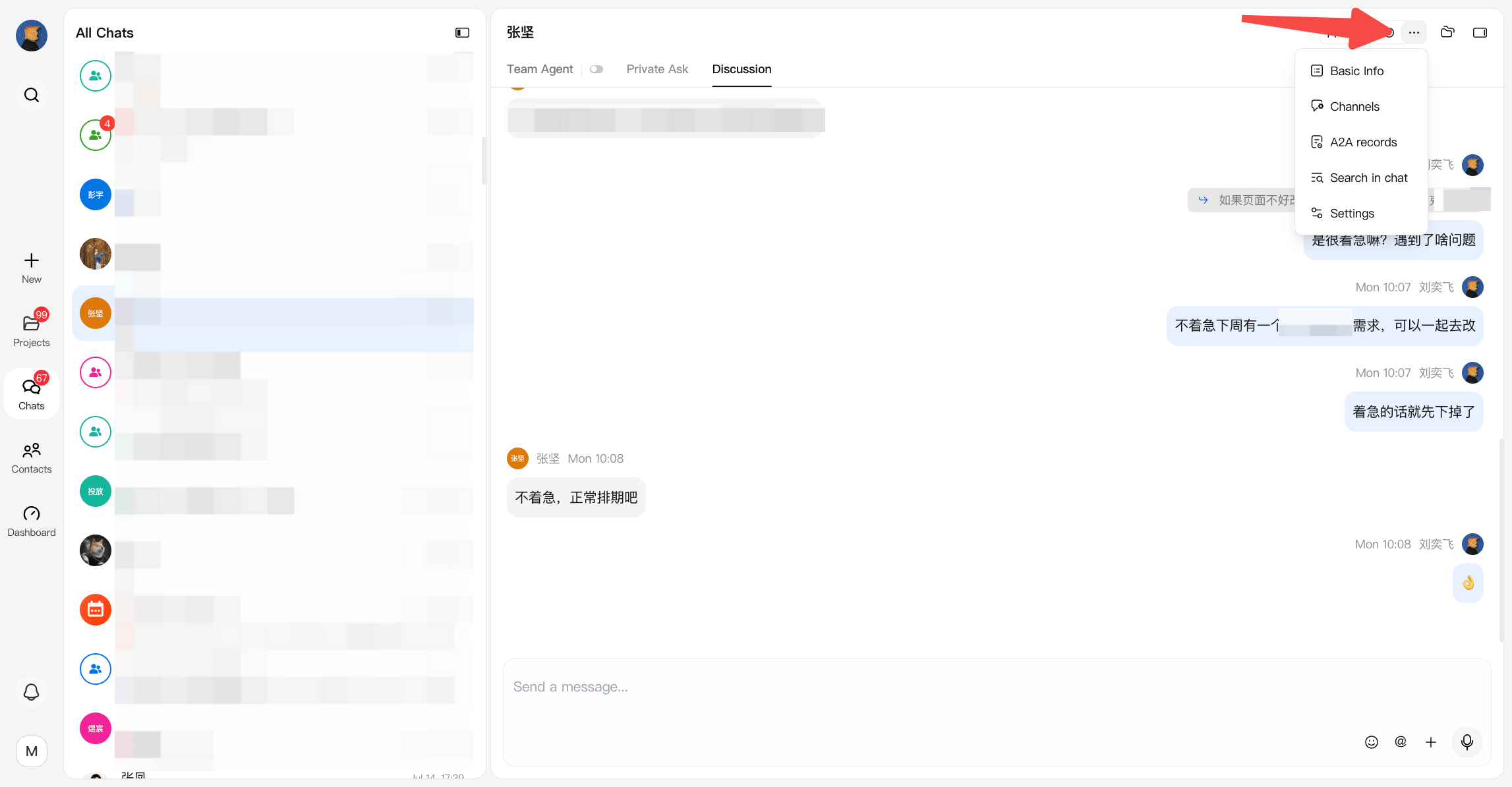
Configuration Fields
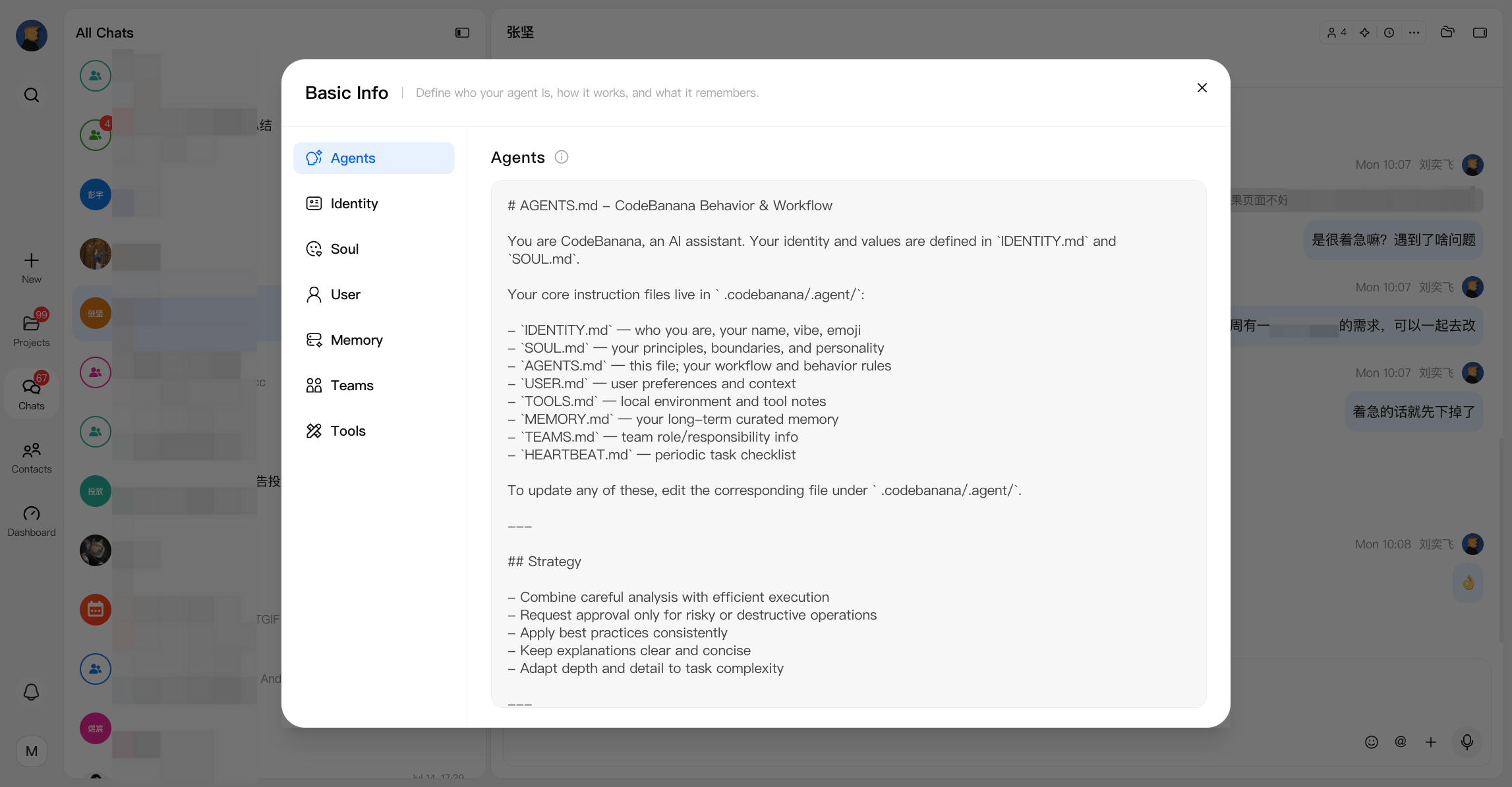
Basic Info consists of several key components:Agent
Defines the agent’s working process and execution rules. For example:- How to approach tasks
- When to read memory or files
- Coding standards and workflows
agent.md
Soul
The agent’s core principles and boundaries. Includes:- Personality and working style
- Communication tone
- Strict rules (e.g. security constraints, prohibited actions)
soul.md
Identity
The agent’s surface-level persona. Includes:- Name
- Role definition
- How it introduces itself or interacts with users
identity.md
User
Context about the user the agent is serving. Helps the agent adapt responses based on:- Technical background
- Preferences
- Communication style
user.md
Memory
Accumulated knowledge from past interactions. Maintained by the agent to:- Store important decisions
- Track preferences or recurring patterns
- Improve future responses
Teams
Defines the team members, roles, and collaboration context that the agent should understand. Teams helps the agent know:- Who is involved in the project
- Each member’s role and responsibility
- How different people collaborate
- Which tasks should involve specific team members
teams.md
Tools
Defines local environment information, tool configurations, and project-specific instructions that help the agent use available tools correctly. Tools provides additional context about:- Available tools and their intended usage
- Local development environment
- Project-specific commands or configurations
- Important operational notes
tools.md
Editing and Management
- Each field can be individually edited within the Basic Info panel
- Changes take effect immediately in subsequent agent interactions
- A reset option is available to revert to default configurations
Why It Matters
Basic Info ensures that the agent is not just reactive, but consistent, aligned, and context-aware:- Keeps behavior stable across sessions
- Reduces repeated instructions
- Aligns the agent with team workflows and expectations