> ## Documentation Index
> Fetch the complete documentation index at: https://docs.codebanana.com/llms.txt
> Use this file to discover all available pages before exploring further.

# 从代码仓库导入

> 将现有 GitHub 仓库导入 CodeBanana：授权 GitHub 访问权限、选择仓库、克隆项目、继续开发、运行和测试应用，并直接在 CodeBanana 工作区中完成发布。

## **导入你的 GitHub 仓库**

*<u>预计用时：2 分钟</u>*

如果你希望继续迭代和修改已有项目，可以将项目导入 CodeBanana。CodeBanana 支持导入 GitHub 仓库，并将其转化为可运行、测试和发布的应用。

<Steps>
  <Step title="授权 GitHub">
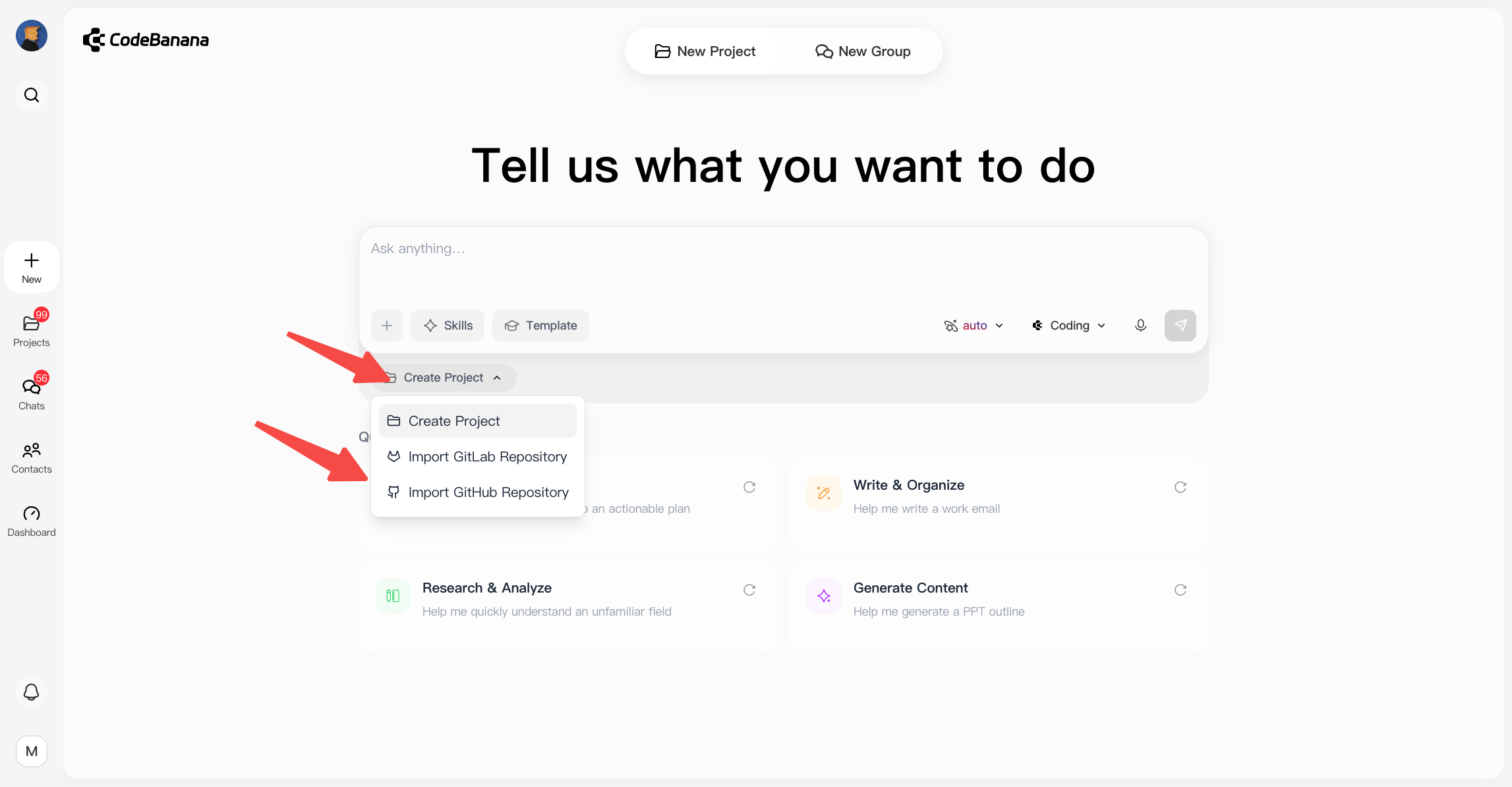
    点击下图所示的 **+**，然后选择 **Import Github Repository（导入 GitHub 仓库）：**

    <img src="https://mintcdn.com/gen-d40df51d/v_PuallhGnB7LHWw/images/0723-creategithubnew.png?fit=max&auto=format&n=v_PuallhGnB7LHWw&q=85&s=6e181ef4610af921f01b82d37f29f7b6" alt="Studio 页面" width="2294" height="1194" data-path="images/0723-creategithubnew.png" />

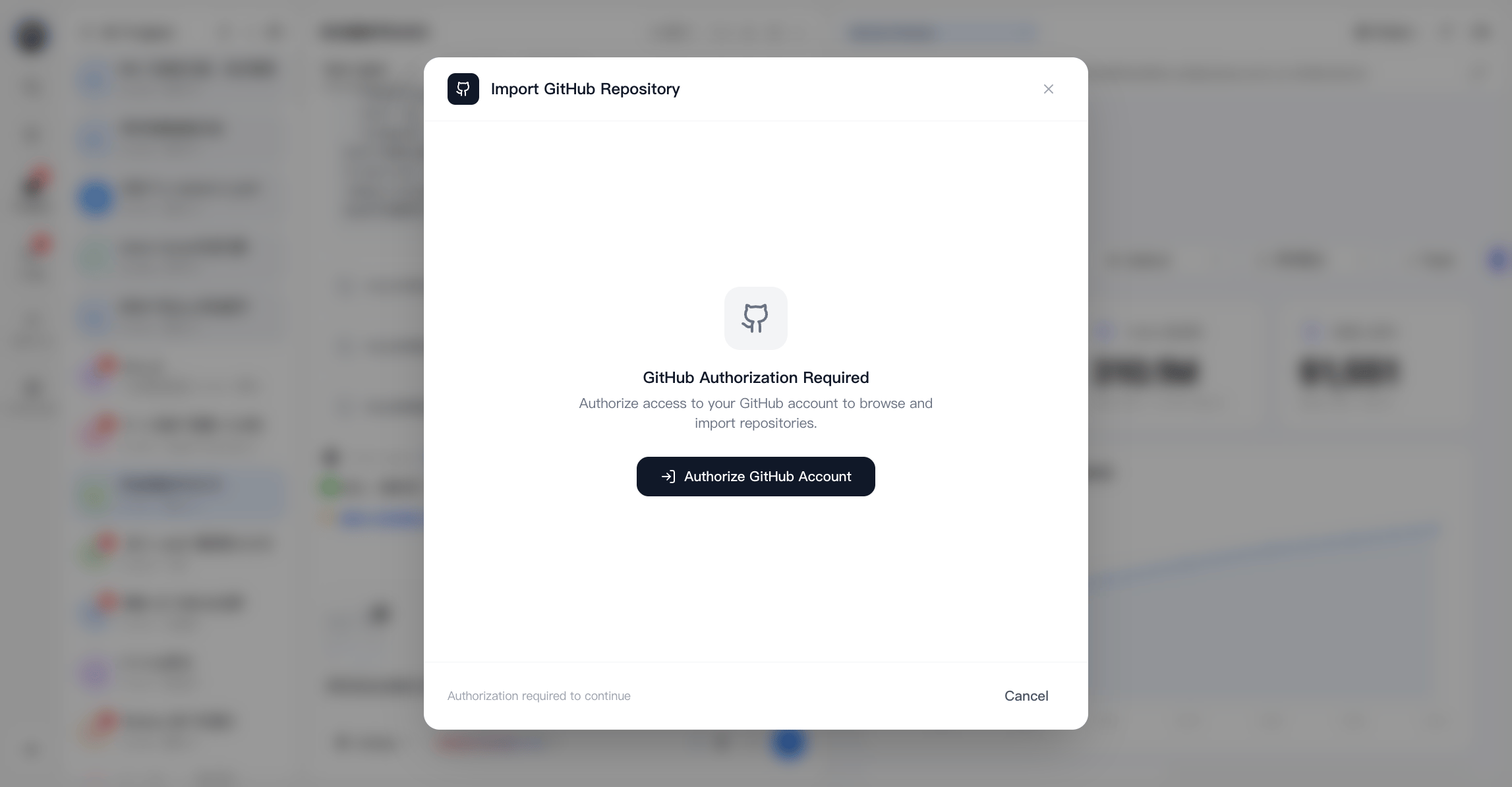
    点击 **Authorize（授权）**，

    <img src="https://mintcdn.com/gen-d40df51d/F1CELJx5rtLR4X_H/images/0715-gitnew.png?fit=max&auto=format&n=F1CELJx5rtLR4X_H&q=85&s=8204d7beec03e7edbb3afcde3c16aadd" alt="GitHub 授权" width="2294" height="1194" data-path="images/0715-gitnew.png" />

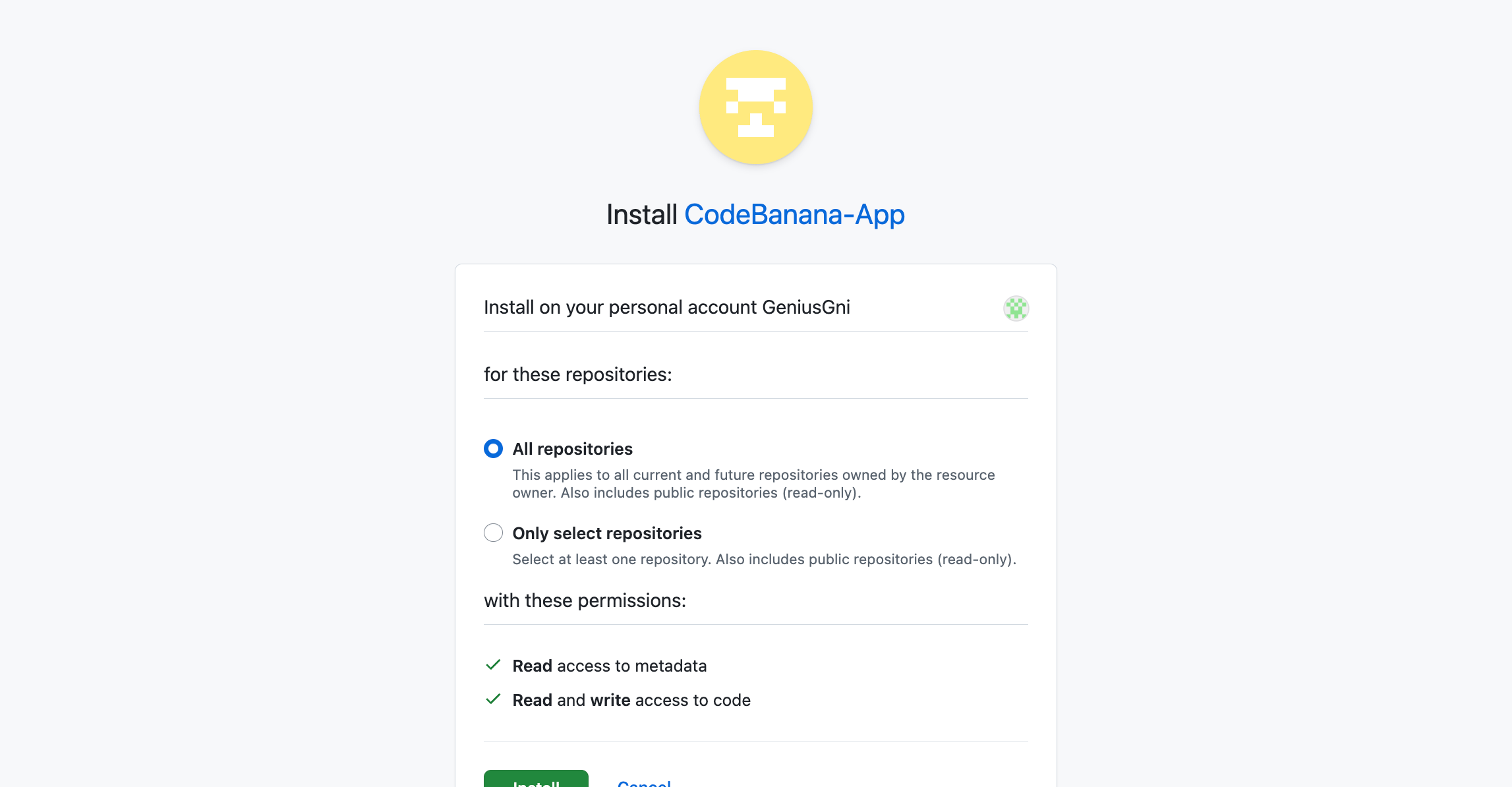
    选择需要授权的仓库，也可以授权所有仓库：

    <img src="https://mintcdn.com/gen-d40df51d/F1CELJx5rtLR4X_H/images/0715-githubinstall.png?fit=max&auto=format&n=F1CELJx5rtLR4X_H&q=85&s=01b85ca136a18d4b5b747985316ca00a" alt="选择 GitHub 仓库" width="2294" height="1194" data-path="images/0715-githubinstall.png" />
  </Step>

  <Step title="从 GitHub 导入">
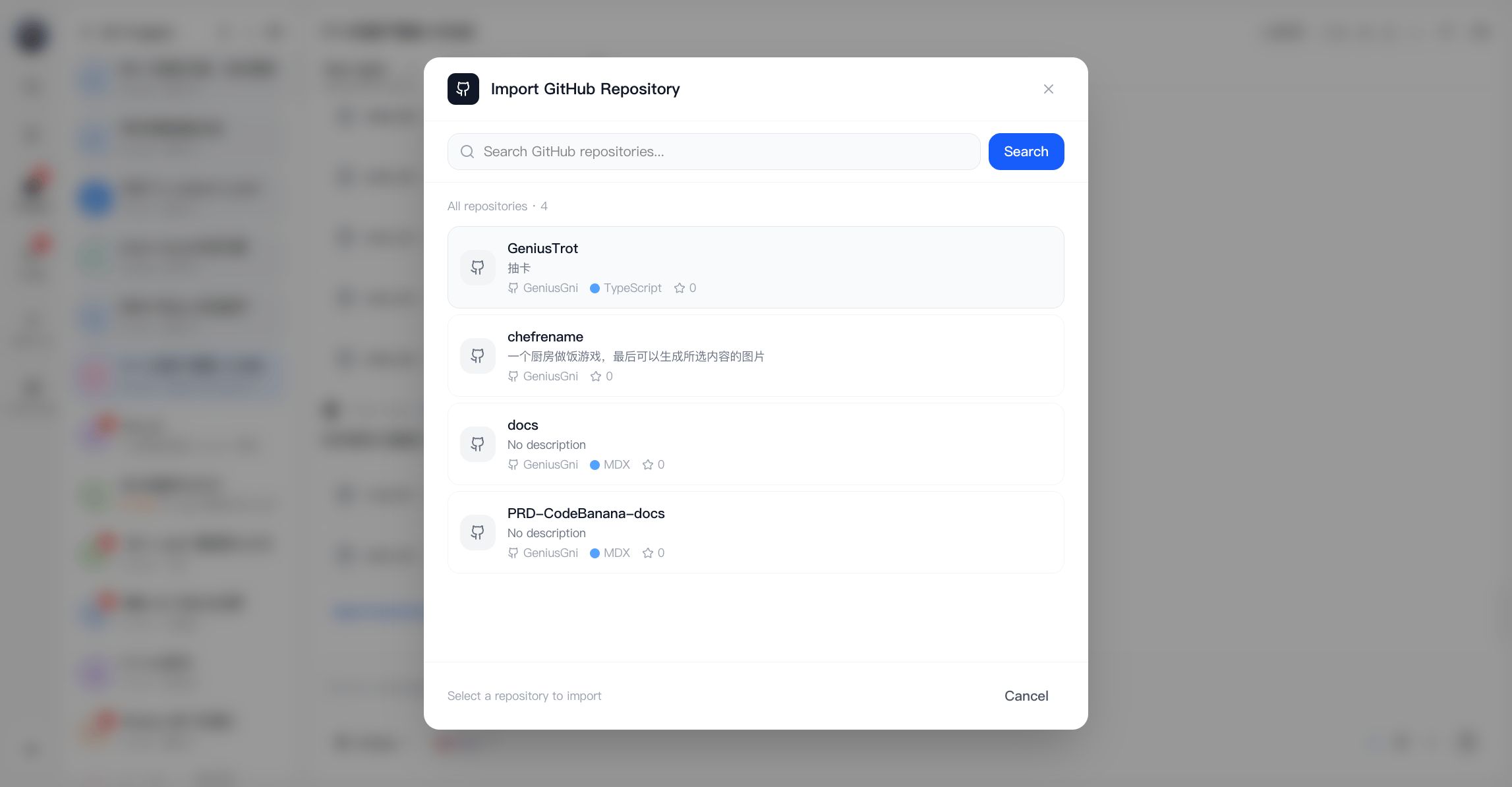
    授权完成后，你可以选择要从 GitHub 克隆的仓库。

    <img src="https://mintcdn.com/gen-d40df51d/F1CELJx5rtLR4X_H/images/0715-githubChooserepo.png?fit=max&auto=format&n=F1CELJx5rtLR4X_H&q=85&s=e2b9cfdd04f151dfd8a728c1749ee1ba" alt="克隆 GitHub 仓库" width="2294" height="1194" data-path="images/0715-githubChooserepo.png" />
  </Step>
</Steps>

<Card title="准备好开始了吗？" icon="arrow-right">
  前往 CodeBanana 创建我的应用
</Card>