> ## Documentation Index
> Fetch the complete documentation index at: https://docs.codebanana.com/llms.txt
> Use this file to discover all available pages before exploring further.
# Start with templates
> Start a CodeBanana project from ready-made templates, choose a template during project creation, customize it with the agent, and quickly turn an example such as a presentation or app template into your own project.
## Create from a template
*Estimated time: 1 minute*
If you are unsure where to start, templates make it easy to get going right away. Just choose a template and customize it to fit your needs.
Follow the steps in this guide to create a delicate PPT of Starbucks:
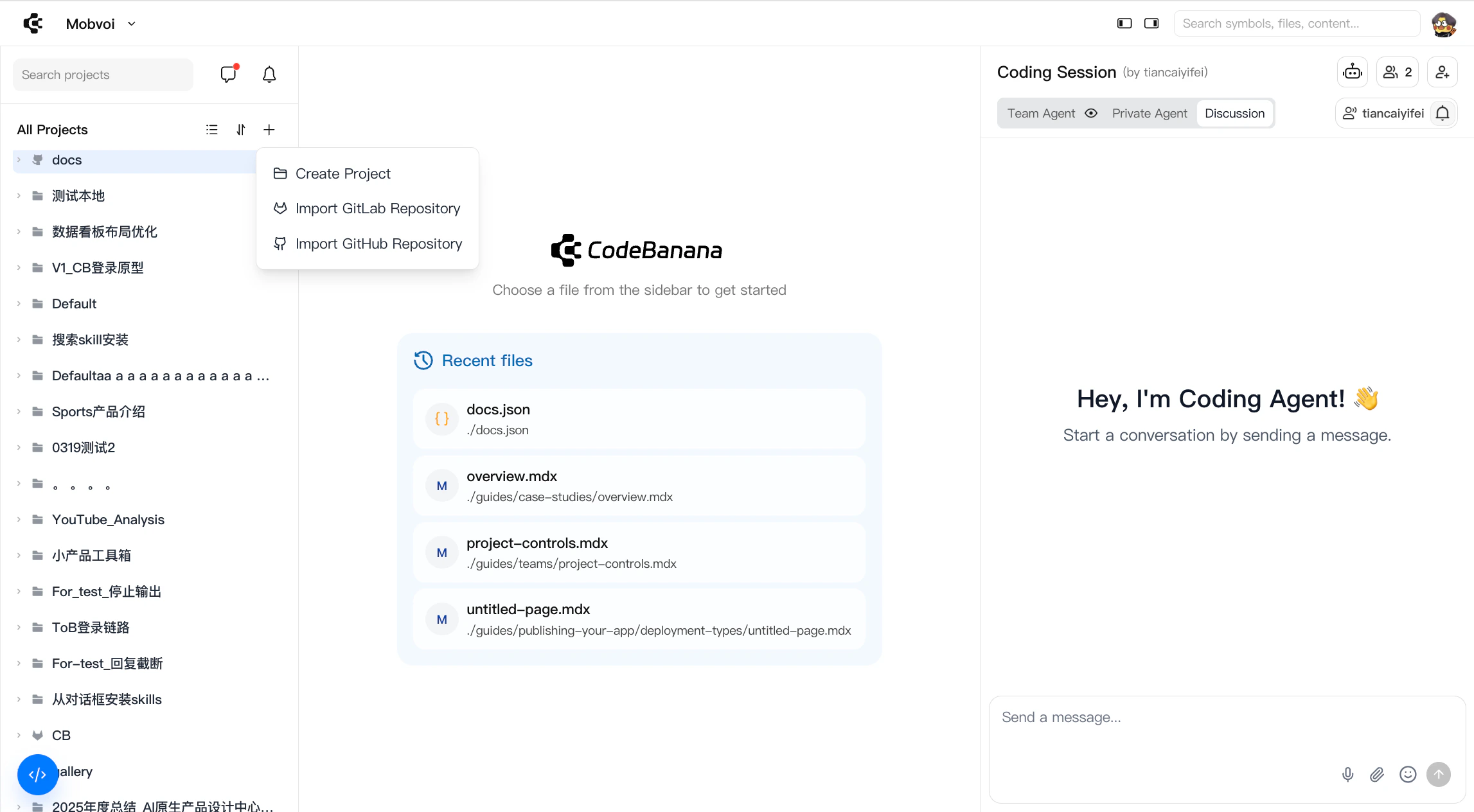
Click the **+** as shown in the following image, then choose **Create Project**:
 Choose **a template**
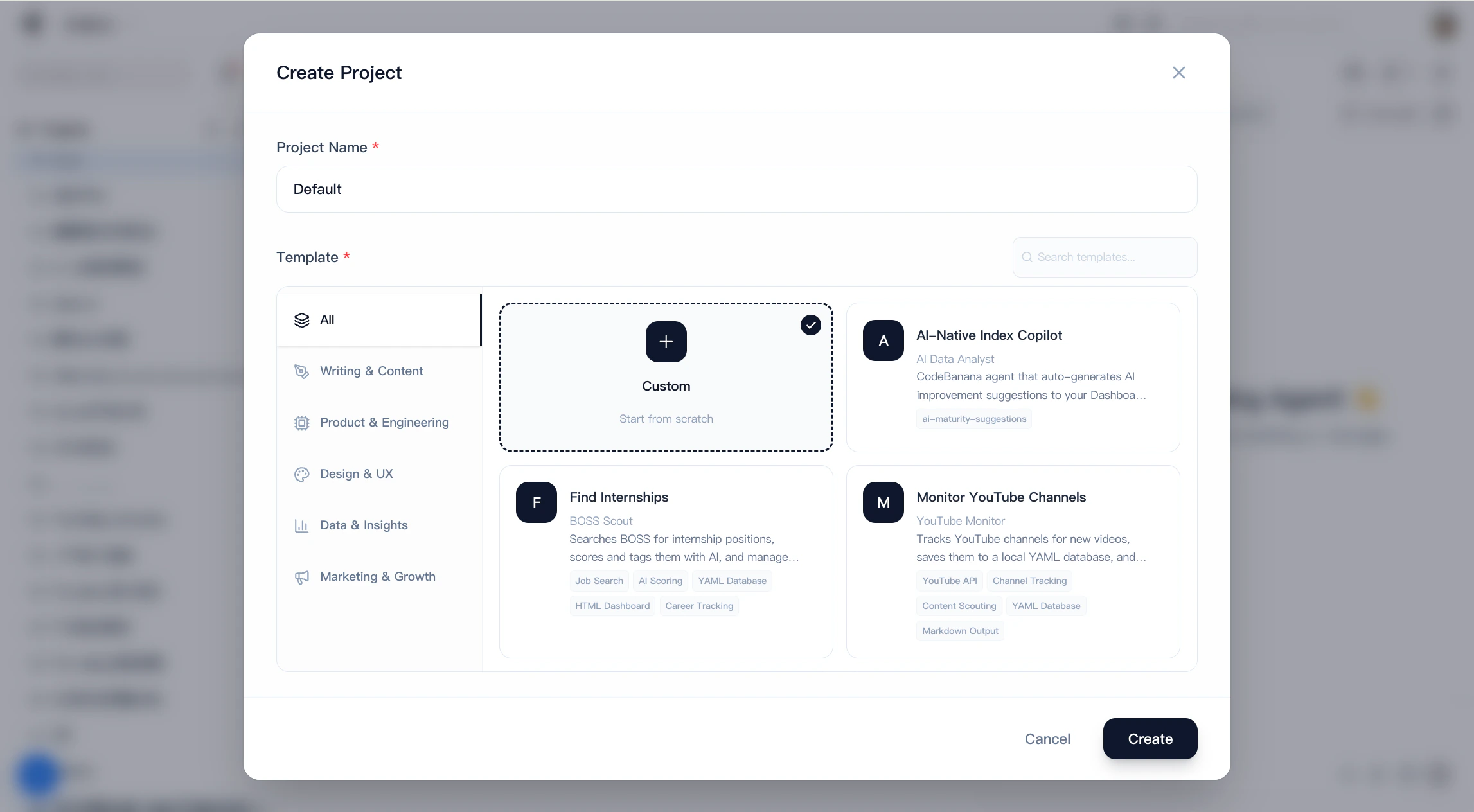 By communicating with the agent, the content within the template is transformed into what you need, ultimately becoming your unique app.
Take me to CodeBanana to build my app
By communicating with the agent, the content within the template is transformed into what you need, ultimately becoming your unique app.
Take me to CodeBanana to build my app