> ## Documentation Index
> Fetch the complete documentation index at: https://docs.codebanana.com/llms.txt
> Use this file to discover all available pages before exploring further.
# Agent modes
> Understand CodeBanana chat modes and agent modes, including Team Agent, Private Ask, Discussion, Discussion Coordinator (DC), Coding mode, read-only agent behavior, shared and individual queue behavior, stopping controls, agent access control, project admins, and team collaboration.
## Project and Chat modes
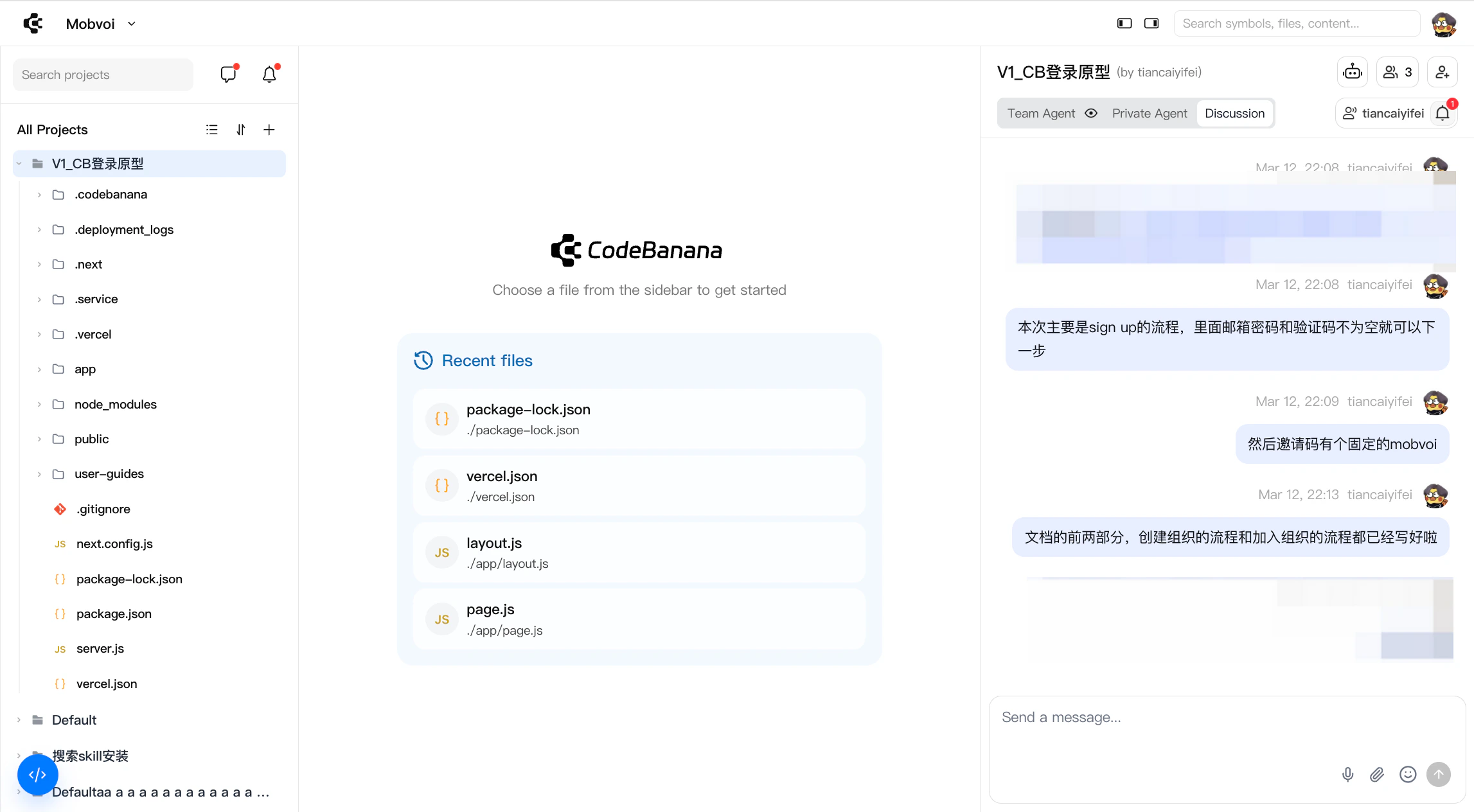
Each project in CodeBanana has a corresponding group chat that supports three distinct chat modes for different collaboration needs.
### Chat modes
Every project group chat includes three modes:
#### **Team Agent**
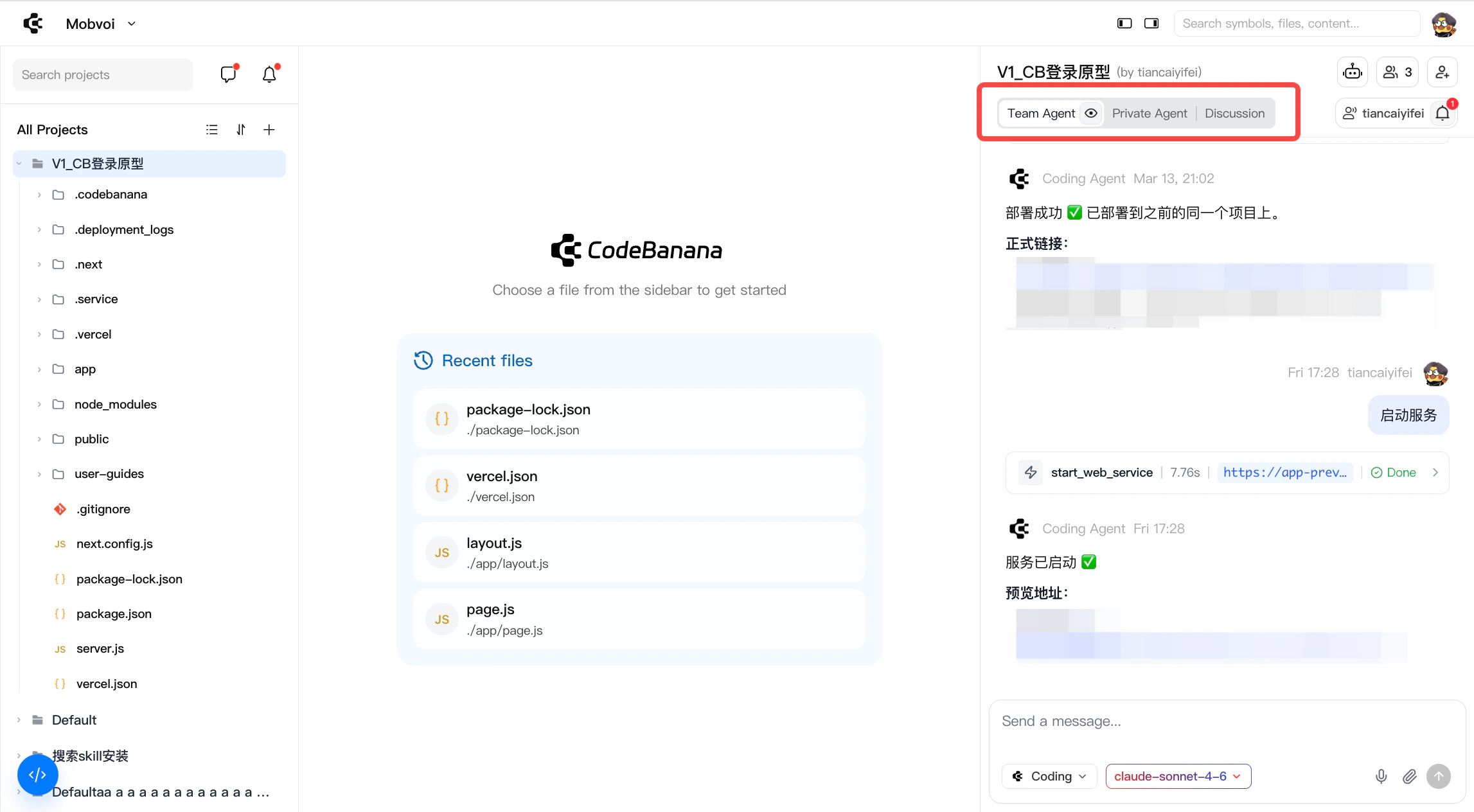
Team Agent mode is designed for **shared, controlled collaboration with AI** in a team environment. Instead of each individual interacting with a separate assistant, the team works with a **single, project-level agent** that operates on a shared codebase, shared context, and shared objectives.
This mode ensures that AI-driven changes remain **visible, coordinated, and aligned** across the entire team.
 #### **What is Team Agent**
Team Agent is a **centralized AI collaborator** for the project:
* Operates on the **entire project context** (repo, files, discussions, history)
* Acts as a **shared execution layer** for coding, refactoring, debugging, and task automation
* Ensures all AI-generated changes are **transparent and traceable** within the team workspace
Unlike personal AI tools, Team Agent is not private. Every interaction contributes to the **collective project state**.
#### **Collaboration**
To maintain consistency and avoid conflicts, Team Agent follows a **controlled interaction model**:
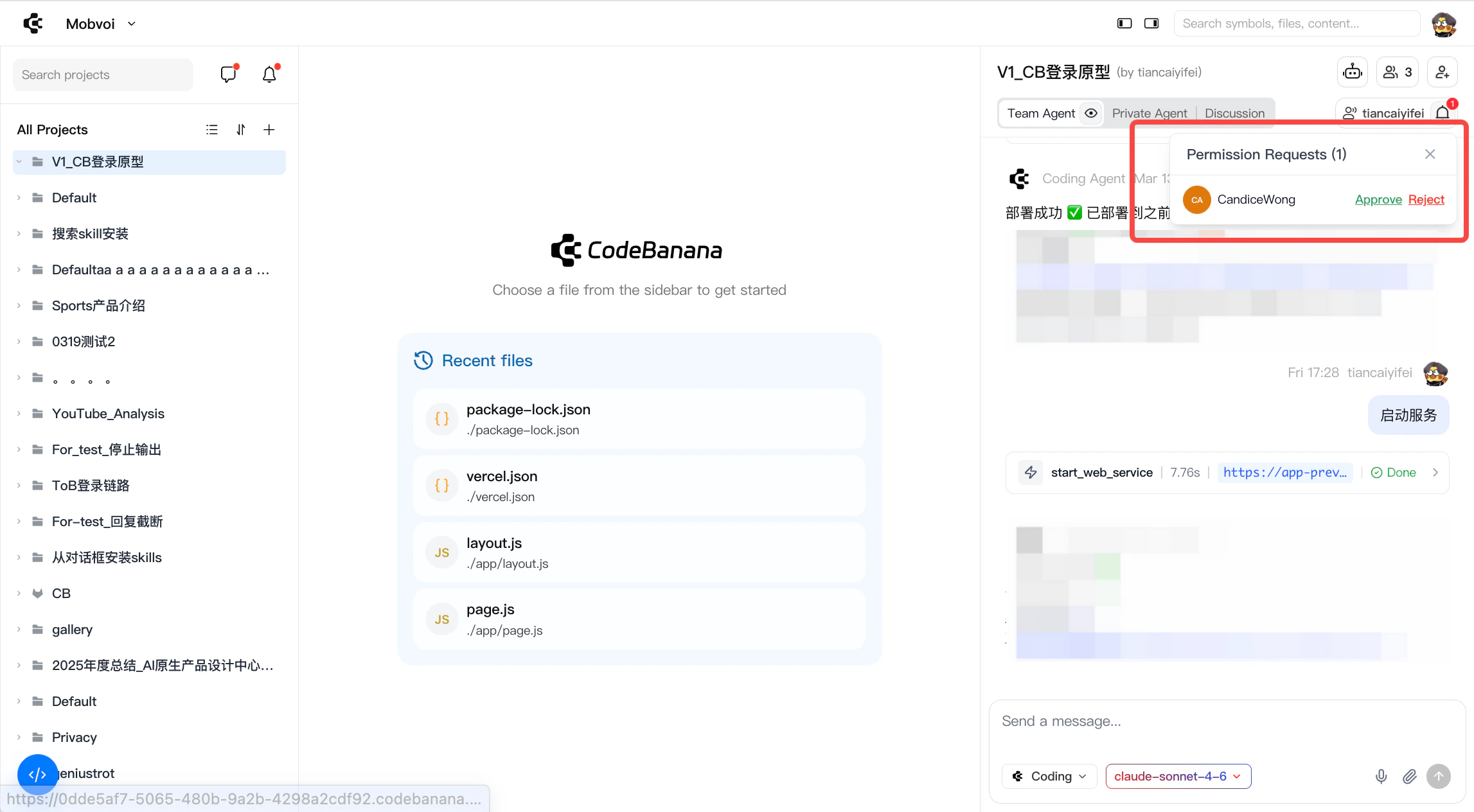
* Only one team member can interact with the agent at a time. By default, interaction with the Team Agent is restricted to the **project owner** and **project admins**
* When the agent is idle, project admins can take control without requiring manual approval from the owner
When other members want to use the Team Agent:
* They must **request access (presenter) from the owner**
* Once approved, **only that member is granted interaction rights with the agent**
* During this period, all other members do not have access until control is reassigned
During an active session:
* The agent executes tasks based on the current user’s instructions
* All changes are **immediately visible to the team**
* Usage is attributed to the **project owner**
This model ensures that AI actions are **sequential, reviewable, and non-conflicting**, similar to a “single writer” system in collaborative editing.
#### **What is Team Agent**
Team Agent is a **centralized AI collaborator** for the project:
* Operates on the **entire project context** (repo, files, discussions, history)
* Acts as a **shared execution layer** for coding, refactoring, debugging, and task automation
* Ensures all AI-generated changes are **transparent and traceable** within the team workspace
Unlike personal AI tools, Team Agent is not private. Every interaction contributes to the **collective project state**.
#### **Collaboration**
To maintain consistency and avoid conflicts, Team Agent follows a **controlled interaction model**:
* Only one team member can interact with the agent at a time. By default, interaction with the Team Agent is restricted to the **project owner** and **project admins**
* When the agent is idle, project admins can take control without requiring manual approval from the owner
When other members want to use the Team Agent:
* They must **request access (presenter) from the owner**
* Once approved, **only that member is granted interaction rights with the agent**
* During this period, all other members do not have access until control is reassigned
During an active session:
* The agent executes tasks based on the current user’s instructions
* All changes are **immediately visible to the team**
* Usage is attributed to the **project owner**
This model ensures that AI actions are **sequential, reviewable, and non-conflicting**, similar to a “single writer” system in collaborative editing.
 #### **Queueing and Stopping**
When multiple users send messages to the **Team Agent**, they are processed through a shared queue.
**Queueing behavior**
* All messages are processed in **send-time order**
* The entire project shares **one Team Agent queue**
* Multiple messages from the same user are placed at the **end of the queue** in sequence
* The queue limit is **50 messages**
* If the queue is full, the user will see: **“Agent is busy, please try again later”**
* After one message finishes, the next queued message starts automatically
* If a queued message is withdrawn, its position is released and later messages move forward automatically
**Queue visibility**
* The Team Agent view shows the current queue status, including how many messages are still waiting
* All members in the project can see the current queue count
**Who can stop a message**
* The **message sender** can stop their own message, whether it is currently running or still waiting in the queue
* The **project owner** can stop any message in the Team Agent queue
* Other members cannot stop messages started by other users
**What happens after stopping**
* Any content already generated is **kept**
* The queue slot is released immediately
* The next queued message starts automatically
* The user can send a new message, which will enter the end of the queue
#### **Agent Modes**
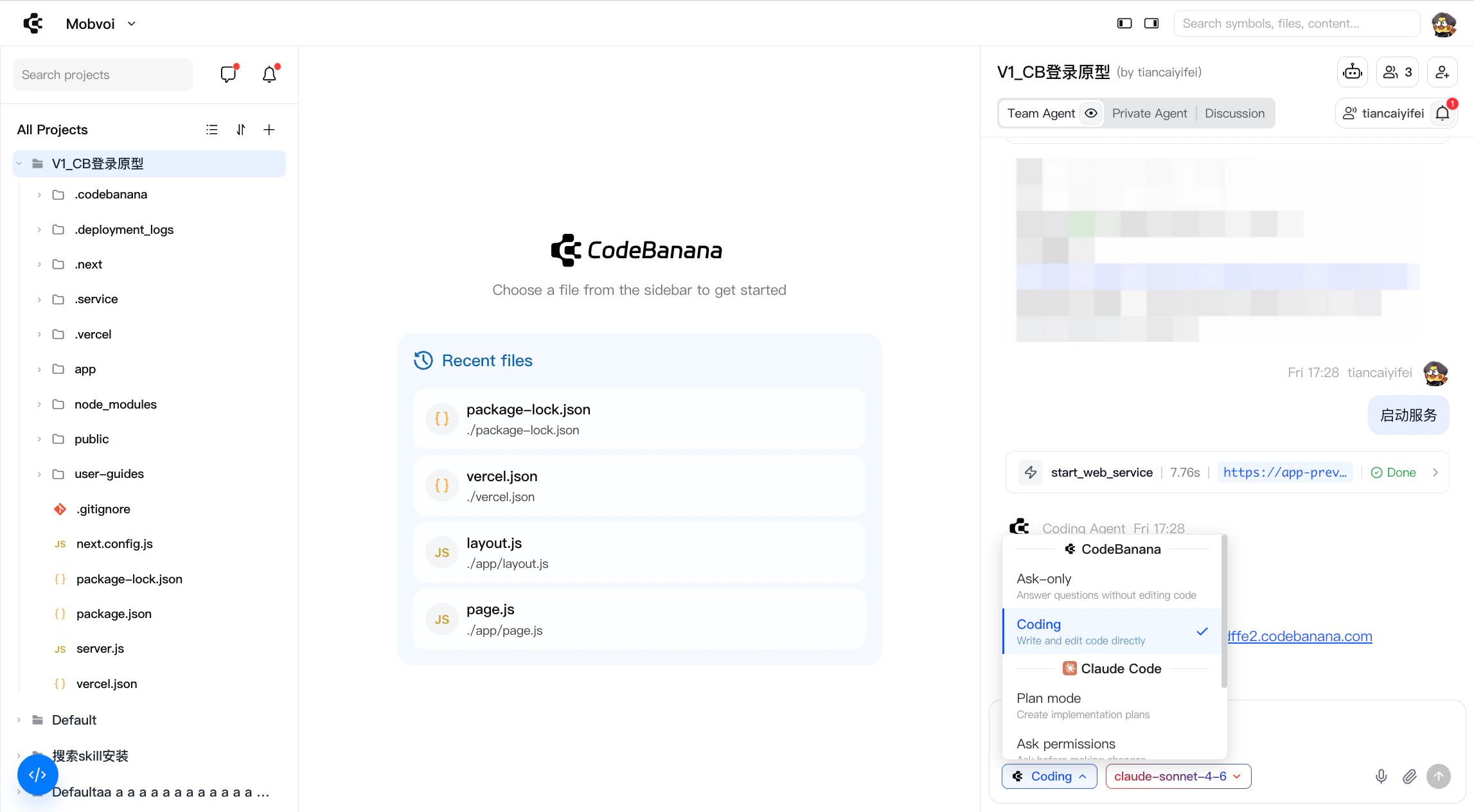
Agent Modes define how the agent interacts with your project, from read-only assistance to direct code execution.
* **Ask-only** Read-only mode. The agent answers questions and provides guidance without modifying any files.
* **Coding** Execution mode. The agent can directly write and edit code within the project.
* **CodeBanana (CB Optimized Model)** Enhanced for project-level tasks with pre-installed capabilities such as deployment.
* **Claude Code (Claude Native Model)** Consistent with the native Claude experience. Requires more explicit prompting and user guidance.
#### **Queueing and Stopping**
When multiple users send messages to the **Team Agent**, they are processed through a shared queue.
**Queueing behavior**
* All messages are processed in **send-time order**
* The entire project shares **one Team Agent queue**
* Multiple messages from the same user are placed at the **end of the queue** in sequence
* The queue limit is **50 messages**
* If the queue is full, the user will see: **“Agent is busy, please try again later”**
* After one message finishes, the next queued message starts automatically
* If a queued message is withdrawn, its position is released and later messages move forward automatically
**Queue visibility**
* The Team Agent view shows the current queue status, including how many messages are still waiting
* All members in the project can see the current queue count
**Who can stop a message**
* The **message sender** can stop their own message, whether it is currently running or still waiting in the queue
* The **project owner** can stop any message in the Team Agent queue
* Other members cannot stop messages started by other users
**What happens after stopping**
* Any content already generated is **kept**
* The queue slot is released immediately
* The next queued message starts automatically
* The user can send a new message, which will enter the end of the queue
#### **Agent Modes**
Agent Modes define how the agent interacts with your project, from read-only assistance to direct code execution.
* **Ask-only** Read-only mode. The agent answers questions and provides guidance without modifying any files.
* **Coding** Execution mode. The agent can directly write and edit code within the project.
* **CodeBanana (CB Optimized Model)** Enhanced for project-level tasks with pre-installed capabilities such as deployment.
* **Claude Code (Claude Native Model)** Consistent with the native Claude experience. Requires more explicit prompting and user guidance.
 #### **Private Ask**
Private Ask mode (previously My Agent / Private Agent) provides **personal AI assistance within the project**, allowing users to work independently without affecting the shared workflow.
**What is Private Ask**
A private, user-level agent that operates outside of the Team Agent.
It is designed for:
* Asking questions
* Planning tasks
* Exploring ideas
All interactions are **isolated from the team’s active workflow**.
**Usage Characteristics**
* Primarily operates in **ask mode (read-only)**
* Can be used **in parallel with Team Agent sessions**
* Does not modify the shared project
* Usage is attributed according to the project’s billing context
#### **Queueing behavior**
Private Ask uses an **individual queue** instead of the shared Team Agent queue.
* Only your own messages are queued together
* Your Private Ask queue is fully isolated from other users
* Messages are still processed in send-time order
* Stopping a message only affects your own Private Ask session
Private Ask enables users to stay productive individually, while keeping team-level collaboration **structured and conflict-free**.
#### **Private Ask**
Private Ask mode (previously My Agent / Private Agent) provides **personal AI assistance within the project**, allowing users to work independently without affecting the shared workflow.
**What is Private Ask**
A private, user-level agent that operates outside of the Team Agent.
It is designed for:
* Asking questions
* Planning tasks
* Exploring ideas
All interactions are **isolated from the team’s active workflow**.
**Usage Characteristics**
* Primarily operates in **ask mode (read-only)**
* Can be used **in parallel with Team Agent sessions**
* Does not modify the shared project
* Usage is attributed according to the project’s billing context
#### **Queueing behavior**
Private Ask uses an **individual queue** instead of the shared Team Agent queue.
* Only your own messages are queued together
* Your Private Ask queue is fully isolated from other users
* Messages are still processed in send-time order
* Stopping a message only affects your own Private Ask session
Private Ask enables users to stay productive individually, while keeping team-level collaboration **structured and conflict-free**.
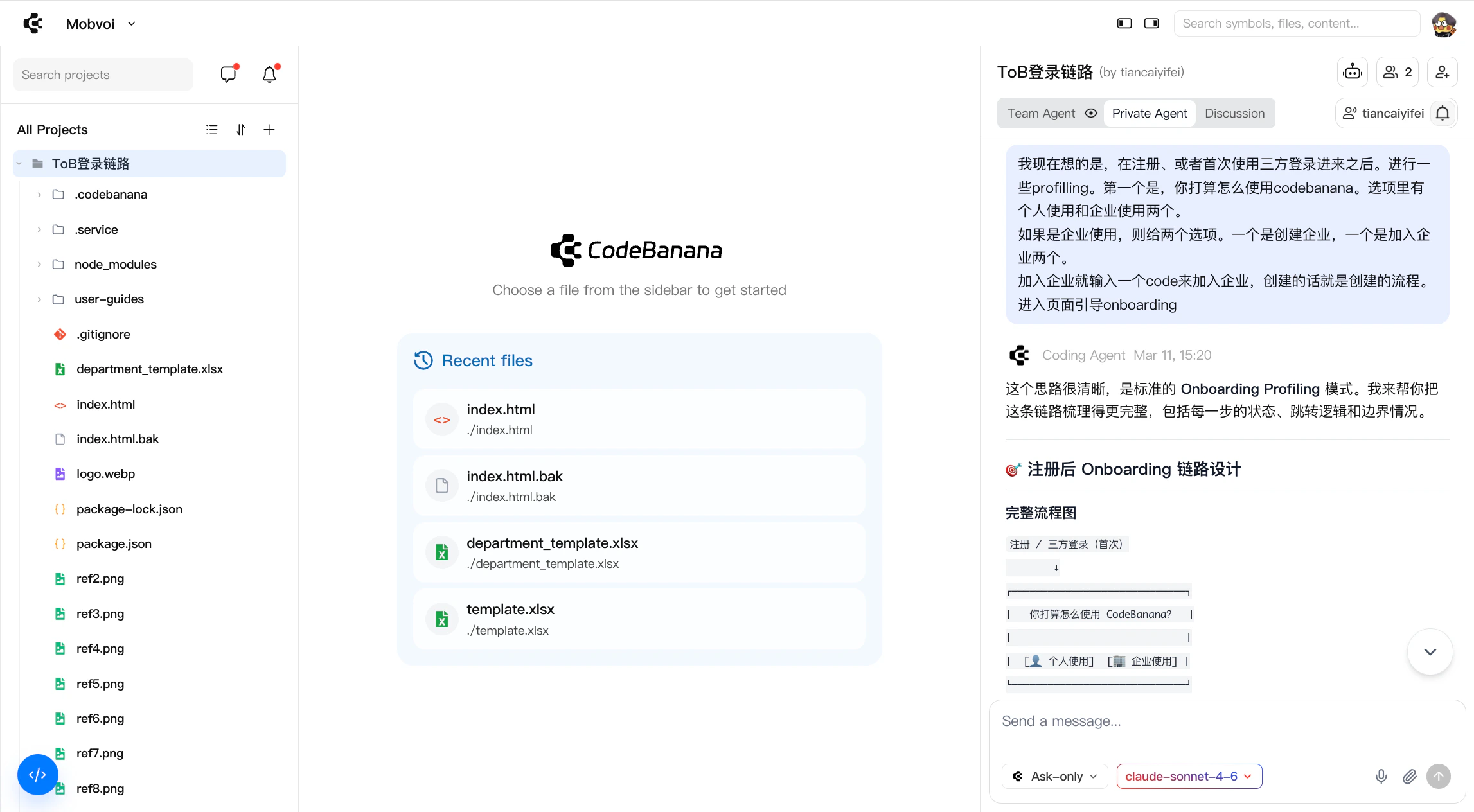 ### **Discussion**
Discussion mode is a **team-wide communication space** designed for open collaboration and coordination.
**What is Discussion**
* A shared chat channel where team members can discuss ideas, align on requirements, and coordinate work
* It serves as the **human-first layer of collaboration**, separate from direct execution workflows
* Discussion is also the place where teams can activate a built-in coordination layer when needed
**Usage Characteristics**
* All members can **participate freely**
* Supports **real-time discussions, feedback, and decision-making**
* Conversations are visible to the entire team and remain part of the project context
* By default, Discussion stays focused on communication rather than direct execution
#### **Discussion Coordinator (DC)**
Discussion includes a built-in **Discussion Coordinator (DC)**. DC acts as a coordinator inside group discussion rather than as a direct execution agent.
It can:
* Understand the current discussion context
* Track participants and conversation progress
* Help summarize and organize discussion content
* Route requests to other agents when users mention them in discussion
#### **How DC Works**
DC is **silent by default**. It does not actively interrupt the discussion, and only responds when it is explicitly activated. DC can be activated in two main ways:
* **@mention DC**
* **Reply to a DC message in Discussion**
**Activation paths**
* In the **Team Agent** chat box, mentioning DC activates it through **A2A**, which is useful for multi-agent collaboration
* In the **Discussion** chat box, mentioning DC activates it directly for in-group coordination
* In **Discussion**, replying to a message sent by DC activates it again
**Reply limitations**
* Only replies to messages with the **Discussion** label can reactivate DC
* Replying to messages from other agents does **not** activate DC
Once activated, DC can remain engaged if it determines that the current thread still requires follow-up coordination. When the coordination task is complete, it returns to silent mode automatically.
#### **DC Boundaries**
DC is a coordinator, not an execution agent. It does **not** directly:
* Write code
* Modify files
* Create project content
* Perform write actions in the workspace
Instead, DC helps move discussion forward by:
* Organizing context
* Clarifying requests
* Passing work to the appropriate agent when needed This makes Discussion a lightweight coordination layer, while keeping actual execution in the correct agent mode.
### **Discussion**
Discussion mode is a **team-wide communication space** designed for open collaboration and coordination.
**What is Discussion**
* A shared chat channel where team members can discuss ideas, align on requirements, and coordinate work
* It serves as the **human-first layer of collaboration**, separate from direct execution workflows
* Discussion is also the place where teams can activate a built-in coordination layer when needed
**Usage Characteristics**
* All members can **participate freely**
* Supports **real-time discussions, feedback, and decision-making**
* Conversations are visible to the entire team and remain part of the project context
* By default, Discussion stays focused on communication rather than direct execution
#### **Discussion Coordinator (DC)**
Discussion includes a built-in **Discussion Coordinator (DC)**. DC acts as a coordinator inside group discussion rather than as a direct execution agent.
It can:
* Understand the current discussion context
* Track participants and conversation progress
* Help summarize and organize discussion content
* Route requests to other agents when users mention them in discussion
#### **How DC Works**
DC is **silent by default**. It does not actively interrupt the discussion, and only responds when it is explicitly activated. DC can be activated in two main ways:
* **@mention DC**
* **Reply to a DC message in Discussion**
**Activation paths**
* In the **Team Agent** chat box, mentioning DC activates it through **A2A**, which is useful for multi-agent collaboration
* In the **Discussion** chat box, mentioning DC activates it directly for in-group coordination
* In **Discussion**, replying to a message sent by DC activates it again
**Reply limitations**
* Only replies to messages with the **Discussion** label can reactivate DC
* Replying to messages from other agents does **not** activate DC
Once activated, DC can remain engaged if it determines that the current thread still requires follow-up coordination. When the coordination task is complete, it returns to silent mode automatically.
#### **DC Boundaries**
DC is a coordinator, not an execution agent. It does **not** directly:
* Write code
* Modify files
* Create project content
* Perform write actions in the workspace
Instead, DC helps move discussion forward by:
* Organizing context
* Clarifying requests
* Passing work to the appropriate agent when needed This makes Discussion a lightweight coordination layer, while keeping actual execution in the correct agent mode.